

Esta discussão foi arquivada.
Faça uma nova pergunta se precisa de ajuda.

Solved
Arquivado
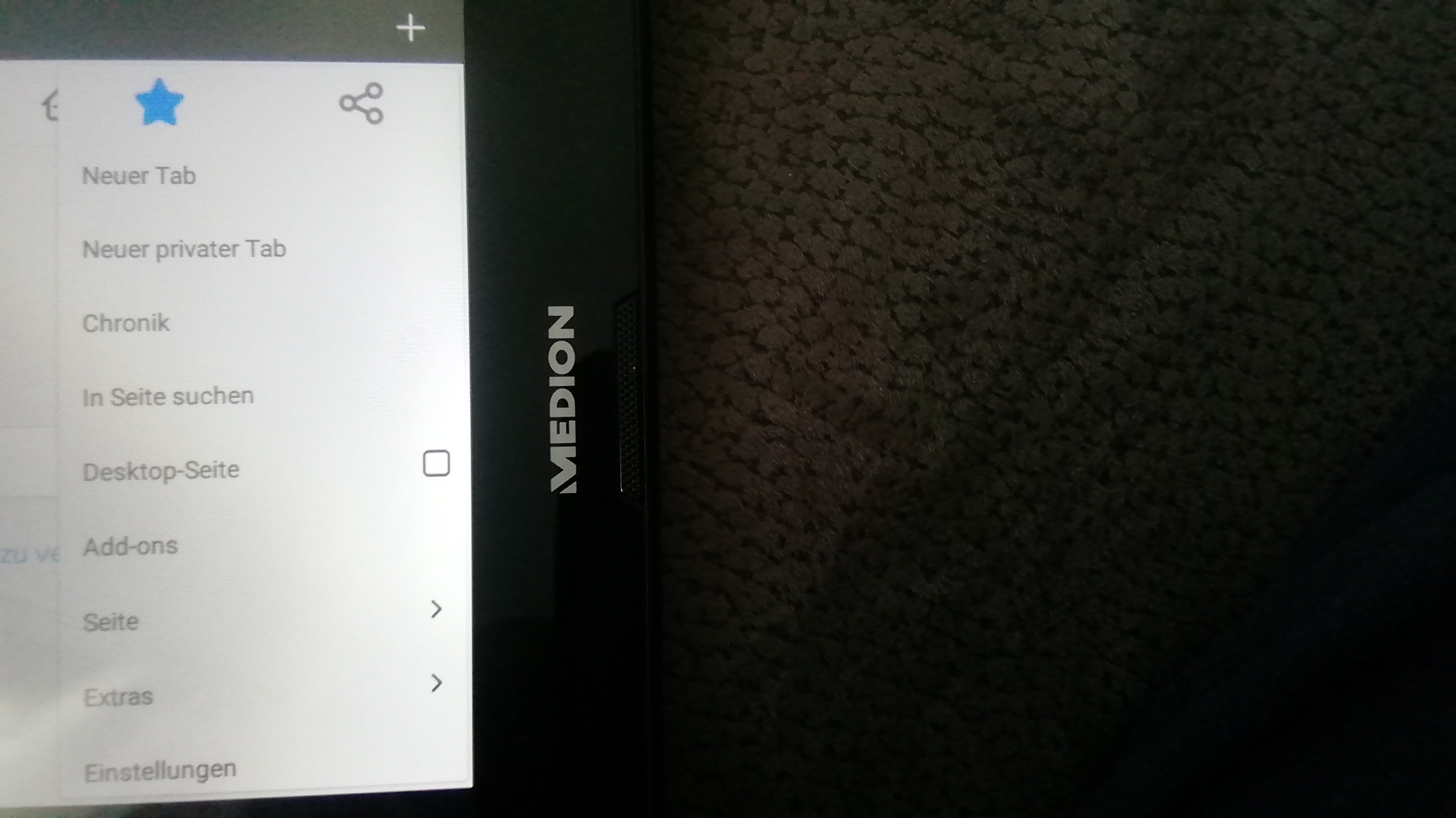
I have a tablet with android 5.0 and Firefox 68.8. When i open the menue(3 vertical points),there is no bookmarks option.I can save but I can't open the list.
Hello I have a tablet with android 5.0 and Firefox 68.8. When i open the menue(3 vertical points),there is no bookmarks option.I can create a bookmark with a push on the star but I can't open the list because the bookmarks option does not exist.
Best regards oli pee
Hello
I have a tablet with android 5.0 and Firefox 68.8. When i open the menue(3 vertical points),there is no bookmarks option.I can create a bookmark with a push on the star but I can't open the list because the bookmarks option does not exist.
Best regards
oli pee
Todas as respostas (2)
Hi Oli
Tapping the star as you have done will add the page to your bookmarks. To find the page in your bookmarks, swipe across from the Firefox for Android home screen to the bookmarks panel where the page will be available for you to select and open.
Solução escolhida
I have solved the problem. Open the menu and tap on settings, generally and startscreen. There is an option "bookmarks". Tap on it and you can choose "using as standard".Tap on it and you can find bookmarks in the menu.