


How do I disble the "Locating and Installing Your Downloads" pop-up window?
How do I turn this pop-up off?
Solução escolhida
Does this message still appear when running Firefox in Safe Mode?
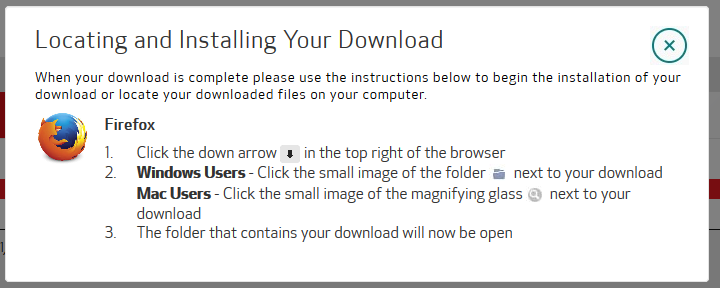
The main way that you can tell this is not a message that comes from Firefox is that the logo in the message window is incorrect. It's displaying an old logo that Firefox hasn't used for months. I suspect that something else (like an add-on or other piece of software) is generating this message for you.
Ler esta resposta 👍 0Todas as respostas (3)
That does appear to be window that's actually from Firefox. Rather, it appears that whatever website you are downloading from puts that on their website to help users find the download.
Since it's part of the website design, not Firefox itself, you would have trouble preventing that window from appearing.
It happens on multiple websites and started after the last Firefox update.
Solução escolhida
Does this message still appear when running Firefox in Safe Mode?
The main way that you can tell this is not a message that comes from Firefox is that the logo in the message window is incorrect. It's displaying an old logo that Firefox hasn't used for months. I suspect that something else (like an add-on or other piece of software) is generating this message for you.