


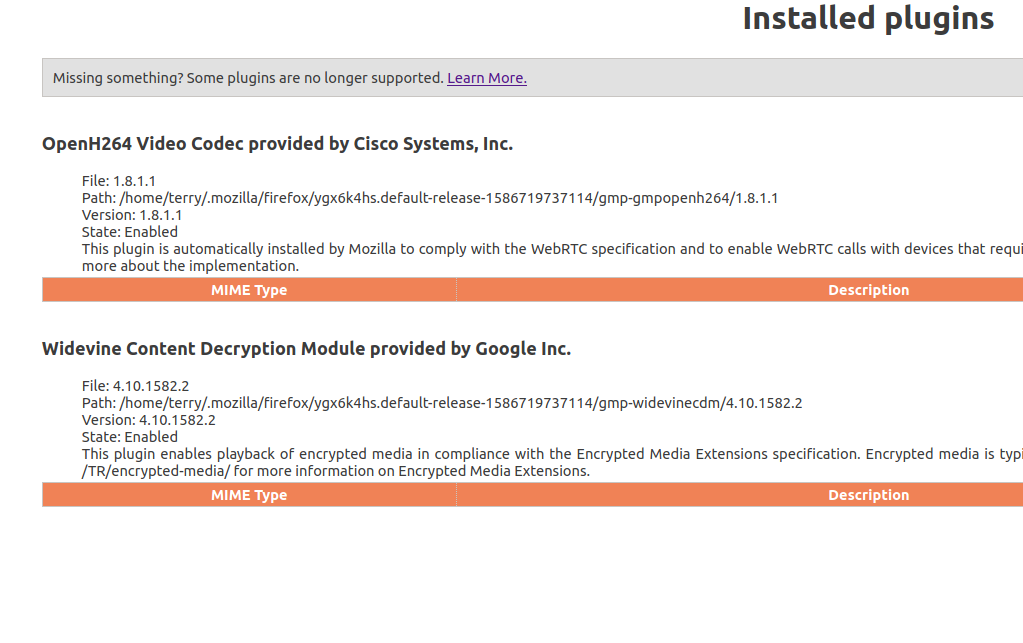
After upgrading to 75.0 i cannot play video on Amazon Prime with both Widevine OpenH264 enabled.
I have searched for hours to find a solution. Almost all mention Widevine. i have that enabled.
Solução escolhida
terry32 said
Fox News video will not play either. I get Error 4.
Hmm, that doesn't sound like a site that would use DRM.
In case this is an MPEG decoding problem rather than a DRM-specific problem, could you double-check my diagnostic page here:
https://www.jeffersonscher.com/sumo/html5-video.html
On Linux, Firefox looks for the FFmpeg package to be installed on the system to decode MPEG media.
Ler esta resposta 👍 1Todas as respostas (8)
Fox News video will not play either. I get Error 4.

Make sure you are not blocking content.
Start Firefox in Safe Mode {web link}
A small dialog should appear. Click Start In Safe Mode (not Refresh). Is the problem still there?
https://support.mozilla.org/en-US/kb/enhanced-tracking-protection-firefox-desktop
No, unfortunately, starting in save mode did not resolve the problem. I have attached two screen shots: one from trying to run a video on Amazon Prime and the other from tying to play a video clip on Fox News.
Well, I can't attach a screen shot. Too large error...
I have been on Ubuntu 16.04 and playing videos on Amazon and on Fox News for years. I finally upgraded to 18.04 and neither of these have worked since. YouTube works just fine. Chrome works just fine on everything.
Thanks for the response...
Guess you guys are wanting me to move on over to Chrome, right? Unbelievable...
I am so angry! I have been using Firefox for decades. No help at all except for FredMcD who tried. I am going to pose a new question so I can find out how to the my bookmarks out of Firefox and into Chrome. Shame on y'all. I upgrade to Ununtu 18.04 and this is what I get. God Almighty! Are we not beyond this crap in the Open Source world?
Do you get the DRM icon on the location bar ?
Try to toggle DRM off/on to see if that makes Firefox (re)load DRM components.
- Options/Preferences -> General: Play DRM
- https://support.mozilla.org/en-US/kb/enable-drm
Try the Firefox version from the official Mozilla server if you currently use a version from the repositories of your Linux distribution.
Solução escolhida
terry32 said
Fox News video will not play either. I get Error 4.
Hmm, that doesn't sound like a site that would use DRM.
In case this is an MPEG decoding problem rather than a DRM-specific problem, could you double-check my diagnostic page here:
https://www.jeffersonscher.com/sumo/html5-video.html
On Linux, Firefox looks for the FFmpeg package to be installed on the system to decode MPEG media.
That was it! ffmpeg was not installed on Ubuntu 18.04! Can now play video on Amazon and Fox News!
Thank you and thanks to everyone who responded.