


filtering for starred messages

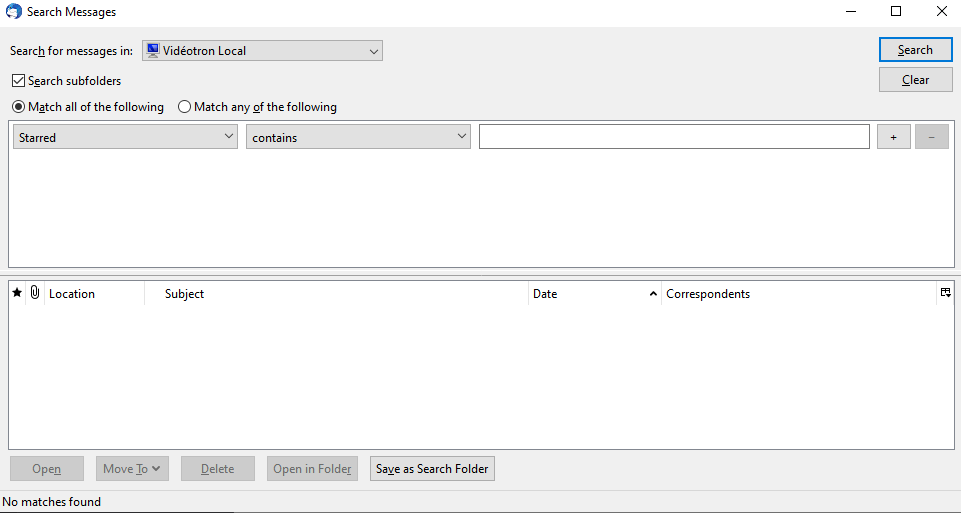
I want to search all messages to filter out those starred. In Advanced Features/Search messages, I choose search all messages including subfolders at the top level of my mailbox, select Starred as a filter, and nothing comes up. Is this a bug? I haven't found any configuration of the search tool that gives me starred messages. Thanks
Solução escolhida
Did you create 'Starred' because it is not usually an option in that particular drop down section?
To get a list of all starred messages, you need to select: 'Status' and 'is' and 'Starred'
Ler esta resposta 👍 0Todas as respostas (2)
Solução escolhida
Did you create 'Starred' because it is not usually an option in that particular drop down section?
To get a list of all starred messages, you need to select: 'Status' and 'is' and 'Starred'
I don't recall ever creating this Starred option, it was just there when I looked at the available filters. Anyway, your approach works as intended, so thanks!