


Why is Thunderbird suddenly not receiving messages (I already checked my password settings)?

I've been using Thunderbird for years but suddenly as of yesterday it's stopped receiving messages. First it told me my password was incorrect. Ever since then when I try to click "Get Messages," it simply has no response at all. Nothing happens. I went into my Thunderbird password settings, and upon seeing that the incoming-message password had for some reason reverted to an old, obsolete password, I corrected it and saved the correct one. I've checked several times and the passwords are correctly saved now. But this did not fix the problem. When I click "Get Messages," nothing happens. My Thunderbird is connected to my Earthlink account, which is working fine. When I go into Earthlink, I am able to send and receive messages as normal. So the problem is not with Earthlink but with Thunderbird.
Wszystkie odpowiedzi (27)
Toad-Hall said
You are doing everything correct. I checked your image...please make sure you select 'pop.earthlink.net' and NOT 'pop.earthlink.net-1' because I'm testing which is the correct one, so there's a process.
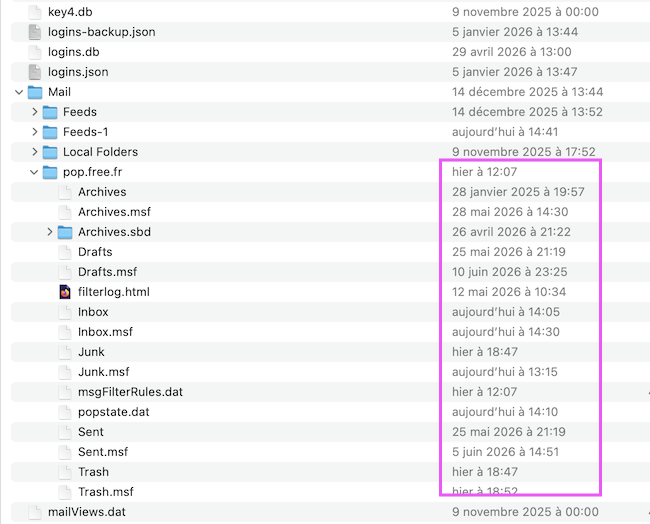
Hi Toad-Hall, can I give my two cents once more? Are you sure that 'pop.earthlink.net' or 'pop.earthlink.net-1' folders do contain more recent messages for mindiminy's @earthlink email address? Neither of those two account folders has been actualised recently, their modification time stamps are from December 2009. As an exemple I join a screen shot of my 'Mail' folder in my Thunderbird profile displaying the mailbox files of my POP account: the 'pop.free.fr' account folder has a modification date from yesterday, the Inbox file a time stamp from today.... The left of mindimindy's recent screen shots shows the contents of a "Local Folders" with many mailbox files having recent time stamps from May and June 2026, amongst them an Inbox file with a size of 42.7 MB or a Sent file with a size of 90.4 MB and a time stamp from yesterday and many other mailbox files ! This screen shot lets me think that mindimindy some time ago had opted for the "Global Inbox (Local Folders" for her/his pop account and since then all folder and message data are stored in Local Folders. Unfortunately none of the screen shots display the folder paths, so it is difficult to know which Local Folders of the two profiles are displayed ....
Zmodyfikowany przez Mapenzi w dniu
It's possible a deferred account was set up, but at this point that will not make any difference.
If emails have been going to Local Folders then they can be displayed. Whether we need to copy paste a 'Local Folders folder from A to B is another thing we may have to resolve.
The point is this. You should not be using profile A and point all mail accounts to B which is a corrupt profile.
So the idea is to set everything back to where it should be then check the emails and do a copy paste of files if required.
There is no point creating another profile, recreating another pop account and then importing everything. We may as well use a perfectly good already created profile which already has a the pop mail accounts. So it's just set Thunderbird up correctly - no idea how it got so bad - then it necessary locate email files and move as required.
The first phase is to set up correctly The second phase is to check email and where they are stored. Note the corrupt profile has mbox files in the profile itself which is seriously wrong. As you say, once the account settings are correct, then it's the hunt for emails. The third phase is to copy paste files to correct location if required.
Zmodyfikowany przez Toad-Hall w dniu
Hi mindimindy
Remember to work through all the instructions I gave previously. 1. Set up the earthlink account to look at 7ibfekx7.default/Mail/ pop.earthlink.net (you were doing very well and nearly completed it) 2. Set up the 'Local Folders' account to look at 7ibfekx7.default/Mail/Local Folders 3. For the earthlink account Check all the various settings eg: 'Copies & Folders' as per instructions.
Then restart Thunderbird and tell me what you see in both the Pop account and Local Folders.
Toad-Hall — Something went wrong!
I did as you said, opened pop.earthlink.net in the Profiles/7ibfekx7.default/'Mail' folder folder. Then Thunderbird asked me to restart to apply the changes. I did. Local Directory now DOES correctly say Users/mindi/Library/Thunderbird/Profiles/7ibfekx7.default/Mail/pop.earthlink.net
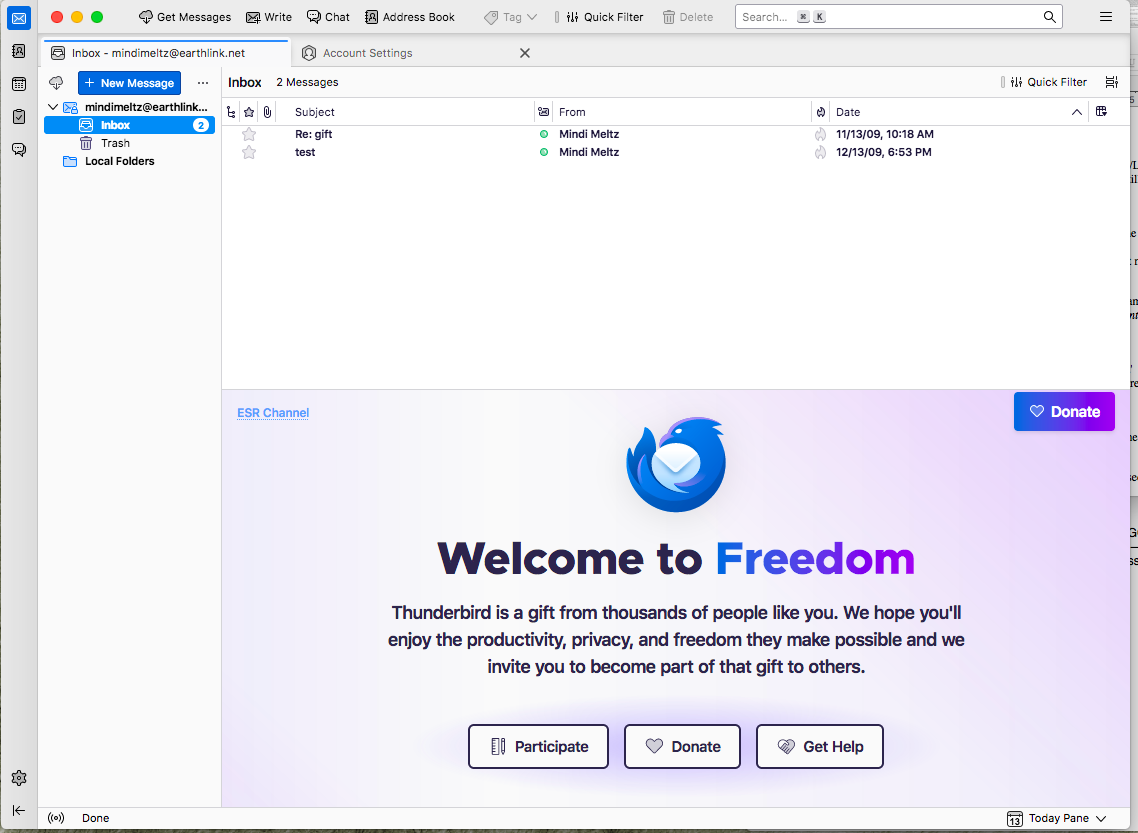
However… Now what I’m seeing is ALL OF MY MESSAGES AND FOLDERS ARE GONE. There were like 30 folders here with decades’ worth of messages that are gone. All I see is these two random messages from 2009 in my inbox, which came in as two “new” messages — I am showing an image, attached. I am trying not to panic because I assume my folders and messages are not all deleted, just not shown anymore because it’s looking at a different directory?? Please tell me how to get them back.
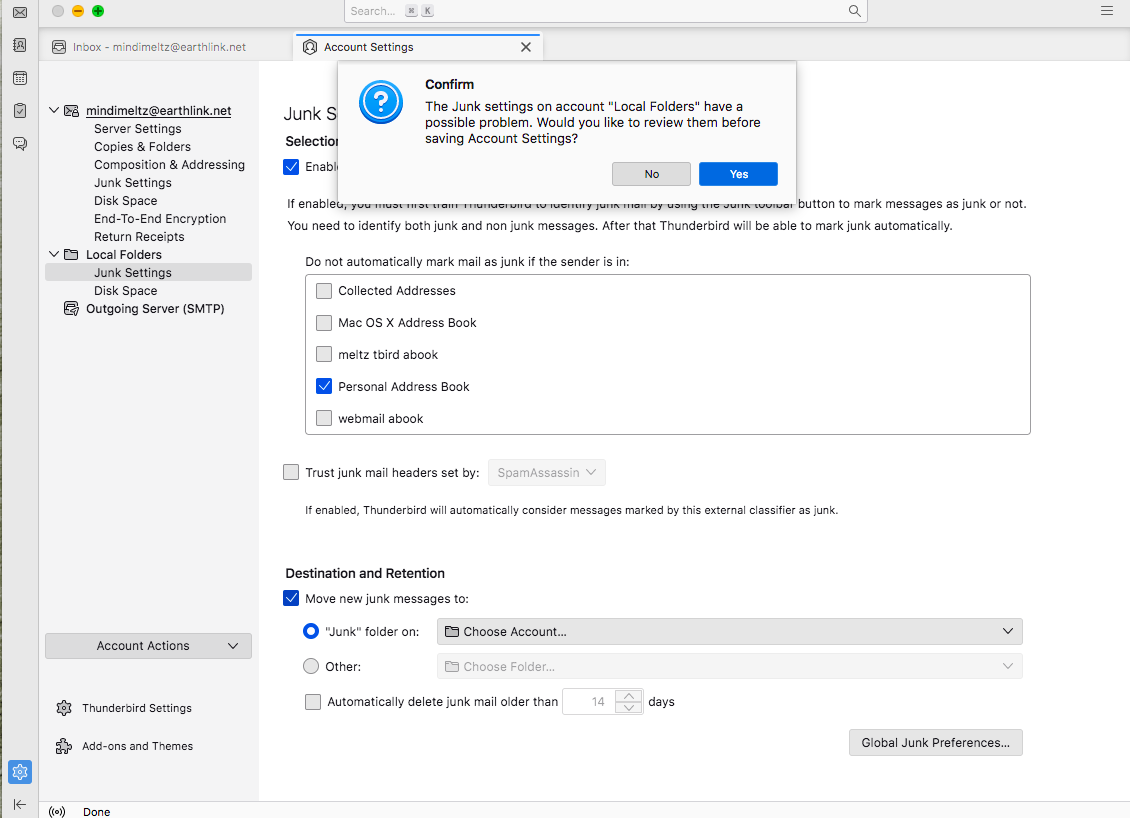
(As for the other things you asked me to check in account settings, they were all already saved like that — except for “Move new junk messages to” was not checked, and when I tried to check it, and alert came up which I am attaching an image of here.)
Okay, it's alright, I see how to navigate back to where I was. So I opened the Local directory "browse" again and navigated back to /Users/mindi/Library/Thunderbird/Profiles/2bi2hsqc.default/Mail/Local Folders.
So now I'm back to where I was before, with my files and folders all showing up, but no progress. Still can't get mail.
I'm okay with giving up at this point, unless you have a clear idea like Aha! I know what to do now! You guys have been so great. But this doesn't seem to be working. I don't know what happened. I have always just used Thunderbird like normal and have no recollection of doing anything weird. I am not computer savvy enough to do the weird things you guys have mentioned. =)
Also, it appears that Mapenzi was correct that 7ibfekx7.default did not contain more recent messages. However I'm confused as to why we are trying to find a folder with more recent messages anyway. I'm not having trouble seeing my files and messages. What I'm having trouble doing is connecting with Earthlink to receive new messages (although for some reason I have no problem sending messages through Earthlink).
mindimindy said
Also, it appears that Mapenzi was correct that 7ibfekx7.default did not contain more recent messages.
I didn't say exactly that. I asked Toad-Hall "Are you sure that 'pop.earthlink.net' or 'pop.earthlink.net-1' folders do contain more recent messages for mindiminy's @earthlink email address?" As a matter of fact your 7ibfekx7.default profile contains many folders in the "Local Folders" folder which you seem to have retrieved in the meantime by changing the path to the local directory of Local Folders according to Toad-Halls injunction.
mindimindy said
......but no progress. Still can't get mail.
Is there any error message when you start Thunderbird or any time when you click on "Get Messages"? Any hints in Tools > Activity Manager ? Or in Tools > Developer Tools > Error Console?
Zmodyfikowany przez Mapenzi w dniu