


The bookmarks/browsing feature now shows a list that covers the entire top half of the page, but I want to go back to the older version.

The bookmarks/browsing feature now shows a list that covers the entire top half of the page, but I want to go back to the older version. That would be a drop-down box underneath the address bar. See the jpg attached for the problem.
Wszystkie odpowiedzi (2)
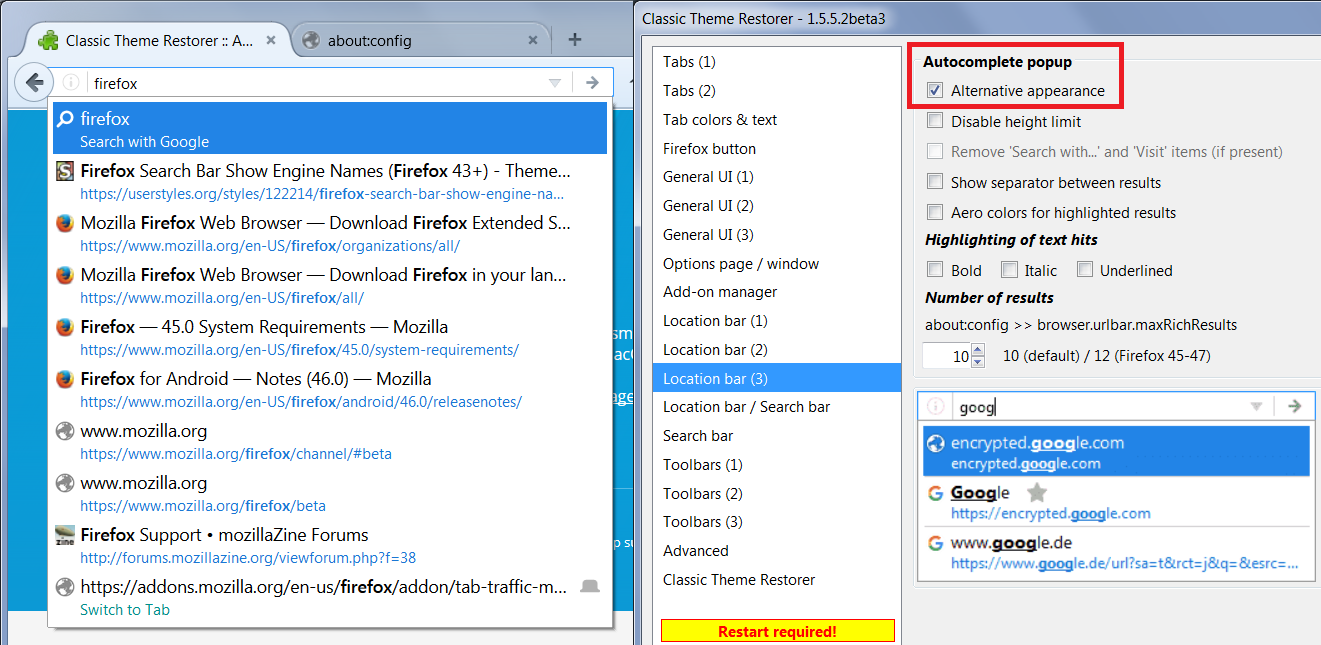
Hi John, Firefox 48 switched from the old "stacked" design where the title was above the url to a linear design where the title is on the left and the url is on the right. This requires more width...
There is no built-in feature to switch back to the old design. However, at least one add-on is building in that feature and probably others will appear. I'm attaching a screenshot from the beta version of Classic Theme Restorer but if you do not already use it or want to change other aspects of Firefox's interface, you might wait a couple days to see what else emerges.
Looks like it should solve the problem! I'll try to use the Classic Theme Restorer. The title above the url is what I'm used to, and I'll check again in a few days to see what's available. Thanks for the help.