


History/downloads/bookmarks window is stuck in fullscreen

This started happening after I began using the fullscreen mode and split screen view on the new OS X El Capitan.
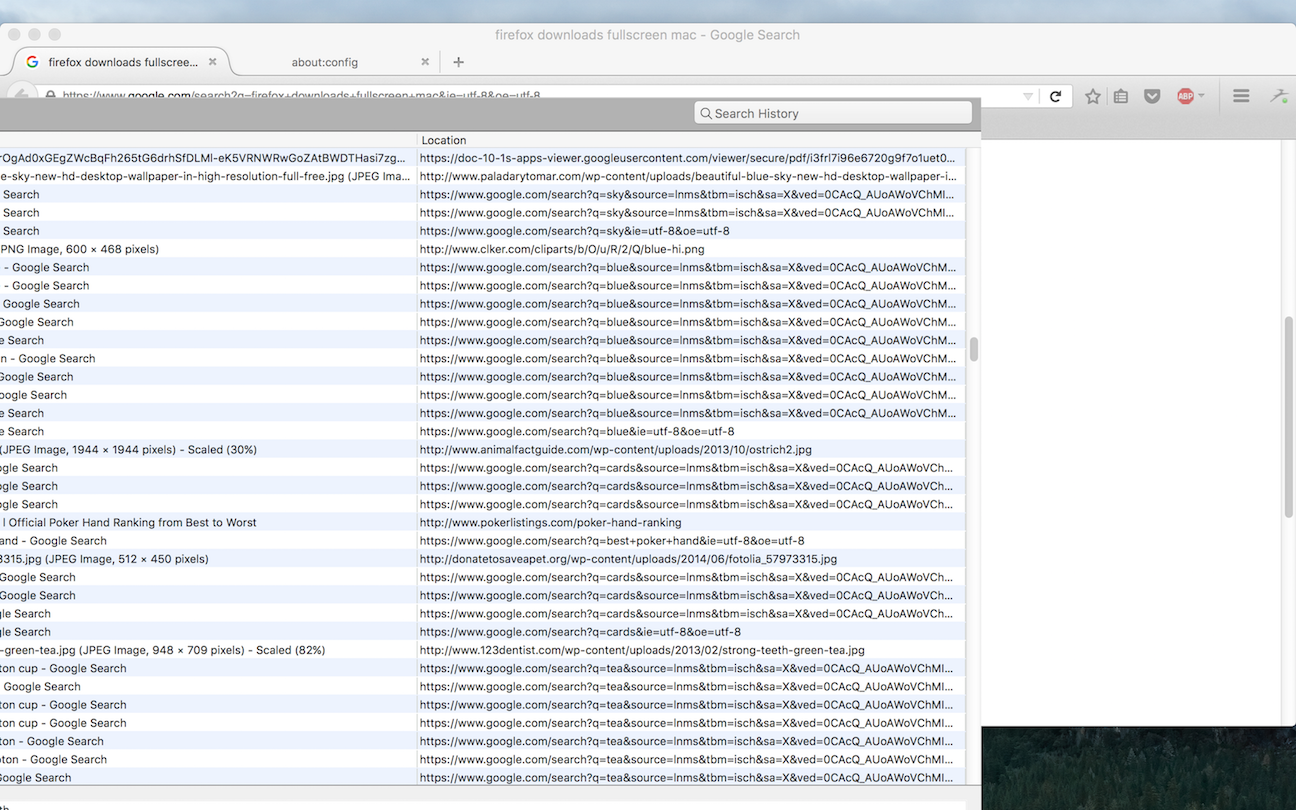
I don't know what I did, but the history/downloads/bookmarks window (the one that pops up when you click "Show All History", etc.) is now permanently stuck in fullscreen. It takes up the entire screen, and it disables the menu bar and the Dock as a normal fullscreen would -- but it is clear this is a bug, since I can somehow move it around (see screenshot). No title bar pops up when I move my cursor to the top of the screen, and the usual Control-Command-F shortcut for toggling fullscreen doesn't seem to work.
How can I fix this?
Wszystkie odpowiedzi (3)

Wybrane rozwiązanie
Start Firefox in Safe Mode {web Link} by holding down the <Shift>
(Mac Options) key, and then starting Firefox. Is the problem still there?
You may have a corrupt xulstore.json file. https://support.mozilla.org/en-US/kb/changes-toolbars-and-window-sizes-are-not-saved
Deleting the xulstore.json file fixed it for me. Thanks!
I think it's definitely a bug, and it's reproducible too (Mac OS X El Capitan):
1. Set Firefox to fullscreen 2. Open the history window by clicking "Show All History" 3. The history window will open in fullscreen as well. Close the history window. 4. Open the history window again. The history window will now be stuck in fullscreen.
Glad to help. Safe surfing.
If you want to leave feedback for Firefox developers, you can go to the Firefox Help menu and select Submit Feedback... or use this link. Your feedback gets collected at http://input.mozilla.org/, where a team of people read it and gather data about the most common issues.