


Flash plugin crashing

Hi all,
For the last few days, Adobe Flash has been crashing in Firefox. Sometimes I'll see a second or so of the animation before it crashes, but usually I just see the 'crashed' message like the screenshot on https://support.mozilla.org/en-US/kb/adobe-flash-plugin-has-crashed. On some pages, there's just empty space where I know the Flash component should be.
Starting Firefox in safe mode with plugins disabled does not help, although if I start *Windows* in safe mode, Flash works just fine.
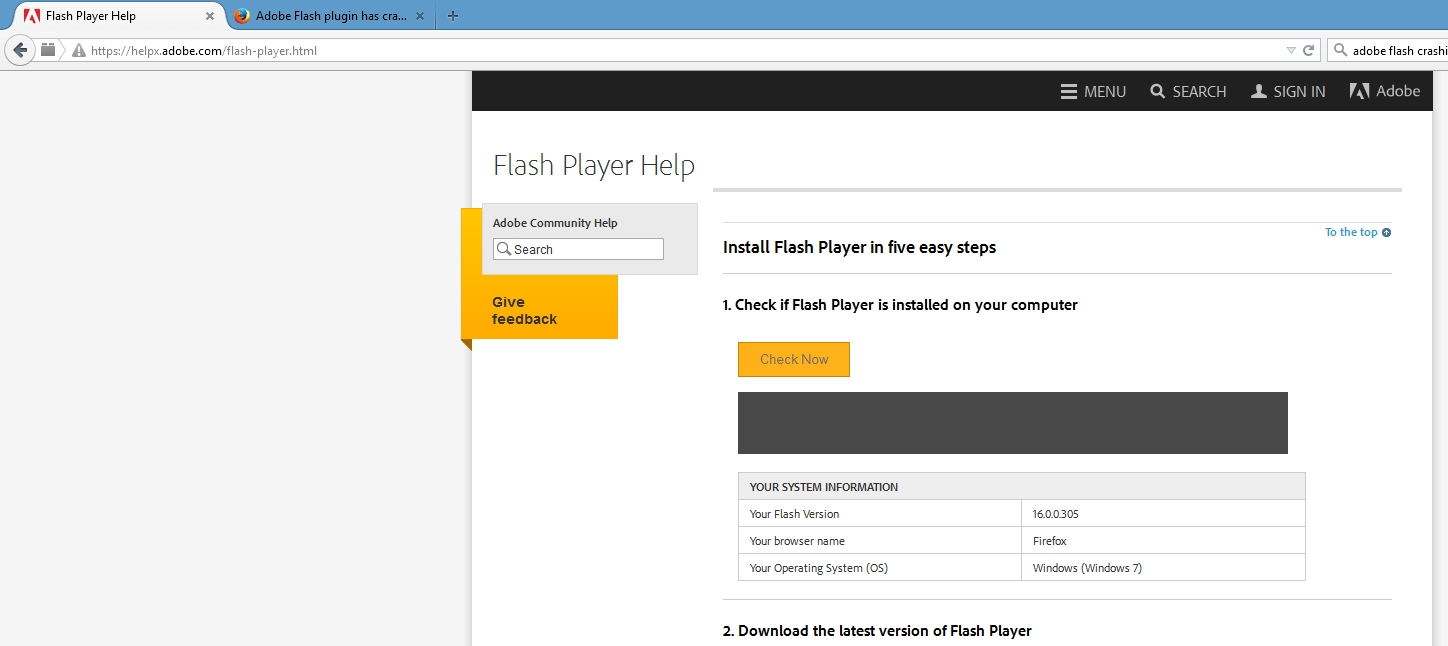
Going to https://helpx.adobe.com/flash-player.html and clicking the Check Now button does show me my Flash version, but the animation that pops up just below the button crashes (screenshot attahced).
I've done multiple full uninstall/reinstalls of both Flash and Firefox, including manually going through C:\Users\username\AppData\Local and \Roaming and deleting the Mozilla subfolders.
I'm at a loss here, any help you can provide is appreciated!
Greg
Wybrane rozwiązanie
Hey gang, I actually figured it out - I had forgotten that I had changed my FF shortcut to always run the program in Windows 7 Compatibility Mode as a way to try and get it to work with a vendor's online portal. I turned off W7 mode, and everything is working again now.
Thanks to anyone that started to take a look!
Greg
Przeczytaj tę odpowiedź w całym kontekście 👍 1Wszystkie odpowiedzi (3)
Wybrane rozwiązanie
Hey gang, I actually figured it out - I had forgotten that I had changed my FF shortcut to always run the program in Windows 7 Compatibility Mode as a way to try and get it to work with a vendor's online portal. I turned off W7 mode, and everything is working again now.
Thanks to anyone that started to take a look!
Greg
Your "More System Details" shows 3 Flash plugins. Could you make sure the older ones are disabled on the Add-ons page. Either:
Tools menu Add-ons
In the left column, click Plugins. Then find the older "Shockwave Flash" plugins and set them to "Never Activate" to disable them.
Does that help?
Hey orvi,
I actually managed to figure it out that same day, and posted my solution. Thanks for having a peek though!
Greg