


Open
I installed a firefox wallpaper but I want to remove it

Two days ago I started my PC to discover a firefox update with an option to change my default firefox appearance by adding a wallpaper image. I have now decided that I want to remove that image, but I cannot find out how to do so.
Two days ago I started my PC to discover a firefox update with an option to change my default firefox appearance by adding a wallpaper image. I have now decided that I want to remove that image, but I cannot find out how to do so.
All Replies (2)
Hello
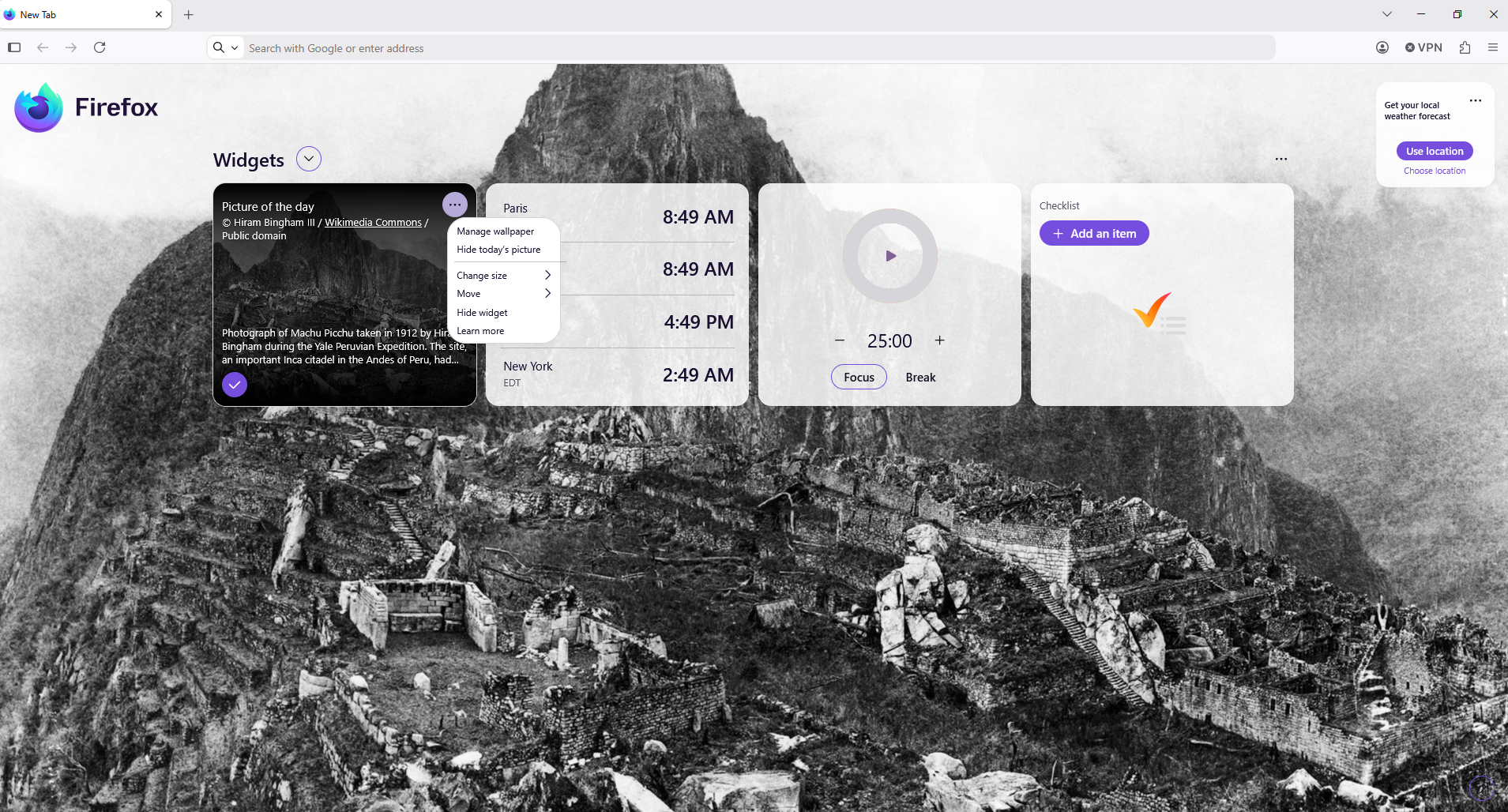
Is it your question (e.g) screenshot
Use widgets on your Firefox New Tab page https://support.mozilla.org/en-US/kb/firefox-new-tab-widgets Picture of the day widget
Customize items on your Firefox New Tab page You can try turn off Wallpapers https://support.mozilla.org/en-US/kb/customize-items-on-firefox-new-tab-page#w_change-whats-on-your-new-tab-page or choose your choice
Endret av Agent virtuel
Other access, type about:preferences#home into your address bar Take a look at Firefox Home