


How to install a wallpaper using a avif url or avif image file?

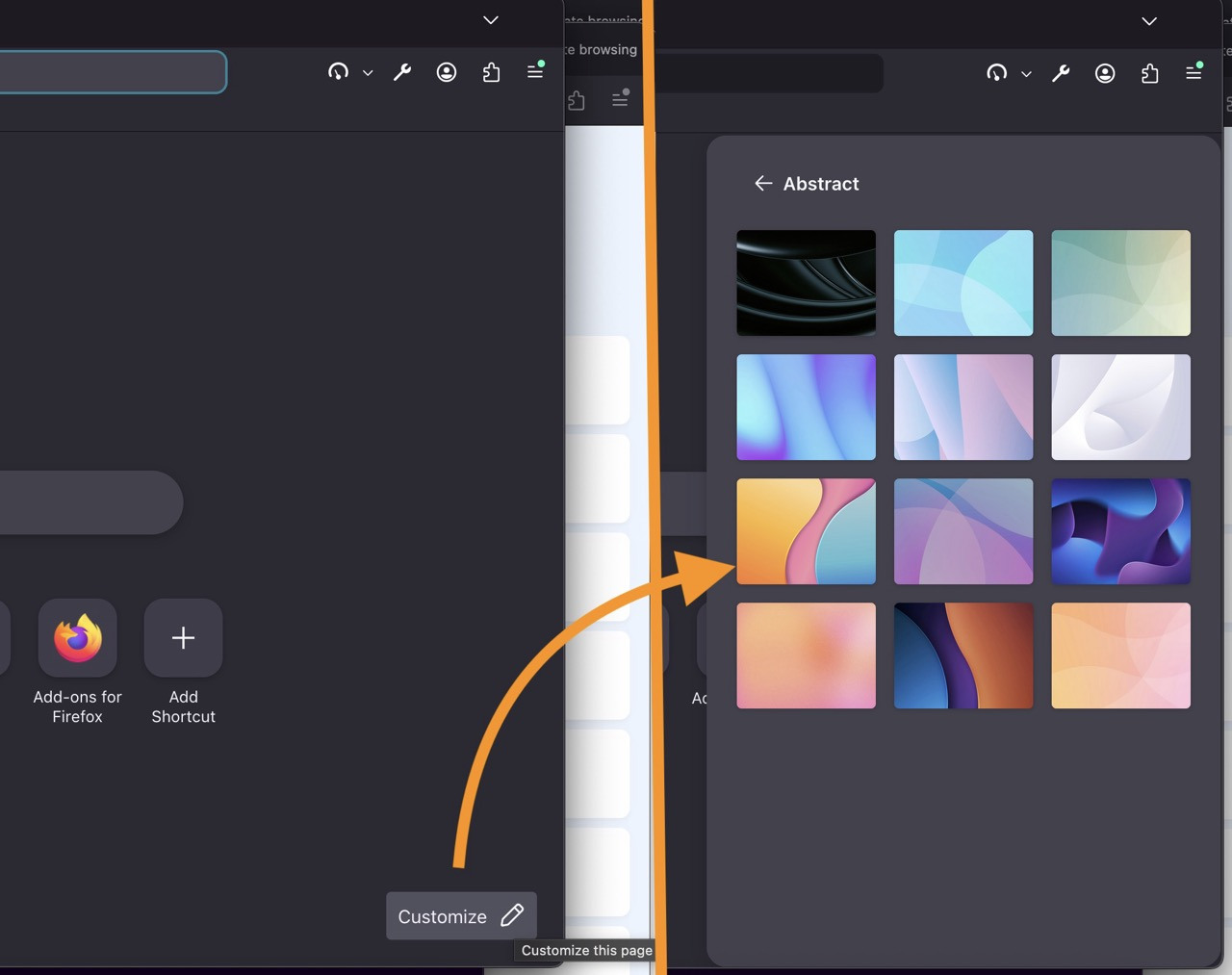
I have firefox on another PC with wallpaper I wish to install on my current firefox. I have identified its name = "Abstract". The wallpaper image url is https://firefox-settings-attachments.cdn.mozilla.net/main-workspace/newtab-wallpapers-v2/a205885e-194a-41f9-ae47-e7da66a74041.avif. The image is a205885e-194a-41f9-ae47-e7da66a74041.avif The current firefox version I wish to install this wallpaper on is 151.0.4 (64-bit) Please provide navigation instructions on firefox to install. I am uploading the image of this wallpaper for you easy reference. Thanks


Valgt løsning
Hi jbr, Your solution was super. I learnt a lot. Many many thanks again.
All Replies (3)
FYI the above one is still available (just looked on v151) in the default provided "Abstract" collection: Customize items on your Firefox New Tab page
So you can just click through the options in the "Customize" (pencil) action in the corner of the tab.
Many thanks jbr for your prompt response and solution. I will follow your guidelines accordingly.
Valgt løsning
Hi jbr, Your solution was super. I learnt a lot. Many many thanks again.