


No VPN setup prompt or icon in toolbar.

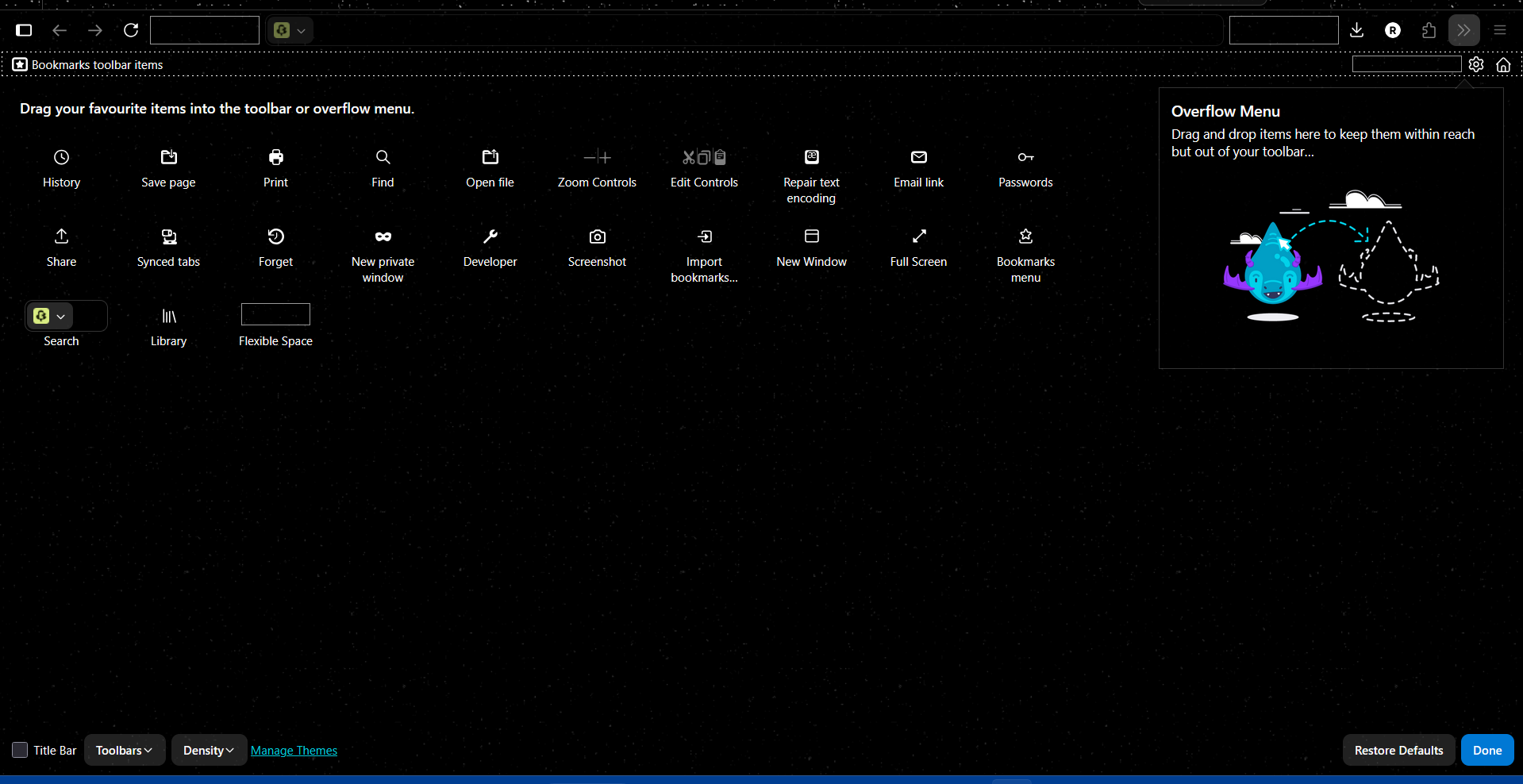
I was not given a VPN setup on restarting Firefox, and have no VPN icon in my toolbar. I have tried using customise toolbar, but there is no VPN icon to add back. Version 150.0, automatically opened to "What's New in Firefox 150" on starting Firefox, just without a new VPN icon. Thanks

All Replies (5)
Valgt løsning
The Firefox built-in VPN is offered as a progressive rollout to users in the U.S., U.K., Germany and France, as mentioned in the Firefox 149 release notes. It is also offered to users in Canada, starting in Firefox version 150. It is not available to everyone, even if you are in one of these locales.
If the built-in VPN is available, you would see a VPN icon in the top-right corner of the toolbar, that opens a prompt to turn on the VPN. You would also need to sign in to a Mozilla account. For more infomation, see the Use built-in VPN in Firefox article.
If you wish, you can post your feedback about the Firefox built-in VPN to the Mozilla Connect thread.
I'm up to Firefox 151, and I still don't have the VPN option. Is this normal for the rollout? It seems I should have it by now...?
Endret av joe321

George Kitsoukakis said
The Firefox built-in VPN is offered as a progressive rollout to users in the U.S., U.K., Germany and France, as mentioned in the Firefox 149 release notes. It is also offered to users in Canada, starting in Firefox version 150. It is not available to everyone, even if you are in one of these locales. If the built-in VPN is available, you would see a VPN icon in the top-right corner of the toolbar, that opens a prompt to turn on the VPN. You would also need to sign in to a Mozilla account. For more infomation, see the Use built-in VPN in Firefox article. If you wish, you can post your feedback about the Firefox built-in VPN to the Mozilla Connect thread.
If it's not available to everyone, then why the heck do we all still get the Mozilla tab that shows us how to enable it?
Hello
A similar discussion thread https://connect.mozilla.org/t5/discussions/introducing-firefox-s-built-in-vpn-ip-protection-now-in-the/m-p/127373/highlight/true#M50507

Hi, My problem is not the same as the VPN icon used to be there and I used it for the last 2 or 3 months without any problem but now that I've updated to 151.0.4, it is no longer there. It thought it might no longer be there by default so I tried to put it back by customizing the toolbar but the icon just isn't there anymore. What's up with that?
I understand it's a progressive rollout, but are you now rolling it back in???
thanks