


can't upload pictures as appendix via thunderbird

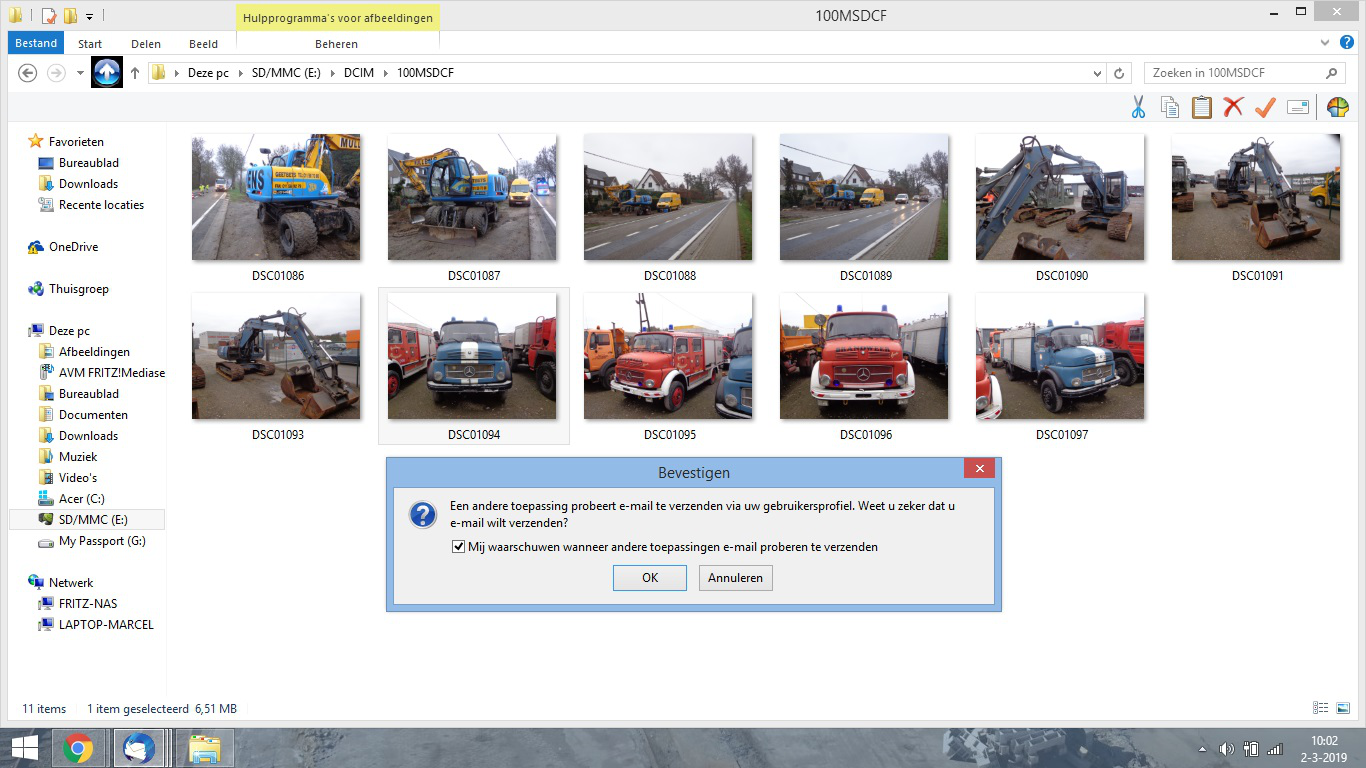
Since the update to Thunderbird 60, I can't send pictures via e-mail the way I used to do. Before the update, I selected the pictures in the designated folder, click right mouse button en select "copy to email program". Normally, the pictures reduced in size and appeared as appendix in my new mail.
After the update, I recieve an error, which says the following:
" Another application tries to send e-mail through your user profile. Are you sure you want to send e-mail? " Either selecting Cancel or OK, nothing happens. I'm not happy with that. Alternatively, I can reduce my pictures manually, but this takes up to much time.

Valgt løsning
When your problem is fixed can you mark the topic as 'Solved' please? Thank you.
All Replies (7)
I'm not that technical with computers :-) Am I correct when I say that I have to un-install office? (i don't think that there is any office software on my laptop?)
No, you're supposed to download Thunderbird from https://www.thunderbird.net/ and run the installer.
This will not impact your existing data.
Okay, thanks for the advise. Does this have any effect on my current emails in my in- and outbox? (I don't want them to be deleted after re-installing Thunderbird)
Does this have any effect on my current emails in my in- and outbox?
It does not. Having that said, it's always recommended to have a current backup of your Thunderbird profile folder. https://support.mozilla.org/kb/profiles-where-thunderbird-stores-user-data#w_backing-up-a-profile
It worked! I've re-installed thunderbird and tested my method of sending pictures, no problems anymore. Thank you very much :D Kind regards, Marcel
Valgt løsning
When your problem is fixed can you mark the topic as 'Solved' please? Thank you.