


update 110 not compatible with twitch

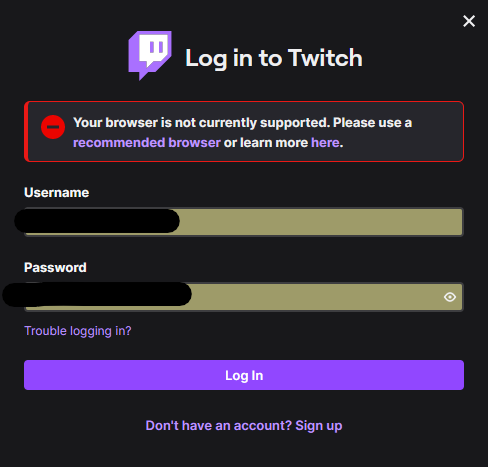
I am having issues with Firefox and Twitch. after updating to the current version (110) I have been unable to claim twitch drops. So I tried troubleshooting like clearing my cache and cookies, and logging out of twitch. But when I try to log back into twitch I keep getting this error stating that my browser (firefox) is not supported.
I am having issues with Firefox and Twitch. after updating to the current version (110) I have been unable to claim twitch drops. So I tried troubleshooting like clearing my cache and cookies, and logging out of twitch. But when I try to log back into twitch I keep getting this error stating that my browser (firefox) is not supported.
Alle antwoorden (2)
Start Firefox in Troubleshoot Mode to check if one of the extensions ("3-bar" menu button or Tools -> Add-ons -> Extensions) or if hardware acceleration or if userChrome.css/userContent.css is causing the problem.
- switch to the DEFAULT theme: "3-bar" menu button or Tools -> Add-ons -> Themes
- do NOT click the "Refresh Firefox" button on the Troubleshoot Mode start window
- https://support.mozilla.org/en-US/kb/diagnose-firefox-issues-using-troubleshoot-mode
- https://support.mozilla.org/en-US/kb/troubleshoot-extensions-themes-to-fix-problems
You can check for issues with Total Cookie Protection.

I have this same issue too. Tried all the troubleshooting steps issue still persists