


Problems with viewing parts of Google Calendar in Firefox a linux box running Ubuntu 22:04 LTS

The text for certain parts of the calendar screen are jumbled and impossible to read. I don't have this problem when I open the calendar app using Chrome or Chromium, or in Firefox on my Macbook. It seems to be unique to my Firefox browser on my Ubuntu machine. I am attaching a screen shot that indicates the jumbles I see. The most prominent ones appear on the top line where one can change the week and day one is viewing. There are other places as well which are easily seen on the screen shot, especially when it is "blown up". I don't know how to fix this.
In any case, thanks in advance for your help and consideration. Best wishes, Paul Muhly

Alle antwoorden (1)
Did you try Firefox in Safe Mode? https://support.mozilla.org/en-US/kb/diagnose-firefox-issues-using-troubleshoot-mode#search104
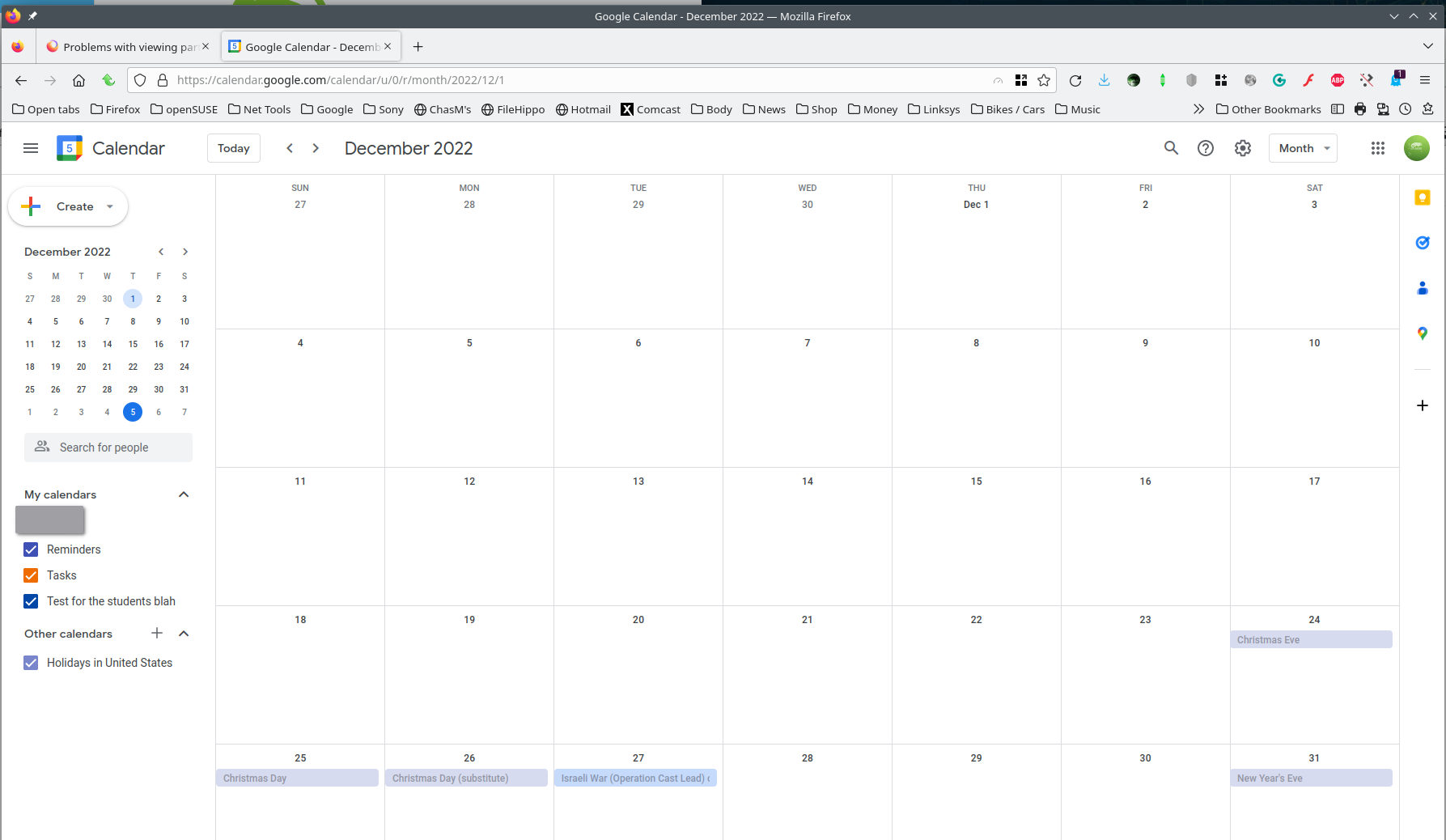
Try downloading Firefox from Mozilla. Download, unzip, and run firefox-bin from the folder and see if you have the same issue. https://www.mozilla.org/en-US/firefox/all/#product-desktop-release Are in X11 or Wayland? I don't have the issue. see screenshot
Operating System: openSUSE Tumbleweed 20230102 KDE Plasma Version: 5.26.4 KDE Frameworks Version: 5.101.0 Qt Version: 5.15.7 Kernel Version: 6.1.1-1-default (64-bit) Graphics Platform: X11 Processors: 16 × AMD Ryzen 7 5825U with Radeon Graphics Memory: 62.1 GiB of RAM Graphics Processor: AMD Radeon Graphics Product Name: HP ProBook 455 15.6 inch G9 Notebook PC
Bewerkt door jonzn4SUSE op