


SSA website not working in Firefox 93.0.
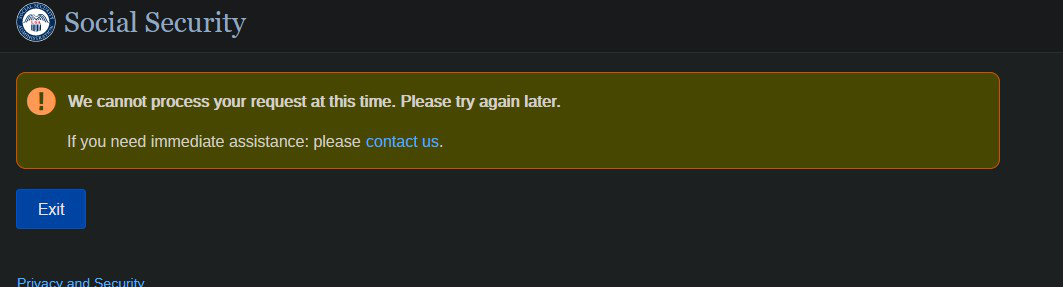
I have recently had a problem with Firefox 93.0 SSA website fails to login. I have refreshed Firefox and removed all extensions. Cleared all data. Deleted Cookes file. etc. It keeps failing I have never had an issue before. I am able to login with Edge no problem.
Gekozen oplossing
FredMcD and cor-el,
Thanks for your quick responses.
My apologies I should have realized that safe mode would still work as far as browsing. It worked when I loaded Firefox in safe mode. I then tried my add-ons one at a time and I found it was Dark Reader which by the way is loaded in Edge I guess something off in for it in Firefox. I just disabled it for SSA. Thanks for all the help.
Don
Alle antwoorden (4)

Make sure you are not blocking content.
Diagnose Firefox issues using Troubleshoot(Safe) Mode {web link}
A small dialog should appear. Click Start In Troubleshoot(Safe) Mode (not Refresh). Is the problem still there?
https://support.mozilla.org/en-US/kb/enhanced-tracking-protection-firefox-desktop also see https://blog.mozilla.org/security/2021/03/23/introducing-smartblock/
https://support.mozilla.org/en-US/kb/smartblock-enhanced-tracking-protection
Many site issues can be caused by corrupt cookies or cache.
Warning ! ! This will log you out of sites you're logged in to. You may also lose any settings for that website.
- How to clear the Firefox cache {web link}
There is security software like Avast, Kaspersky, BitDefender and ESET that intercept secure connection certificates and send their own.
https://support.mozilla.org/en-US/kb/firefox-cant-load-websites-other-browsers-can
https://support.mozilla.org/en-US/kb/firefox-and-other-browsers-cant-load-websites
https://support.mozilla.org/en-US/kb/secure-connection-failed-firefox-did-not-connect
https://support.mozilla.org/en-US/kb/websites-dont-load-troubleshoot-and-fix-errors
Do you get an error page ?
Can you attach a screenshot?
- https://support.mozilla.org/en-US/kb/how-do-i-create-screenshot-my-problem
- use a compressed image type like PNG or JPG to save the screenshot
Gekozen oplossing
FredMcD and cor-el,
Thanks for your quick responses.
My apologies I should have realized that safe mode would still work as far as browsing. It worked when I loaded Firefox in safe mode. I then tried my add-ons one at a time and I found it was Dark Reader which by the way is loaded in Edge I guess something off in for it in Firefox. I just disabled it for SSA. Thanks for all the help.
Don