


Cannot disable Cipher TLS_RSA_WITH_AES_128_GCM_SHA256 or TLS_RSA_WITH_AES_256_GCM_SHA384
Hi there,
I'm trying to disable insecure ciphers in TLS 1.2 since 1.3 isn't widely supported yet.
I'm using this to determine whats secure: https://browserleaks.com/ssl
I cant find any option to disable these two ciphers:
0x009c TLS_RSA_WITH_AES_128_GCM_SHA256 0x009d TLS_RSA_WITH_AES_256_GCM_SHA384
Thanks :)
Gekozen oplossing
You can disable/enable those ciphers in about:config:
security.ssl3.rsa_aes_128_gcm_sha256 for TLS_RSA_WITH_AES_128_GCM_SHA256 and security.ssl3.rsa_aes_256_gcm_sha384 for TLS_RSA_WITH_AES_256_GCM_SHA384
This will only work in the latest version of Firefox.
Dit antwoord in context lezen 👍 1Alle antwoorden (4)
Hi Reuben:
I personally don't know how to do this, but I've asked some developers to help!
And hopefully I'll be able to report back soon!
Cheers!
...Roland

Gekozen oplossing
You can disable/enable those ciphers in about:config:
security.ssl3.rsa_aes_128_gcm_sha256 for TLS_RSA_WITH_AES_128_GCM_SHA256 and security.ssl3.rsa_aes_256_gcm_sha384 for TLS_RSA_WITH_AES_256_GCM_SHA384
This will only work in the latest version of Firefox.
For reference, those new preferences were added in this bug:
Bewerkt door Mike Kaply op
Thanks for that Mike.
Is this in the Beta/Nightly?
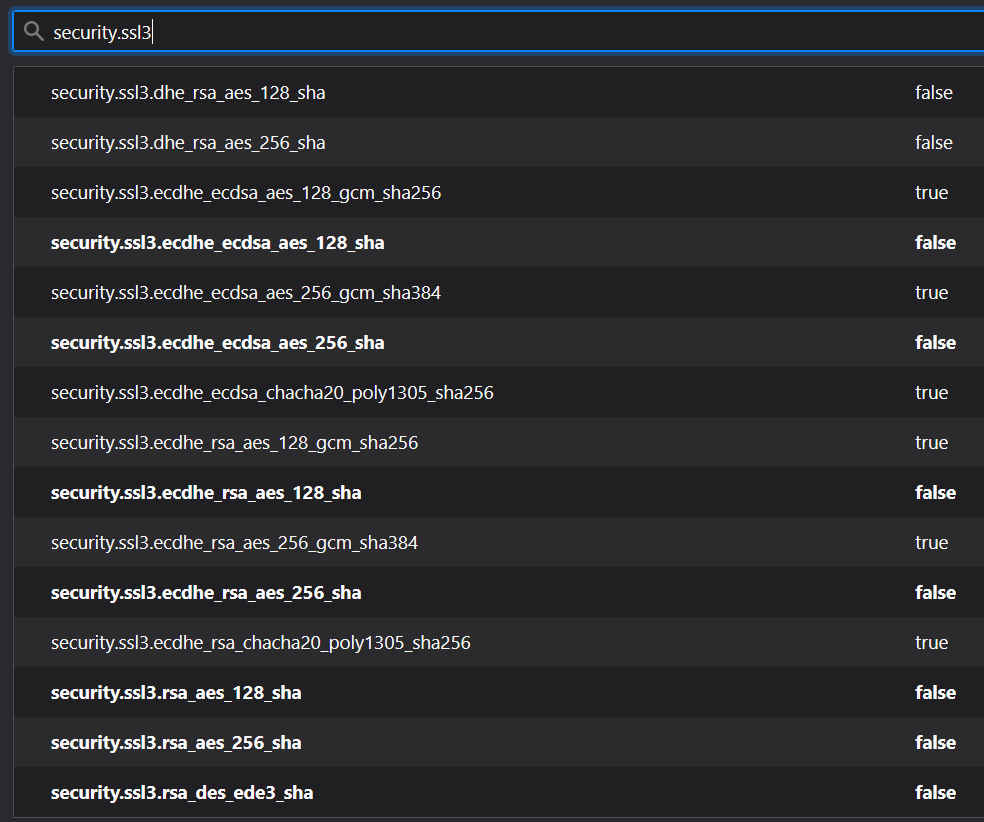
I cant seem to find it in the Win 10 standard release 78.0.2 (64-bit) or Dev edition 79.0b7 (64-bit)
EDIT: ignore me added the value in about:config and toggled to False worked. Does not appear if searched. Cheers, Reuben
Bewerkt door Reuben op