


Mozilla VPN won't launch

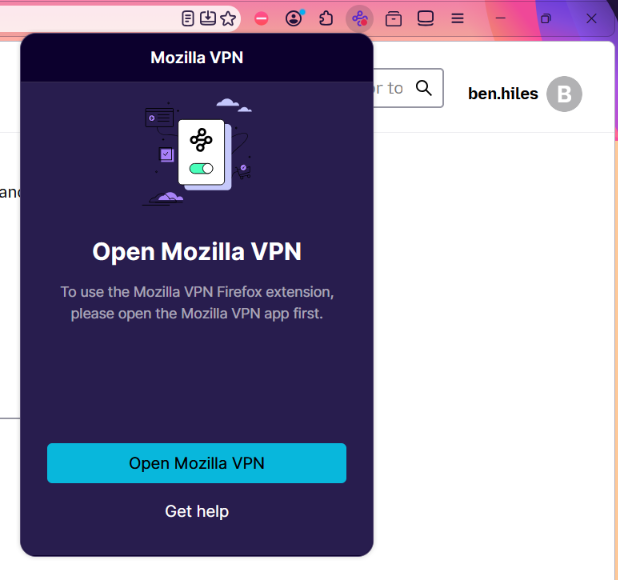
Mozilla Firewall was running with no issues on my Win11 v25H2 laptop until about a week ago. Since then, the program won't open. I've tried launching it from the install directory as admin, or from the Mozilla browser extension. The Waterfox Mozilla Firewall extension (v1.35.0) opens, but there's no response when I select "Open Mozilla Firewall."
One note is Mozilla Firewall is listed as a Task Manager Process. I ended all instances, but no change.
I've also: Uninstalled Mozilla VPN and deleted the install directory. Downloaded a new executable file and installed. Restarted and powered off the laptop. Windows Updates are current. Checked Event Viewer for Mozilla Firewall errors, but none listed.
Thanks, Ben

All Replies (1)
https://support.mozilla.org/en-US/kb/troubleshoot-mozilla-vpn-connection-problems
Mozilla does not have a firewall application as one of their products.
If you need further help then Mozilla VPN is one of Mozilla's premium products. In order to get premium support from a dedicated agent, please submit your question with your Mozilla VPN app by going to Settings > Help > Contact Support. Alternatively, you can sign in to the Mozilla account connected to your subscription here (if not already) and then use this link.
This Mozilla VPN form link can also be found at top at Ask a Question > Mozilla VPN page as you posted this thread in the desktop Firefox support forum section.