Open
Show remote images automatically

Hi all I'm banging my head against a brick wall trying to get the app to automatically show remote images. A google search says go to Account settings > Reading mail but this isn't an option in the android app, there is only General Settings and no Reading mail. How can i get my emails to display properly automatically ?
Thanks all, Nick
Hi all I'm banging my head against a brick wall trying to get the app to automatically show remote images. A google search says go to Account settings > Reading mail but this isn't an option in the android app, there is only General Settings and no Reading mail. How can i get my emails to display properly automatically ?
Thanks all, Nick
All Replies (1)

Hi Nick
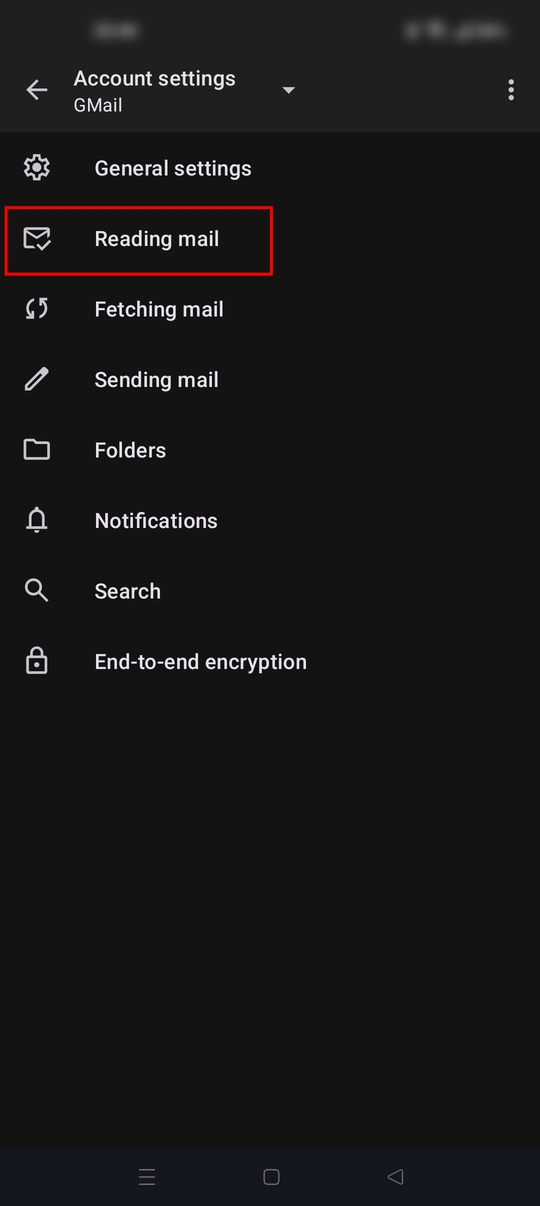
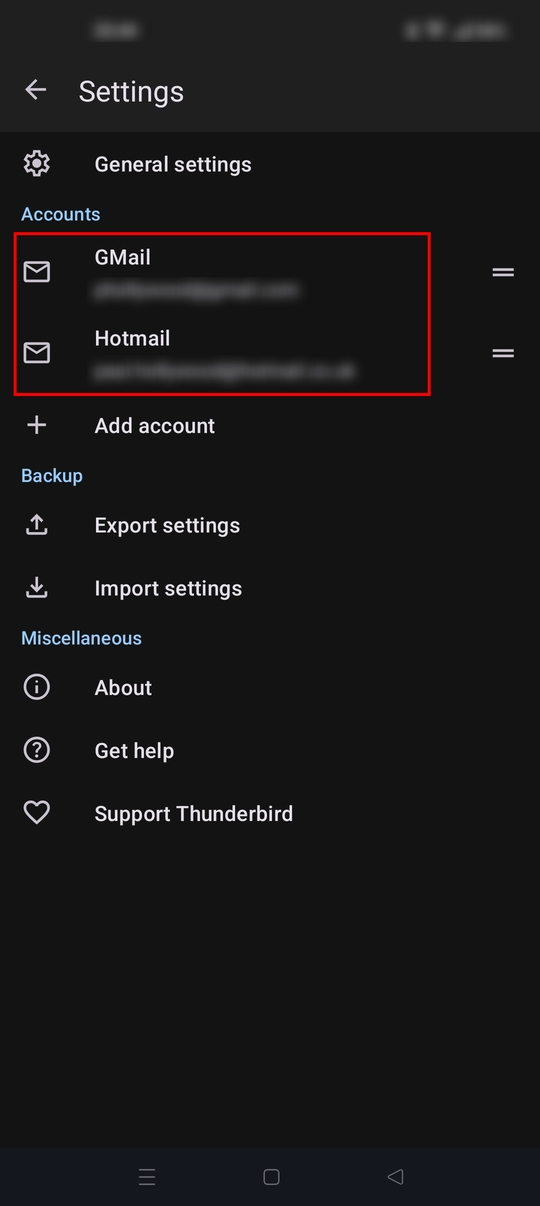
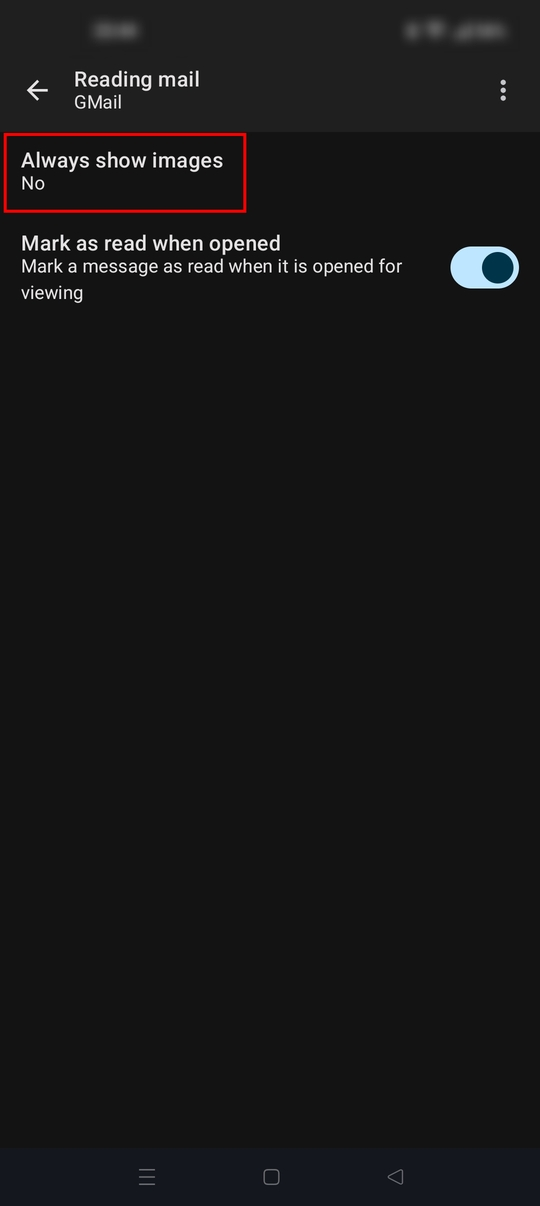
The reading mail page is the correct location to find the always show image option. Settings > account name > reading mail.
See the screen shots attached.