


How do you save a regular email sender in Thundermail, I've looked everywhere!

Trying to figure out how to save a regular email address, so I don't have to keep copying and pasting it. It's so annoying. It's on Android app. Thank you.
All Replies (5)

Hi Storm
Thunderbird can use your default Android contacts app to retrieve email addresses. To enable this..,
1. Add one or more names and their email address into your contacts app.
2. Long press the launcher icon and tap "app info". If this is not available, navigate to android settings > apps > tap Thunderbird
3. Tap permissions and grant access to contacts
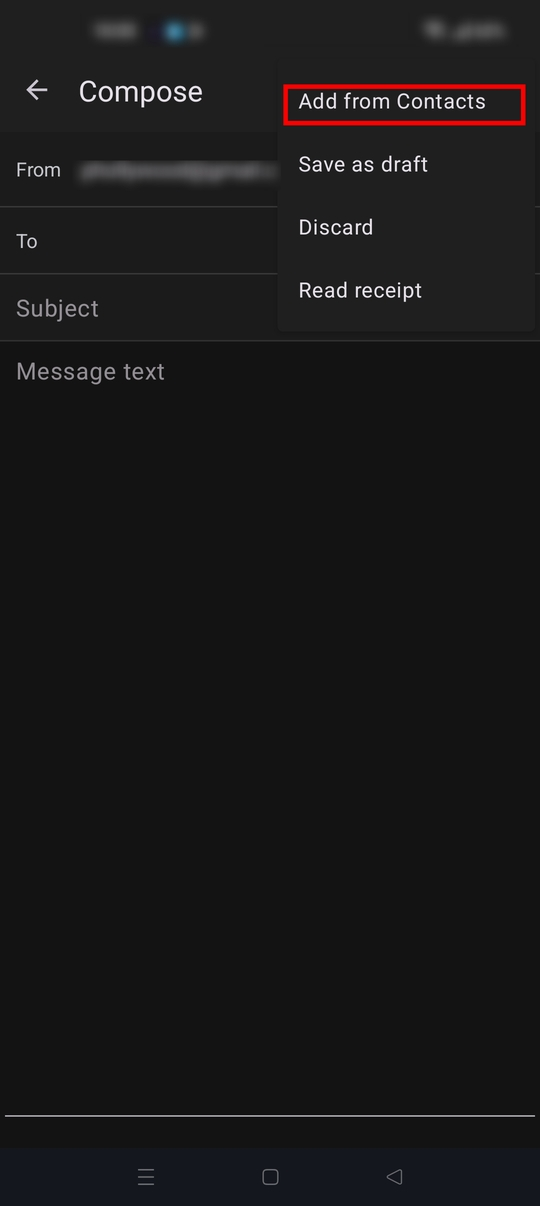
4. Open a compose or reply screen, tap the three dot menu (top right) > Add from contacts
There's some additional options when using contacts in the app settings. Navigate to settings > general settings > display.
- Show contact name
- Show contact pictures
- Colourise contacts
Hello,
Thank you for your reply. It's actually not a contact that's in my phone book. It's an email address that I send receipts too, that saves them for me. I'm trying to add that in.
Thank you.
Hi Storm
I think your looking for a way to save you copy/pasting an email address into the apps To field when composing or forwarding an email. Happy for you to clarify if i'm misunderstanding your question.
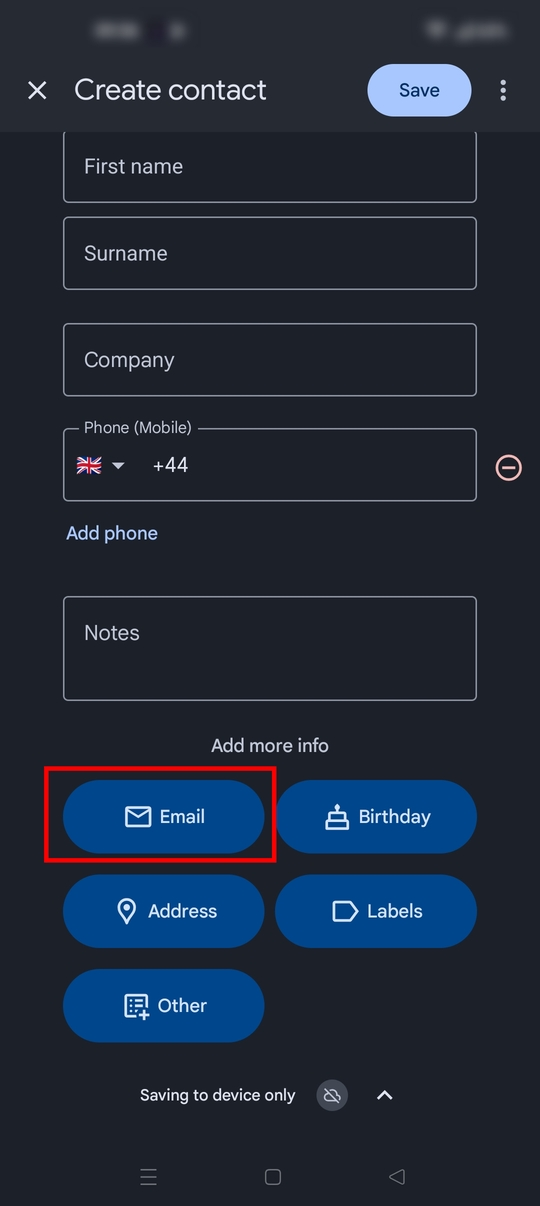
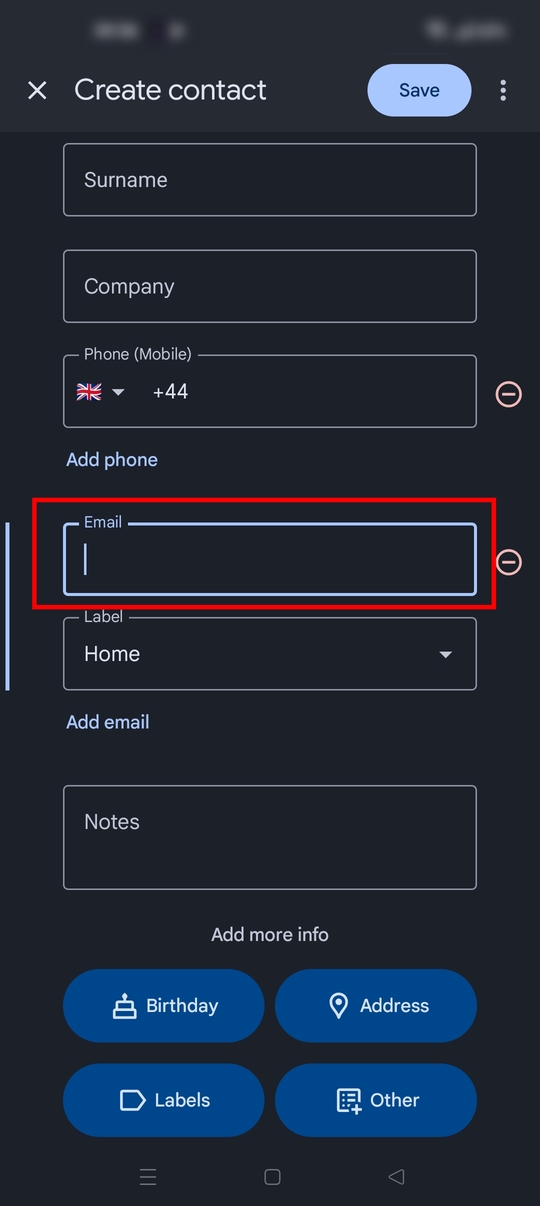
Google contacts app (and others) allows you to save name, phone number, email address, home/business address and other details.
Add a new contact with a name such as "receipts", along with it's email address. You can then pick the email address for this contact in Thunderbird. See screen shots.
I'm not quite understanding "that saves them for me. I'm trying to add that in."
Hi, thank you yes I've done thank you....that was easy....it's still not working in Thundermail for me though. I'll try explain better, I want to forward my receipts by email to an email address. Normally when I click "to" on yahoo, or others, a list of email addresses appears. This doesn't happen with thunder. I've just tried again and the to part stays blank, even when clicking it. I can't see me sticking with Thundermail tbh.
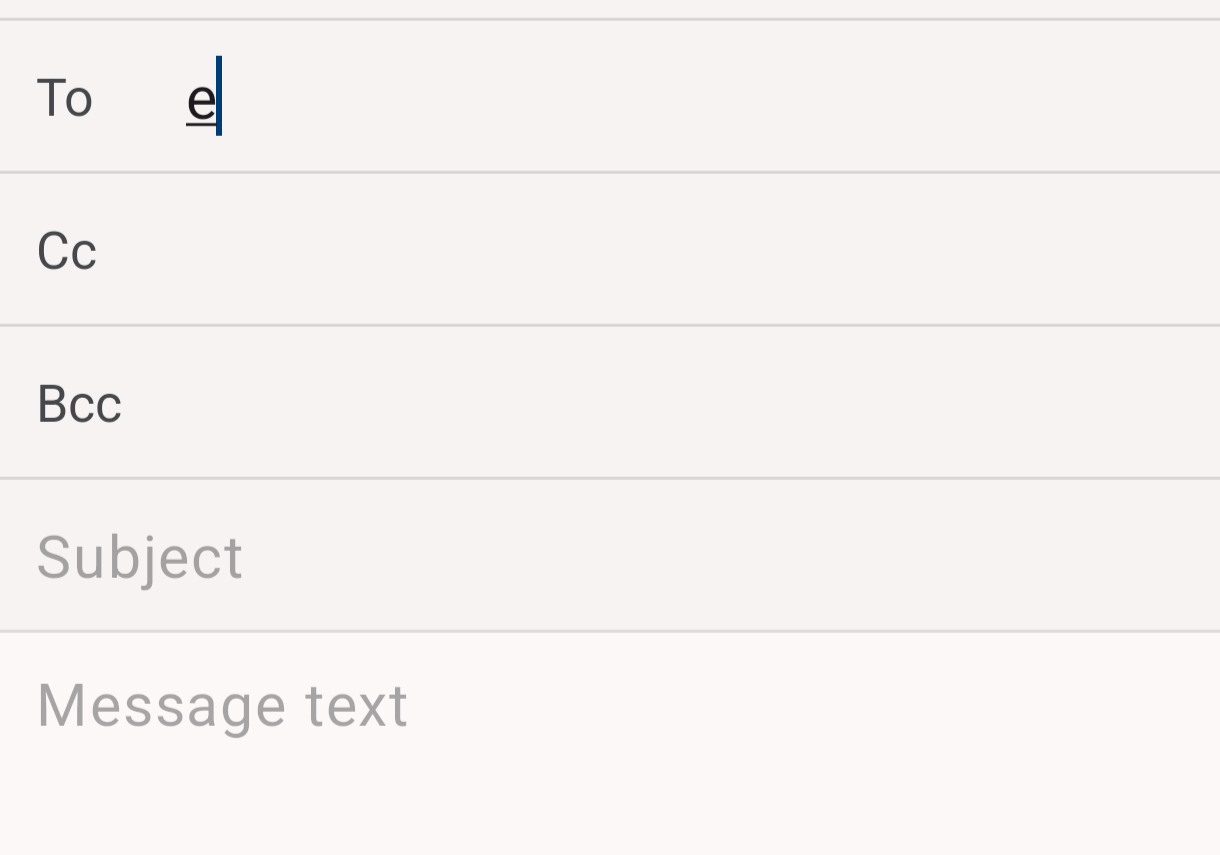
Hello, it's okay, your solution was right, it was my fault, I didn't enable permissions. It's now showing. Thank you so much.