


How to restore sponsored shortcuts?

How to restore them, once hidden on startup page (new tab/new window)?
All Replies (11)
- Click the menu button
 and select Settings.
- Select the Home and startup panel on the left.
- In the Firefox Home section, select Sponsored shortcuts.
Thank you. I've already tried this. But no any commercials so far. I suspect that they were removed long time ago. Now it is not possible to bring them back. Probably I have to reset my profile, but I don't want to.
Their availability might depend on language and region. Saw a few last year. None I'd recall recently.
I wanted to make a screenshot and contribute to SUMO localization. Unfortunately, not possible. Also not too much info in help section. Which languages, what regions?
Try to switch your VPN to US or DE, then flip Sponsored Shortcuts off and on, something should show up.
Probably will try. Meanwhile - there should be no such setting in case no any ads available.
TyDraniu каза
Try to switch your VPN to US or DE, then flip Sponsored Shortcuts off and on, something should show up.
No change with built in VPN. No sponsored icons.
And you're not using any ad–filtering solution, AdGuard DNS, pihole etc.?
(BTW the built in VPN is just an IP protection internal to the browser — it won't change the profile's perception of its a) geography, b) locale; so Firefox still reports your ad eligibility internally the same way as before. You might be able to confuse it using a proper system–level VPN, not giving it geolocation permissions, and using a more generic langpack though.)
Modified by jbr
FYI I've started seeing sponsored shortcuts (but not stories) recently in random builds I'm running, they are also currently being shown in the default install at e.g. https://browser.lol in VM so you can change the langpack there in Settings and see if the remote desktop resolution will be enough for any KB work.
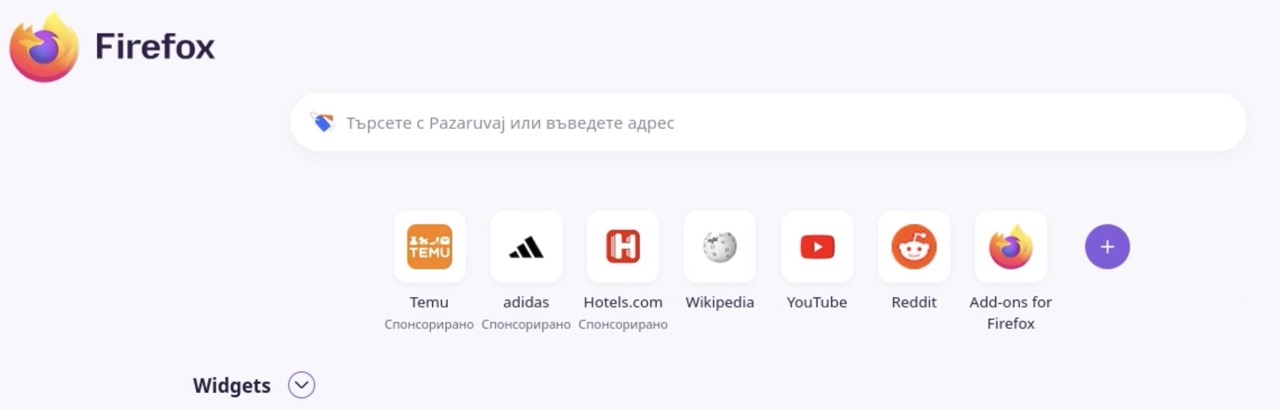
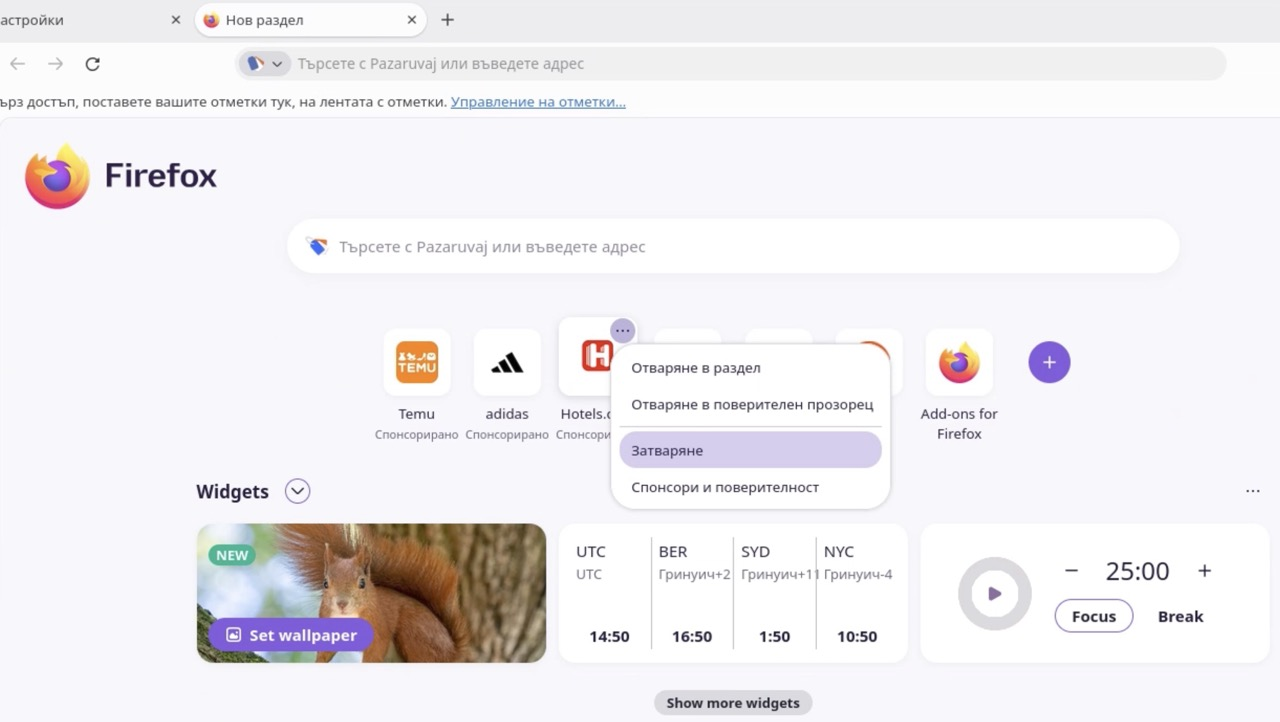
Thank you for replays. What I think - ads are limited per region, so if you are browsing not from US - no ads here by default. So VPN, langpacks... probably they will try to persuade Firefox that you should have some ads on Home screen.
The browser.lol remote service I linked above has its perceived location in Finland, and is getting ads.
(Or the new Firefox Suggest content for example.)
I used it to compare/test some results I was getting, so that works for "out of the box" setup enrolled in some of the geofenced content.
Just the resolution is potentially a little low for useful l10n screenshots, admittedly. Just thought it's worth sharing as a tool/comparison anyways.