


Many images do not appear on numerous web pages. How can I fix this? I have graphics enabled.

For quite some time many images just do not appear on web pages. I have taken a screen shot of a page to show what the problem is but can find nowhere to upload it so you can see for yourselves. Now what do I do?
All Replies (5)
If images are missing then check that you aren't blocking images from some domains.
- Press the F10 key or tap the Alt key to bring up the hidden "Menu Bar" temporarily.
- Check the permissions for the domain in the currently selected tab in "Tools > Page Info > Permissions"
- Check "Tools > Page Info > Media" for blocked images
- Select the first image link and use the cursor Down key to scroll through the list.
- If an image in the list is grayed and "Block Images from..." has a check-mark then remove this check-mark to unblock images from this domain.
Make sure that you do not block (third-party) images, the permissions.default.image pref on the about:config page should be 1.
Make sure that you haven't enabled a High Contrast theme in the Windows/Mac Accessibility settings.
Make sure that you allow pages to choose their own colors.
- Tools > Options > Content : Fonts & Colors > Colors : [X] "Allow pages to choose their own colors, instead of my selections above"
Note that these settings affect background images.
See also:
There are extensions like Adblock Plus (Firefox/Tools > Add-ons > Extensions) and security software (firewall, anti-virus) that can block images and other content.
See also:
This is not a reply. This is me adding the Screen Shot I mentioned. There are no broken links, the photos just do not appear!
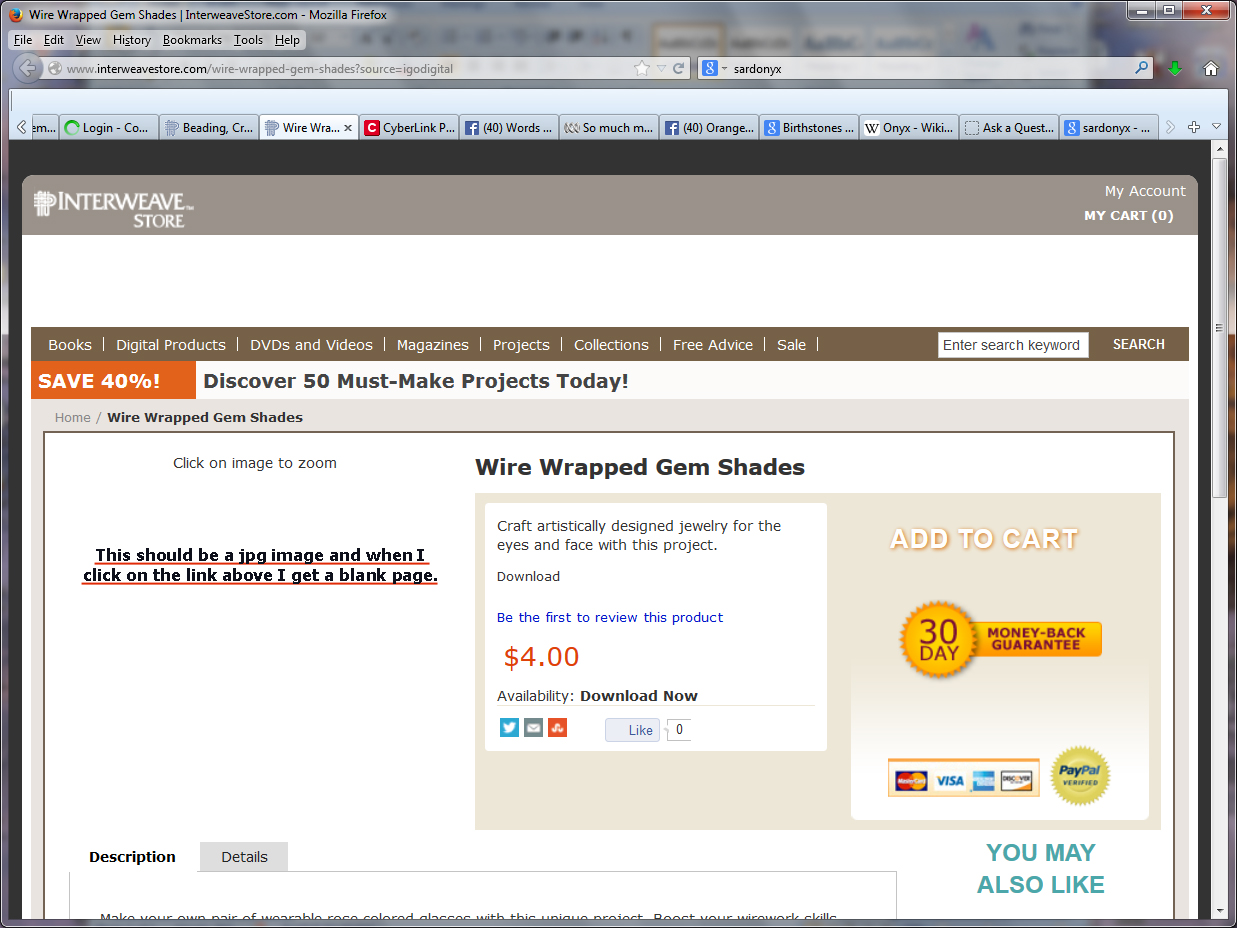
Many thanks!!! I now have all my images where they belong!!!
EDIT:
I see that you managed to solve it, so you can ignore this reply
That is this image: http://cdn.fwmedia.com/media/catalog/product/cache/35/image/240x320/9df78eab33525d08d6e5fb8d27136e95/e/p/ep6438.jpg
Do you see the image in Tools > Page Info > Media?
- Press the F10 key or tap the Alt key to bring up the hidden "Menu Bar" temporarily.
Modified by cor-el