


Cant get hotmail to work on thunderbird linux ubuntu

Hi I tried to google this but as you can guess that was a exercise in futility.
So I installed thunderbird via flatpac as suggested by the main website
I went to account add a account entered my email and password.
Clicked continue twice setup filled in the info and got a error saying
Authentication error.
Unable to log in at server. Probably wrong configuration, username or password.
now i know both are correct as i logged in vai firefox and checked both excepted.
pic below best i can do dam thing wont let me set window size so it got cropped hopefully gives info needed
so I tried to google the settings of incoming and outgoing 4 out of 5 pages i found where set as the pc has set it.
at a loss now guys no clue what to do any help would be appreciated.
ty in advance.
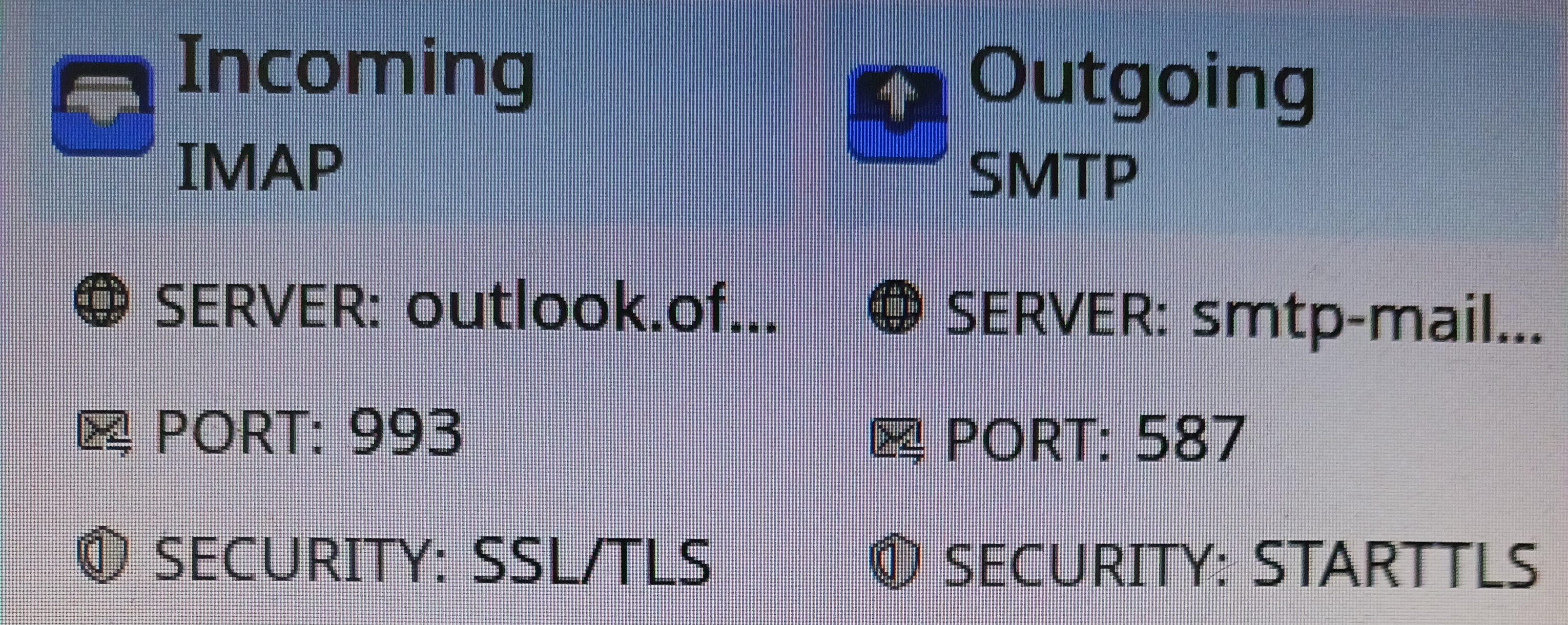
Modified by James Roggy
Chosen Solution
Ok guessing this is a lost cause. Thanks everyone for trying to help ill go google some more or just stick to web pages maybe new update will sort it.
All Replies (10)

hotmail account should be easily added using automatic account setup:
https://support.mozilla.org/en-US/kb/automatic-account-configuration
If there is authentication issue, the connection may have problem. You can wait for a while and retry.
wxie ty for reply i been using thunderbird for years on windows and as you said it just works but Linux is new (THANKS TMP 2.0) and I have found just works doesnt apply to anything linux. LOL
Update. For the briefest second it said authentication pop up then authentication failed. Caught it the last attempt its there and gone. No popup and this is a default install off firefox with no add-ons to block anything why I work my head around linux.
Internet is as ok average 76mbs as its ever been its slow but its enough for my need never caused a issue in 10 years except grand kids mocking me that it might as well be dial up (im kinda proud they know what that is).
not shore if that help any.
On Linux you might need to check that cookies are enabled. (it is in Thunderbird settings)
On windows it is on is the default, but not so much in the Linux world where individual maintainers get to set some default preferences based on their or the distributions ideology. I have not dabbled in Linux for a number of years, but historically they had a penchant for blocking cookies by default.
ty for the idea MATT best i can tell cookies are allowed. This is 3rd day in a row and it still not working tried all hours of the day in case its a network issue with the servers but i can log in via outlook web page with no issues. So back to square one. Honestly getting thunderbird to work wasn't even on my list of "LINUX WILL SCREW ME JOBS"
Im of to the hellscape that is google and try to find answers again. Anyone has a idea please pitch in.
I suggest that you reinstall Thunderbird from your distro's pool if you had not.
For me, Debian GNU/Linux works.
wxie ty if you mean using discover and reinstall from there i tried that I even tried a direct download from the web site but TAR files and me are not friends so I went back to discover.
no luck. One thing I really use my pc for and it wont work (Your not paranoid if this box of demons is out to get you)
Update just for the sake of it I tried connecting my pc to my mobile phones internet so removing my provider from the equation. Didnt work so its not a internet issue. All settings are as the outlook website says they should be and I can log in with my credentials all day long.
Any ideas Guys? I get the feeling that Issues are few and far between as from my own experience thunderbird just works its why I used it. But this time its not and Im at a loss.
I really need to fix this theirs a prince in dubai who really needs Help!!!!!!
Is your hotmail account working from its webmail page? For example, www.hotmail.com use your email to log in.
Ty wxie yep can log in at outlook web page did this to check my password etc in case i was being me and messing things up worked fine even left the page open when i tried to log in with thunderbird incase that would make any difference.
I tried to list all the things i tried but i spent a good 2 days fathing around before annoying you guys with this and i kinda lost track.
Chosen Solution
Ok guessing this is a lost cause. Thanks everyone for trying to help ill go google some more or just stick to web pages maybe new update will sort it.