


After new update my shortcut icon section and the icons become smaller

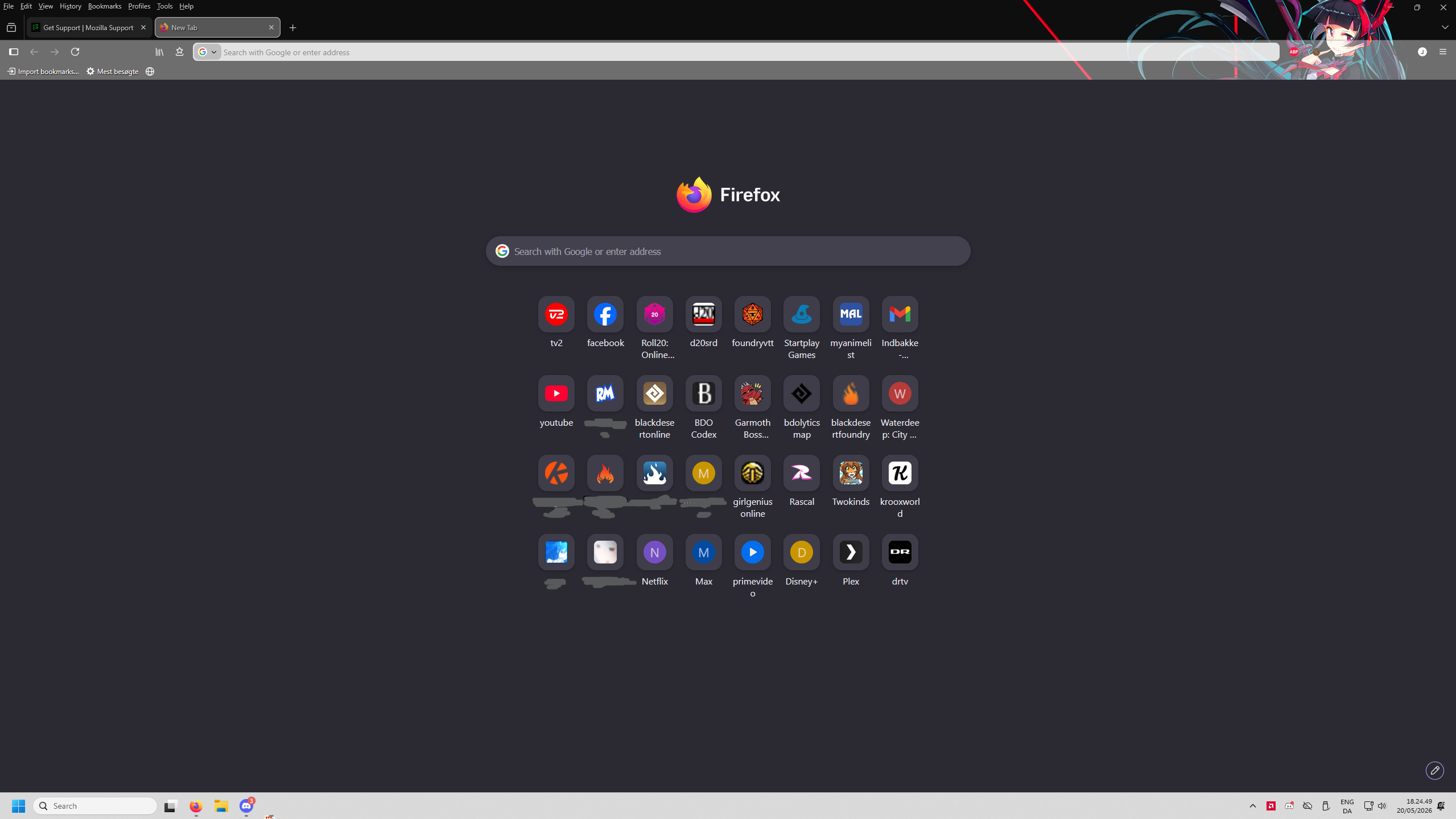
After the resent update i had yesterday 19/05/2026 my icons section and the icon have all become smaller, i had studies on and i remove that, and it did not help. It have happened the last year now that every second or third update my shortcuts icon and the space around em get smaller and smaller, now the text under icons are all broken up, a year ago it lined up perfectly and readable with the right place for new lines.
I got so much space on my start page and it keep use less and less, is there a way to undo this smaller size.
Using Windows 11 and got display setting 2560 x 1440, which is not small but no near big neither in today.
All Replies (1)
Hello
A space for users to give product feedback https://support.mozilla.org/en-US/kb/what-mozilla-connect
You can leave feedback here https://connect.mozilla.org/t5/discussions/firefox-151-introduces-a-fresh-new-look-for-home-amp-new-tab/td-p/125715