


how to turn OFF the message preview when I single-click on message?

RE: How to turn OFF message preview when I single-click on message?
When in TB message list, and selecting a message for an operation by making a single-click on the message, the selected message opens. When using CNTL key to select several messages together for an operation, each of the messages opens an individual preview pane. I have searched TB's knowledgebase, but apparently no other users have this problem.
All Replies (8)
Matt, that is a supremely useful suggestion for when I want to eliminate obvious or known spam from the inbox message list display. However, my problem involves a feature I mis-named as the "preview" pane-- a pop-up window that appears whenever I simply click on a single message, as in the attached screen-shot'.
So, I searched again for something in the documentation, a feature I could turn off and on, as with your F8 control. Sorry to have been so imprecise about the appropriate term "pop-up" (instead of "preview panel"), and look forward to your comment.
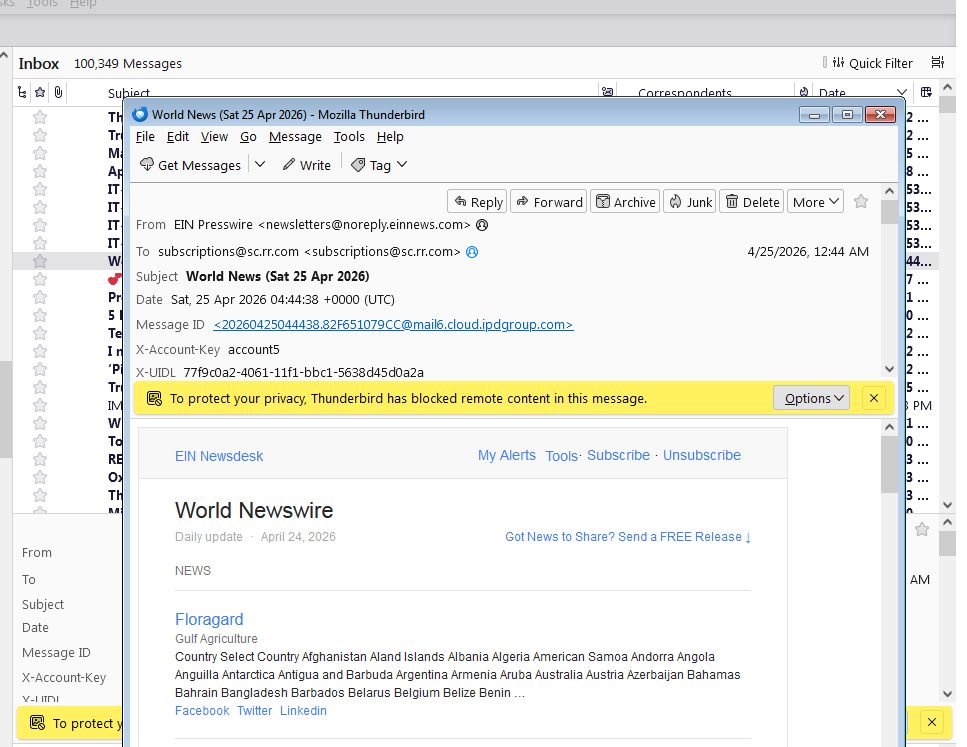

What you want to change is the setting for how messages are displayed. You have it set to show messages in new windows. Apparently, you want them to be shown in the message pane instead.
≡ button > Settings > General > Reading & Display > Open messages in ... an existing message window
That image is of a message in it's own window, but I am left confused as that is an action that should only ever occur post a double click.
To follow Ricks advice,
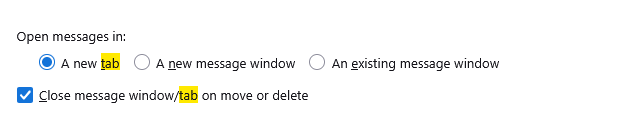
You will get a change in action on double clicking but not single clicking as you specified.
SO I am left to ponder the issue of a single click. Windows has a setting for this
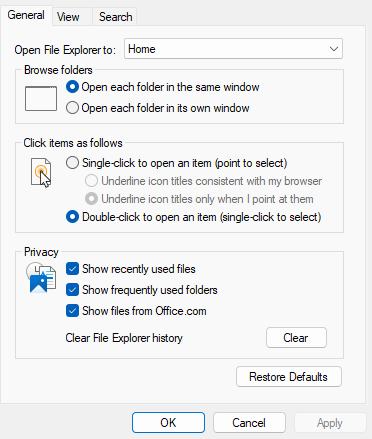 Could it be you have enabled this
There is also apparently an issue with some mice on Windows. I saw HP and Logitech mentioned specifically) that make single clicks into double clicks. (I had never heard of it until I tried Google with the issue tonight) It has become such an issue someone has developed this software to modify how widows manages the mouse clicks. https://apps.microsoft.com/detail/9pdgm7nl2ff2?hl=en-us&gl=CH&ocid=pdpshare
It is apparently free software and the source is available here https://github.com/nenning/DoubleClickFix as well as some basic instructions for use (scroll down past the source file lists)
Modified by Matt
Matt and Rick-- thank you!
RE: Click and Double=Click My Logitech mouse driver is a bit flaky, since a single click sometimes yields a double response, as though I had clicked twice.
RE: Pop-up windows. Will check my TB setup for opening each message in a separate window, although I do not recall ever having chosen "open in a separate window".
RE: Why pop-up windows are more than annoying Viewing anything by opening the message is dangerous, considering the more recent attack modes.
alphaa10000 said
RE: Click and Double=Click My Logitech mouse driver is a bit flaky, since a single click sometimes yields a double response, as though I had clicked twice.
Some mouse models have a (middle) scroll button which can also be used for a double-click by pressing it. Maybe you did this inadvertently?
I may understand one of your objectives better now: you don't want any preview because, for privacy or security reasons, you don't want any message to open automatically. A message will open whether you click or double-click on it in the message table and whether you have preferences set to show it in the message pane, a new tab, or a new window. The only way not to open a message is not to click on it in the message table.
If you are not already familiar with the setting not to load remote images, you may want to consider using it.