


Firefox 149.0 - after update can't save any file, instead it tries to Open everything - Linux Debian

1. This could be under-reported problem. People will have problems reporting this bug
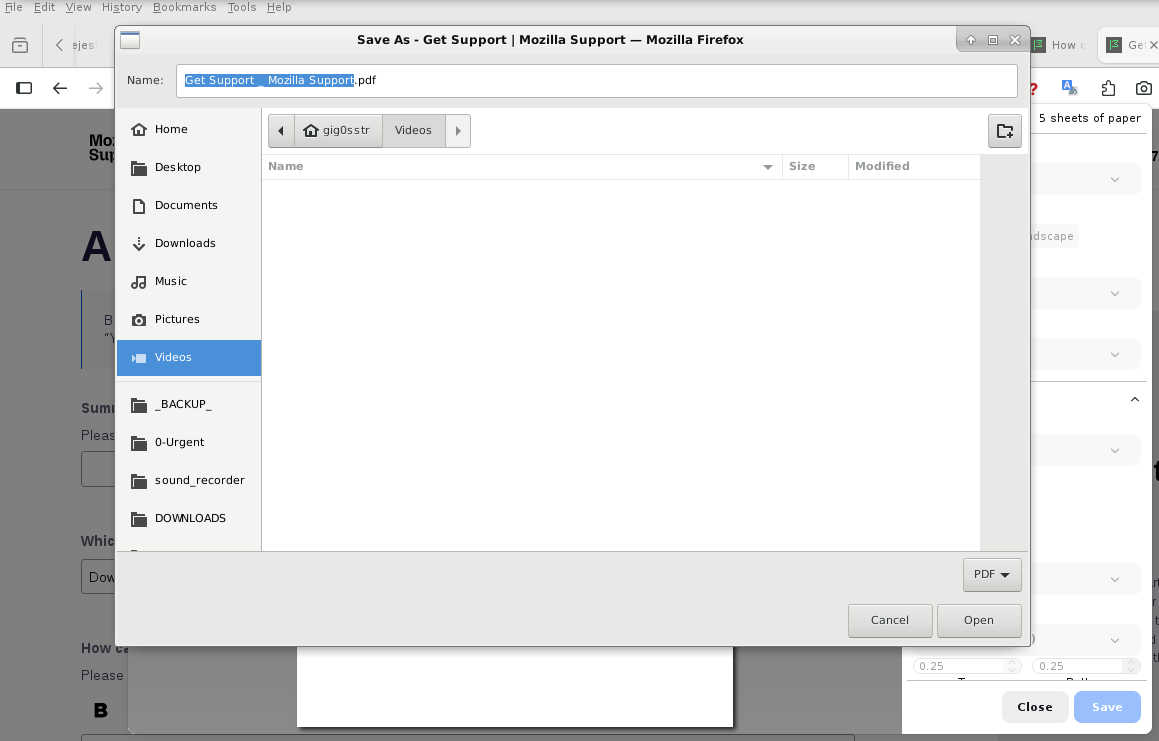
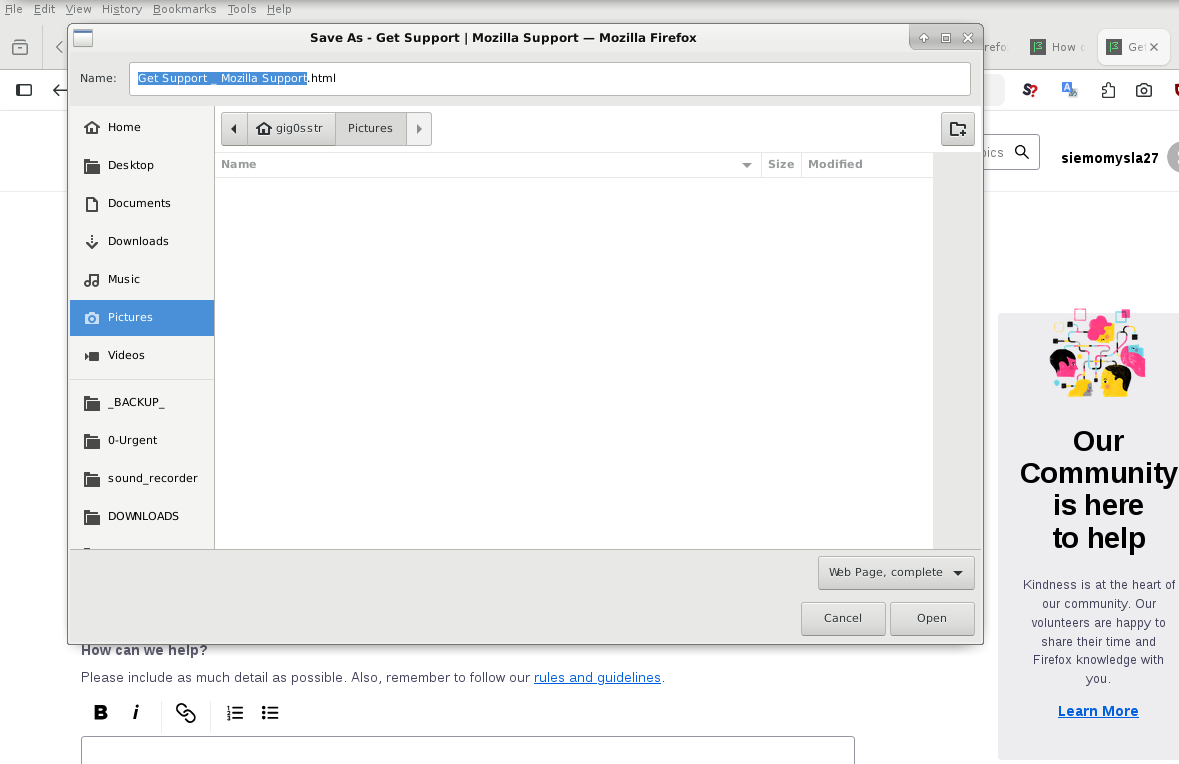
2. Whenever I try to save anything (image, website, Ctrl+S, print website to file, Ctrl+P, screenshots, same problem) my Firefox tries to "Open" something instead. I see dialog window with header SAVE, but the final button is labeled "Open" and after clicking it usually nothing happens. A haven't been able to save anything since this update. Only system-wide screenshots work for me now.
I had to use another installation in order to attach screenshot here. In the problematic 149.0, after clicking "Browse..." and selecting file, nothing happens, and no upload, moreover button won't respond to clicking anymore. Then I force refresh, and this text within this form disappears, but attached image appears.
3. Yesterday I have updated my Firefox to 149.0, using official debian sources, mozilla-deb - 1.0 -
cat /etc/apt/sources.list.d/mozilla.list deb [signed-by=/etc/apt/keyrings/packages.mozilla.org.asc] https://packages.mozilla.org/apt/ mozilla main
4. I have Linux Debian, (old version, Stretch+backports, yes, I am moving things already to new hdd), maybe it's related: 4.9.0-19-amd64 #1 SMP Debian 4.9.320-2 (2022-06-30) x86_64 GNU/Linux )
In order to fill this form I am using separate installation 140.9.0esr (64-bit), you could warn Debian teams not to propagate this error.
5. I have checked Console and Debugger, but they seem website-related. This error happens on every single website. Tried already troubleshooting mode, same problem. Please help us.
All Replies (11)
My troubleshooting information https://pastebin.com/qjmi3067

Try downloading Firefox from Mozilla. Download, unzip, and run firefox-bin from the folder and see if you have the same issue. https://www.mozilla.org/en-US/firefox/all/#product-desktop-release
Thank you for answering.
1. Same problem with the newest 149.0 - when downloaded firefox-149.0.tar.xz directly from mozilla.org, extracted, run /opt/firefox/firefox-bin
2. Works without problems with a previous one, I downloaded Firefox 148, with created link: https://download.mozilla.org/?product=firefox-148.0-SSL&os=linux64&lang=en-US
3. For testing, I have downloaded another firefox-esr, this was 140.9, this one I will use for saving files.
This can be serious. This newest 149.0 Firefox can't backup bookmarks, can't export setting from any of my extensions, - Obviously It can't download any file, even new firefox binaries :) - Unfortunately, accidentality I have opened older profile with this newer firefox149, it had locked out this older profile claiming compatibility issue. - I have modified compatibility.ini, this workaround is life saver
4. Hope we could fix this.
Modified by siemomysla
If your OS has a live usb version, test and see what happens. Also, if wayland, see what happens in X11 and change desktop. I'm not seeing any download issues.
Operating System: openSUSE Leap 15.6 KDE Plasma Version: 5.27.11 KDE Frameworks Version: 5.115.0 Qt Version: 5.15.12 Kernel Version: 6.4.0-150600.23.87-default (64-bit) Graphics Platform: X11 Processors: 16 × AMD Ryzen 7 PRO 6850HS with Radeon Graphics Memory: 62.1 GiB of RAM Graphics Processor: AMD Radeon Graphics Manufacturer: HP Product Name: HP EliteBook 865 16 inch G9 Notebook PC System Version: SBKPFV3
Thank you for this help. I have confirmed this problem is related to newest Firefox 149.0 run on older installation of Debian 9, even though with installed backports. Apparently it wasn't possible to develop new version of Firefox compatible with older libraries, not sure which one is the problem. I suspect this may have something to do with log entries reporting: GLib-GObject-WARNING.
I had hoped that Synaptic package manager would prevent Firefox update, in case some dependency become unfulfilled or untenable or problematic. But I have realized these packages sources are maintained separately, it was bound to happen, sooner or later, just wasn't expecting these strange effects, without any additional warning.
If any Firefox developer is reading this, I understand need for system updates, you have my full respects, but maybe this is some innocuous additional function of Firefox 149.0? Maybe I would change something in about:config, or change content of some config file, then I could indulge using my older system a little bit longer.
Open a bug and see what the devs have to say.
I already have done that, Bug 2026165, but I am afraid this really is a rare situation from their POV. I understand this would be low priority or my own installation related issue. I thank you for confirming that.
Therefore I will prepare my current config for moving to the newest version of Debian 13. If anyone else have seen this problem and found workaround, please just let me know here, and vote for this bug.
Modified by siemomysla
siemomysla said
Therefore I will prepare my current config for moving to the newest version of Debian 13. https://bugzilla.mozilla.org/show_bug.cgi?id=2026165
Yes, Deb 13 would be a good idea. Let us know if you have the same issues.
Fresh installation of Debian 13.4 works fine with both Firefox 149.0, and 140.9
No one else joined my topics, not a single person complained here or reported anything, It appears problem is somewhere within my installation of older Debian, or updated maintained backports, or accumulated updates of installed packages libraries. The final effect was very strange, I have disabled auto-updates on my machines, a necessary precaution. Small off-topic: has anyone notices Firefox for Android going bad after updating on older phones? I own one with Android 11 and usually updated Firefox right away , but now I feel that I should stop, and update only when forced by developer.
Recently Windows 7 got bugged update from Adobe Reader/Acrobat, would you stop updating Firefox on Win7 (whenever there's no chance of updating Windows)?
Glad the issue is resolved. Win7... I would just dual boot win7 with deb because it's way past it's time. I have a old i7 4th gen laptop dual booting win7 and openSUSE which I'll be keeping for now, but I have other newer laptops. I have android 10 and all is well.