


Join us to show up for other Firefox users 🦊. Earn fun badges and Mozilla swag vouchers! Find out more: https://mzl.la/askafox150

Windows 10 reached EOS (end of support) on October 14, 2025. If you are on Windows 10, see this article.

Search Support

Avoid support scams. We will never ask you to call or text a phone number or share personal information. Please report suspicious activity using the “Report Abuse” option.

Learn More

black bar below bookmark blocks top of other websites

  • 2 replies
  • 0 have this problem
  • 80 views
  • Last reply by ted.skov.2
  • Solved

on other webpages a black bar drops down from the bookmarks bar and blocks the top of the pages, how do i get rid of it? oddly on this page, the bar does not show up
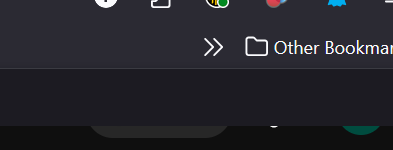
on other webpages a black bar drops down from the bookmarks bar and blocks the top of the pages, how do i get rid of it? oddly on this page, the bar does not show up
Attached screenshots

Chosen solution

one of my ad block extensions was broken and showed as a bar on top of pages. i disabled and it solved the issue

Read this answer in context 👍 0

All Replies (2)

Steps to reproduce?

Chosen Solution

one of my ad block extensions was broken and showed as a bar on top of pages. i disabled and it solved the issue

Ask a question

You must log in to your account to reply to posts. Please start a new question, if you do not have an account yet.