


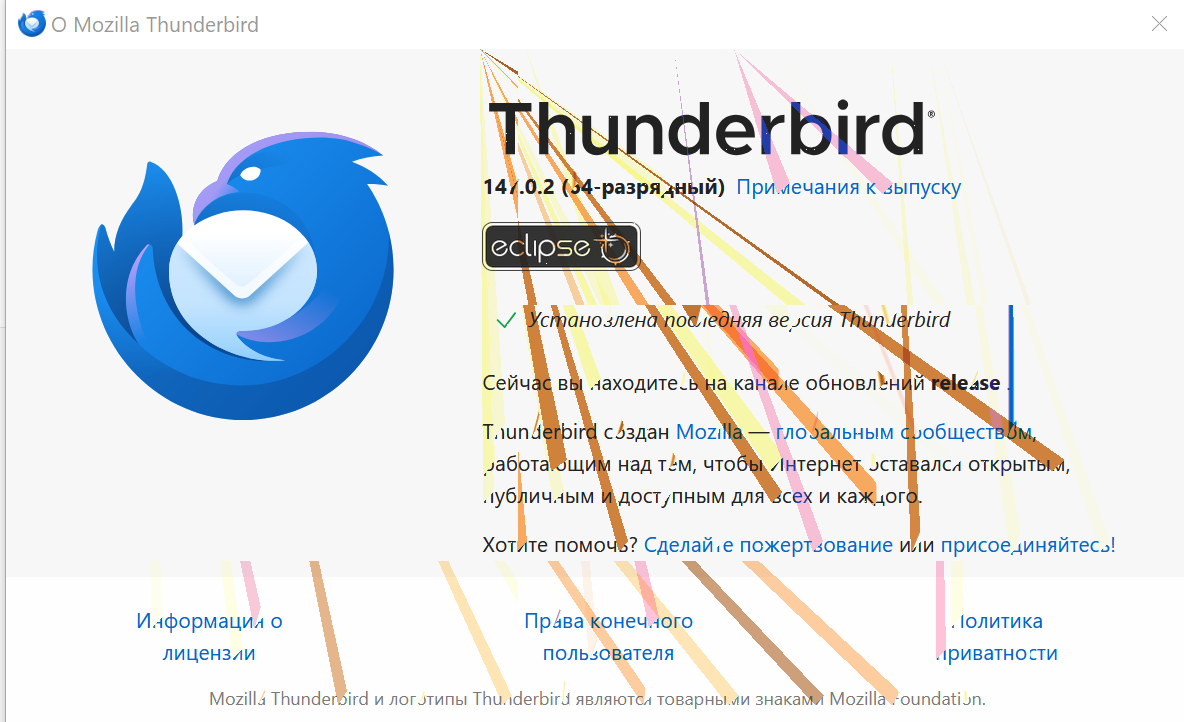
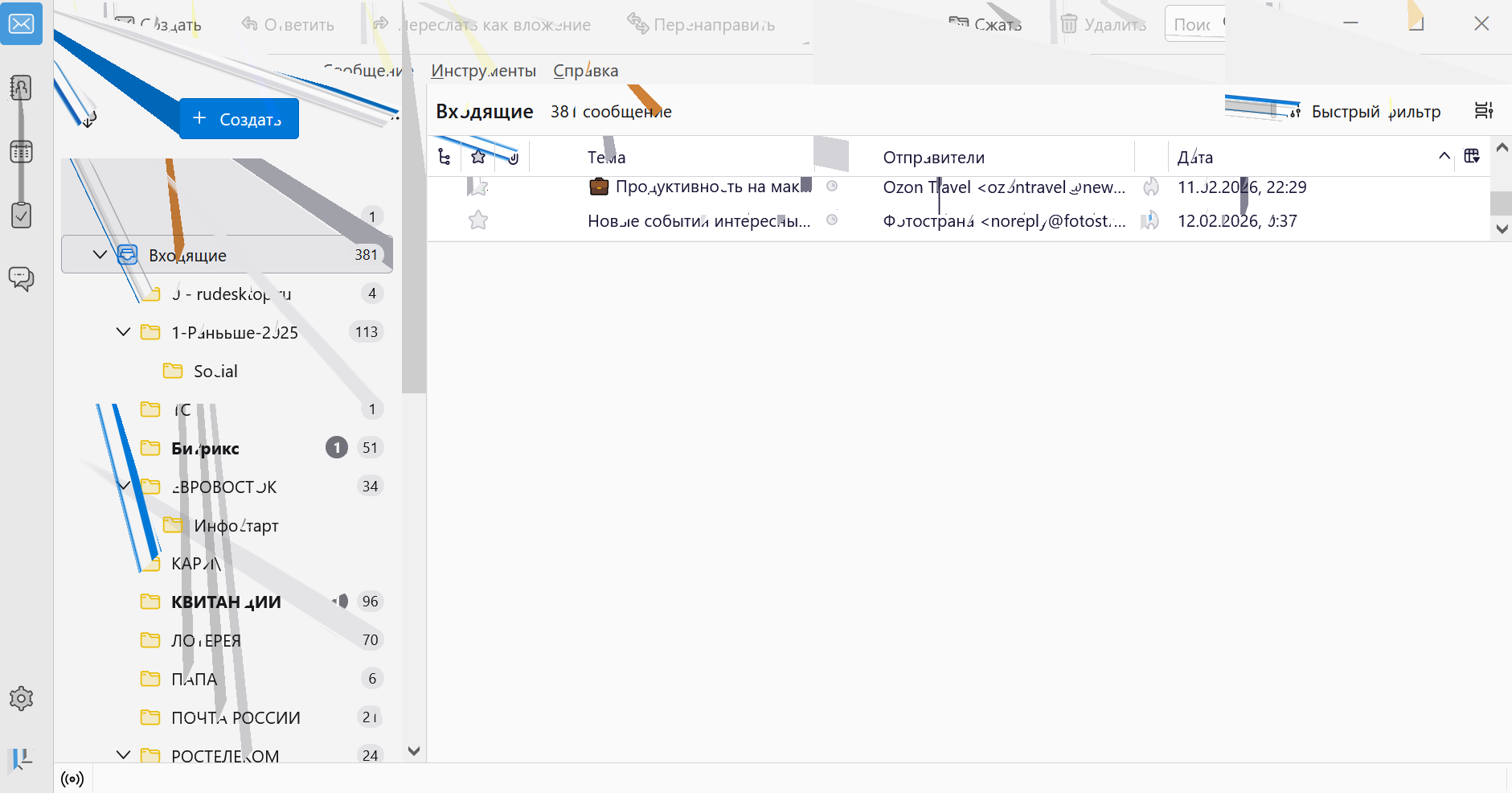
Artifacts have appeared within the program.

Artifacts have appeared within the program. Everything works fine in other programs.
This appeared after the last update. Judging by the picture, it's possible some of your icons are broken.
Please fix this. I can't use the program now.
[https://disk.yandex.ru/d/-fZFpSrZLAs-iA/Thunderbird link text]
Artifacts have appeared within the program. Everything works fine in other programs.
This appeared after the last update.
Judging by the picture, it's possible some of your icons are broken.
Please fix this. I can't use the program now.
Chosen solution
Does that also happen in Troubleshoot mode?
If not, try turning off hardware acceleration:
- go to TB Menu > Settings and enter 'hardware' (no quotes) in the search box
- uncheck 'Use hardware acceleration when available'
- close the tab and restart TB
Read this answer in context 👍 1All Replies (2)

Chosen Solution
Does that also happen in Troubleshoot mode?
If not, try turning off hardware acceleration:
- go to TB Menu > Settings and enter 'hardware' (no quotes) in the search box
- uncheck 'Use hardware acceleration when available'
- close the tab and restart TB