No columna in message list 147.0.2

I just got a new Windows 11 computer. After installing Thunderbird 147.0.2 I noticed there were no columns at the top of the message pane as there had been in the past. I read articles about how to add the columns but could not find the column icon or anything in the header area that allowed me to do what the articles recommended.
I want to add the columns for sorting purposes from time to time but I can't find a way to do it. HELP!!! Please?
Thanks, Clyde
I just got a new Windows 11 computer. After installing Thunderbird 147.0.2 I noticed there were no columns at the top of the message pane as there had been in the past. I read articles about how to add the columns but could not find the column icon or anything in the header area that allowed me to do what the articles recommended.
I want to add the columns for sorting purposes from time to time but I can't find a way to do it. HELP!!! Please?
Thanks,
Clyde
Chosen solution
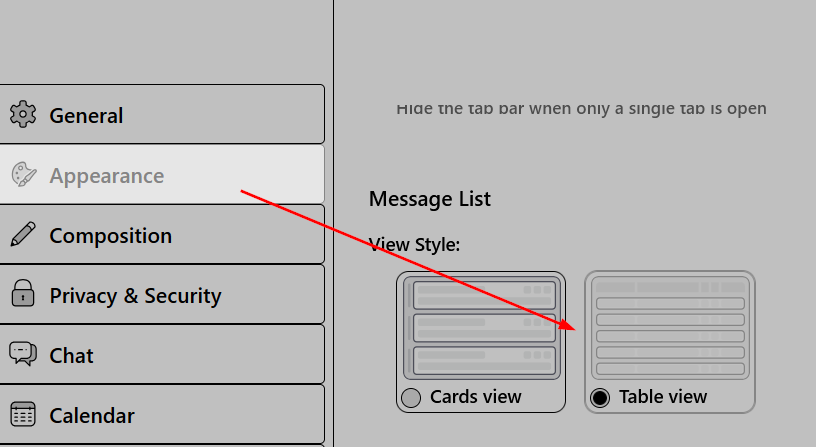
Go to TB menu > Appearance > Message List and choose Table View.
Read this answer in context 👍 1All Replies (1)

Chosen Solution
Go to TB menu > Appearance > Message List and choose Table View.