


Local Folders structure not sorted in order
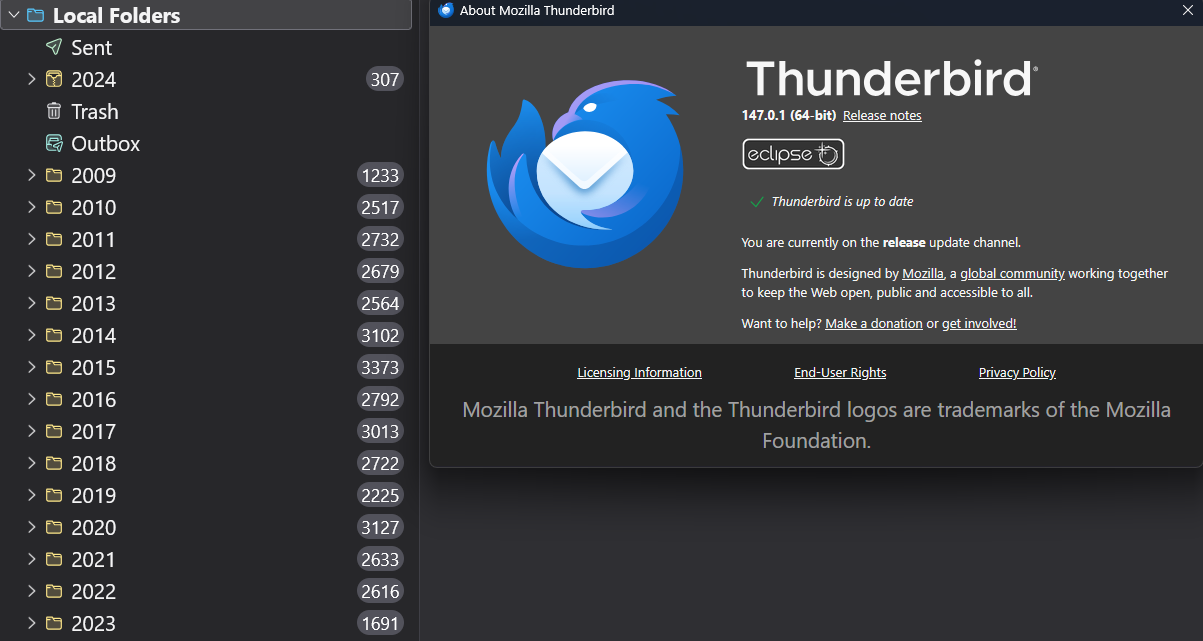
As the image attachment shows, the 2024 Local Folders item has a different icon and is not in order with the other years. I'm running 147.0.1 on a Windows 11 system. Selecting Reset Folder Order had no effect. Is there a way to better integrate the 2024 local folder with the other years?
Chosen solution
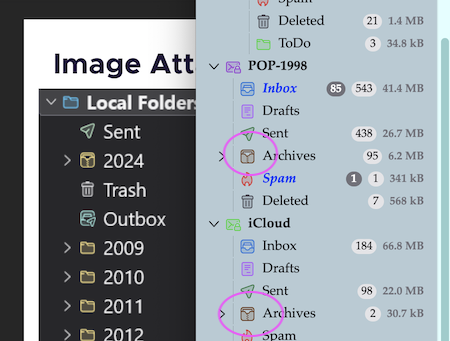
Your 2024 folder has an "Archives" icon and Archives is a system folder contrary to the other "year folders" which are generic. There is no risk to move it in one of the yellow generic folders because it won't work. But why does the 2024 folder have a system folder icon? Go to Account Settings > account name > Copies & Folders > Message Archives and verify if folder 2024 has been chosen as destination folder for archived messages .... If necessary to go even further you may install the FolderFlags add-on https://services.addons.thunderbird.net/En-uS/thunderbird/addon/folderflags/ , then R-click on 2024 > Properties > Flags .... and remove a possible "Archives" flag. Perhaps this will change the system folder in a generic folder?
Read this answer in context 👍 1All Replies (5)

Thanks for the suggestion, but any attempt to drag the 2024 folder within Local Folders seems to be barred. The diagonal red-stripe in a circle icon appears when I try. And since it is directly under Local Folders like all the other years, I would be concerned to avoid putting 2024 within another year like 2022 if I *could* drag it.

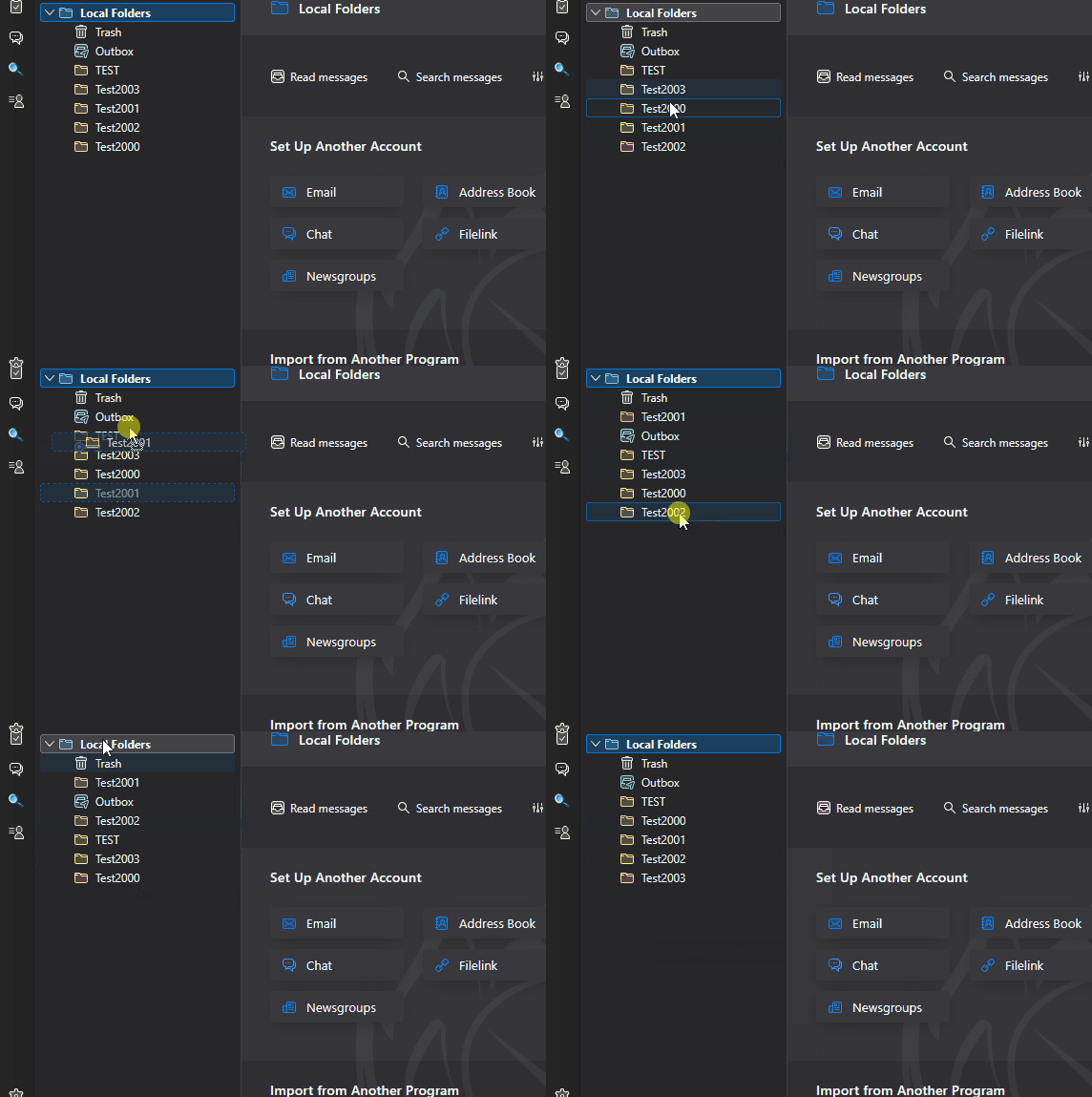
I'm surprised moving and sorting don't work for you. They do for me. See the attached animated GIF (hope this works!)
You are right - drag-and-dropping folders is a delicate operation, but if your aim isn't true the first time, you can always move it again. But "Reset Folder Order" is less error-prone.
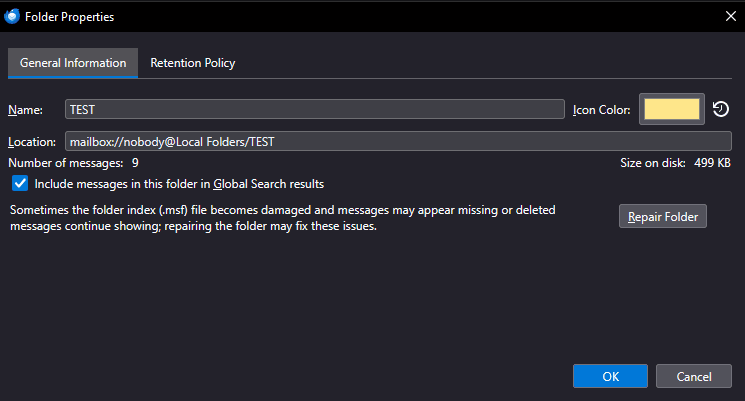
I've never seen that different folder icon and I don't know what it means. Right-click on it and examine the Properties - is there anything obviously different than the other folders? (See attached image.) If there's something about it that makes it non-movable, maybe you could make a new folder, move the messages there, then delete the old folder - perhaps they will be sortable then.
Chosen Solution
Your 2024 folder has an "Archives" icon and Archives is a system folder contrary to the other "year folders" which are generic. There is no risk to move it in one of the yellow generic folders because it won't work. But why does the 2024 folder have a system folder icon? Go to Account Settings > account name > Copies & Folders > Message Archives and verify if folder 2024 has been chosen as destination folder for archived messages .... If necessary to go even further you may install the FolderFlags add-on https://services.addons.thunderbird.net/En-uS/thunderbird/addon/folderflags/ , then R-click on 2024 > Properties > Flags .... and remove a possible "Archives" flag. Perhaps this will change the system folder in a generic folder?
Modified by Mapenzi
Bingo! Installing the folder flags add-on showed me (as you said) that 2024 was flagged as an archive. I turned the flag off, restarted TBird and 2024 now comes after 2023 as it should. I expect I created the problem somehow when I moved the 2024 folder from the server to Local Folders; what is the proper way to do that?