


Email threads in Thunderbird

When I open an email that contains a thread, each response (or reply) shows up in its own window. This results in LOTS of email windows on the screen, and I have to fish around to find the one I want to see. Then I have to close all of them one at a time. How can I change this so the email thread is in one continuous window?
All Replies (8)

If you want to view an entire discussion (thread with received and sent emails) you can R-click on one of the messages in the thread and select "Open in Conversation" in the context menu. This will display the whole conversation in a new tab.
I've been using Thunderbird for at least 15 years on at least 4 different computers (going back to Windows XP). The email threads always just appeared in a single message window. I've gone into settings and can't find anything that addresses this.
arneleinonen1 said
I've been using Thunderbird for at least 15 years on at least 4 different computers (going back to Windows XP). The email threads always just appeared in a single message window. I've gone into settings and can't find anything that addresses this.
That could only happen with an addon.
I've never had to change anything or install any "Add Ons" for all the years I've used Thunderbird. This has only been an issue for my latest installation (about 3-4 weeks ago).
arneleinonen1 said
I've never had to change anything or install any "Add Ons" for all the years I've used Thunderbird. This has only been an issue for my latest installation (about 3-4 weeks ago).
I would love to help you. But to be honest I have no idea what you are talking about so perhaps we can create a baseline where we are talking the same language.
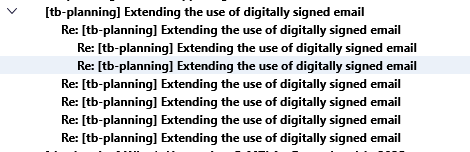
This is a threaded email in my interface. I have selected multiple emails in the thread (shift Click) so they show some of the content of each in the message pane This is as far as I can recall unchanged behaviors from V3 as is the appearance of the email in the list.
The addon most folk using your description use is the conversations add on that makes mail in Thunderbird appear in the same way they do in Gmail, but you say you do not use an addon. Are you sure your mail did not look like the images in the link. https://services.addons.thunderbird.net/en-us/thunderbird/addon/gmail-conversation-view/
Some folk choose to use the space consuming but otherwise unremarkable card view of email. It looks like this
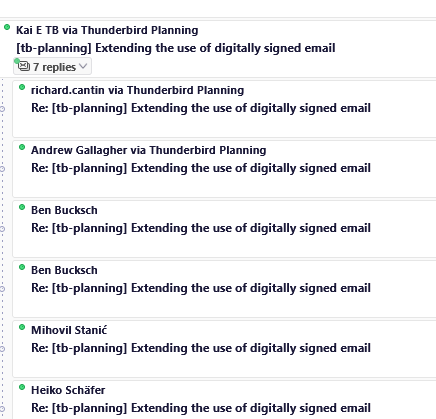
If I select all of the email in the thread I get this showing up in my message reading pane
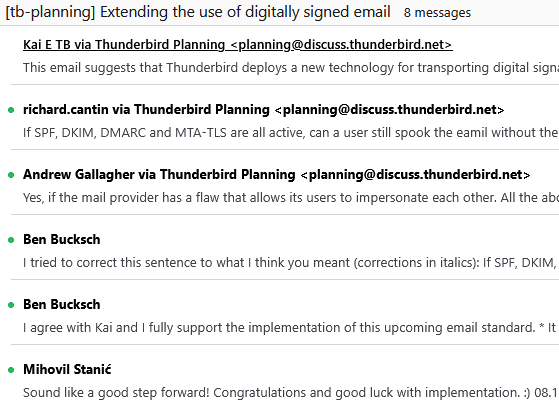
As you can see none of that describe what you are describing so I just do not understand.
I have also heard of folk referring to the quoted email in the body as "the thread" but I am not aweare of any substantive changed there either. So please explain what you are calling the thread you expect to be somehow glued together.
P.S. After I wrote that I wondered if you used to have the message reading pane turned on and now it is off (F8 toggles). and that was the missing piece.

arneleinonen1 said
How can I change this so the email thread is in one continuous window?
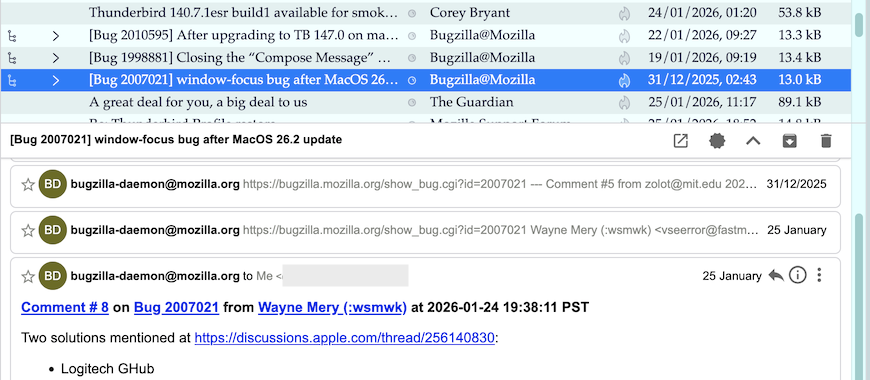
Did you ever use the "Thunderbird Conversations" add-on ? (see image)
I think everyone has over-complicated this issue or doesn't understand what I'm talking about. I used to use Outlook back in the day, and I never used the preview pane, as this was susceptible to attack years ago (basically it opened the emails whether you wanted them open or not). I would double click an email and it would open in its own window. When I converted over to Thunderbird, I set it up the same way...no issues.
With a little more looking around in the Mozilla site, here's what I found: 1. Click on Inbox (or probably anywhere in the Thunderbird window). 2. Press the ALT key (a toolbar appears near the top of the window). 3. Select "View'. 4. Select "Sort by". 5. Select "Unthreaded" ("Threaded" was selected by default, I assume).
Now when I double-click an email, the entire email thread (or chain or whatever you want to call it) is in the single window, just like the good old days. This seems more like "Threaded" than "Unthreaded" to me, but at least I got it to work.
arneleinonen1 said
I think everyone has over-complicated this issue or doesn't understand what I'm talking about.
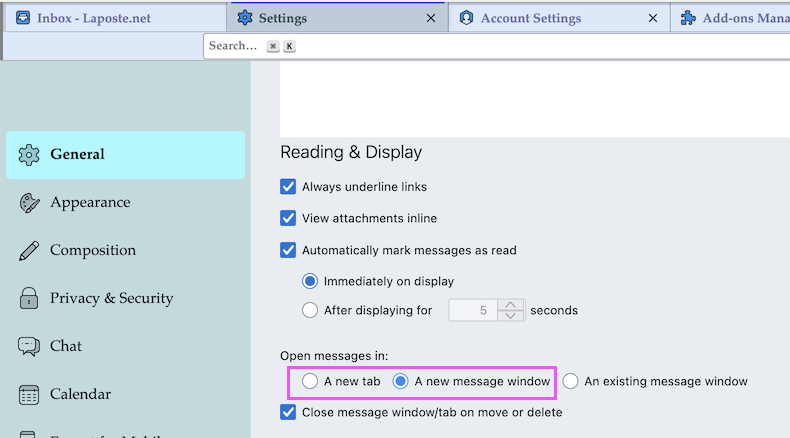
I assume that none of the involved helpers (including myself) in this discussion is an idiot. If you had described your first post that your habit is to open a message via double-click in a new window maybe we would have understand at once (image). Remember: yours is not Thunderbird's default setting for opening/reading messages.... Didn't you ask How can I change this so the email thread is in one continuous window?
Modified by Mapenzi