One drive and Thunderbird

Just out of the blue I found my local folders emails missing or I should say I wanted to put them back where I had them. It appears one drive had been messing with them. I had them in a folder on my desktop so I know they got backed up when I did a manual backup with an image using ms backup tool. I do not want to use one drive but it appears TB gets an error when I think I am pointing to the correct folder. How do I undo one drive and put my folders back? Unfortunately I do not have a recent image that have emails in them that are recent and want to save. I also had local outlook pst files on my local drive TB folder Any advice appreciated.
All Replies (1)
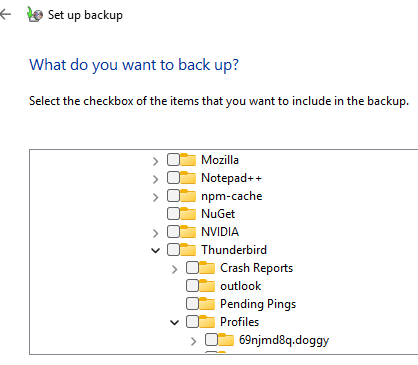
My advice is to leave the Thunderbird profile folder in the hidden windows appdata folder instead of placing it in a location Microsoft are determined to sync with their cloud. You might try configuring windows using the accounts > Windows backup settings

Specifying the folder to backup in the MSbackup tool in control panel is a simple affair, so I would suggest you modify your backup to suit the location of the data instead of moving the data to some default backup location that the tool automatically selects. It would also mean that the automatic syncing of your desktop would not interfere with Thunderbird.