


i can't find my 'mozilla' directory in "appdata/roaming"

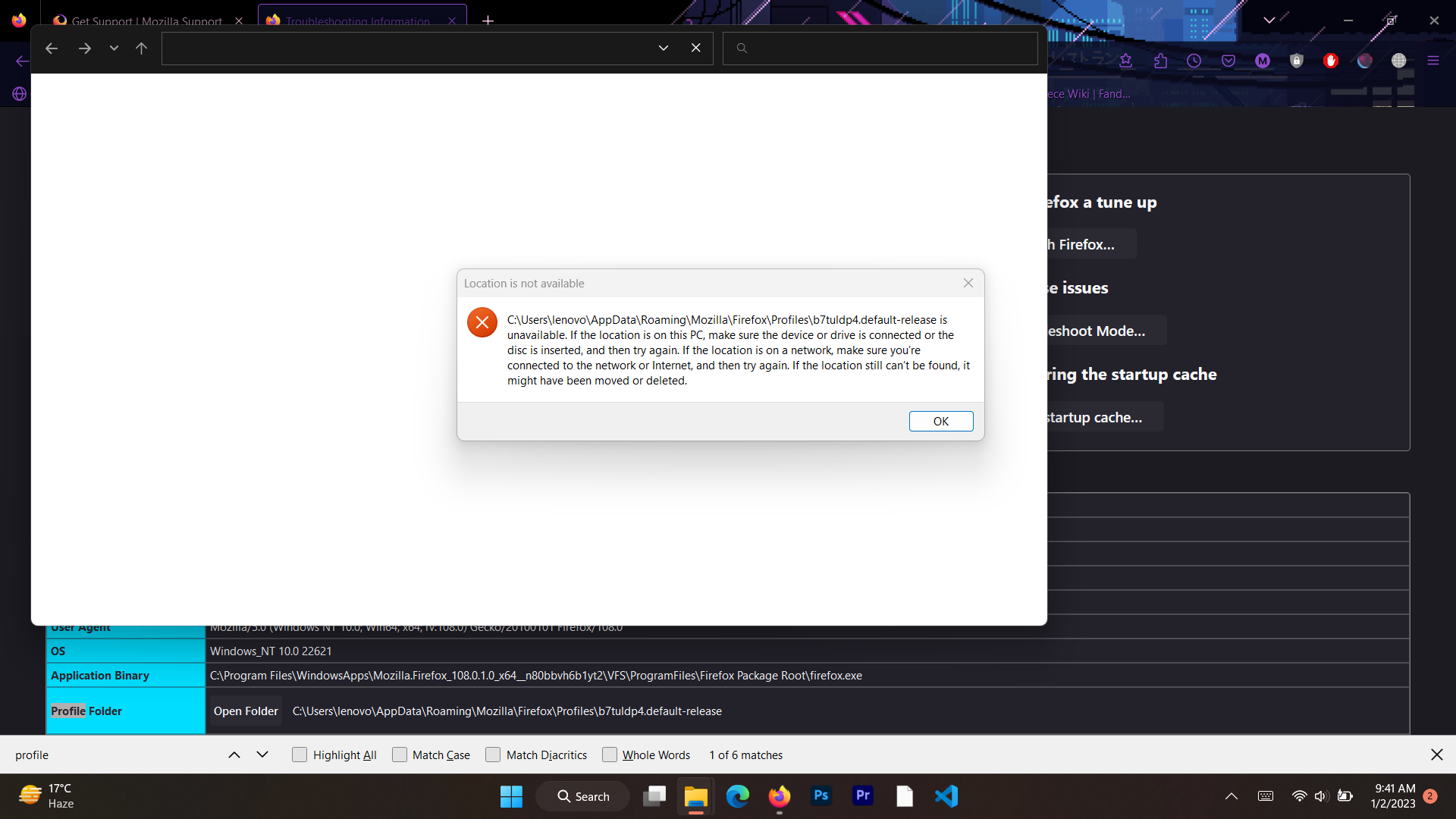
i somehow can't find the 'mozilla' folder in 'appdata/roaming'. i was trying to open my profile folder but it displays the message saying that it's 'unavailable'. i digged in further into the problem and found out that i had no such mozilla folder in appdata. is there any way to fix this problem? or am i just missing something?
Chosen Solution
You are using the Firefox MSIX version from the MS store and that stores the profile folder elsewhere.
- /questions/1387574 Where is Firefox profile for 104.0
- C:\Users\xxx\AppData\Local\Packages\Mozilla.Firefox_xxxxxxxxxxxxx\LocalCache\Roaming\Mozilla\Firefox
All Replies (3)
Enter about:support in the address bar and find the Profile Folder row. Click the Open Profile button on the right.
TyDraniu said
Enter about:support in the address bar and find the Profile Folder row. Click the Open Profile button on the right.
i already tried doing this. when i click "open profile", it gives the error displayed in the screenshot attached above.
Chosen Solution
You are using the Firefox MSIX version from the MS store and that stores the profile folder elsewhere.
- /questions/1387574 Where is Firefox profile for 104.0
- C:\Users\xxx\AppData\Local\Packages\Mozilla.Firefox_xxxxxxxxxxxxx\LocalCache\Roaming\Mozilla\Firefox