


how do I change server to sendgrid

I need to send 2000 emails through thunderbird but I'm not able to with gmail as my outgoing email server. What do I need to change to make this work?
I need to send 2000 emails through thunderbird but I'm not able to with gmail as my outgoing email server. What do I need to change to make this work?
All Replies (1)
I am assuming you are entitled to use the sendgrid server.
Go to Tools|Account Settings
See http://kb.mozillazine.org/Menu_differences_in_Windows,_Linux,_and_Mac
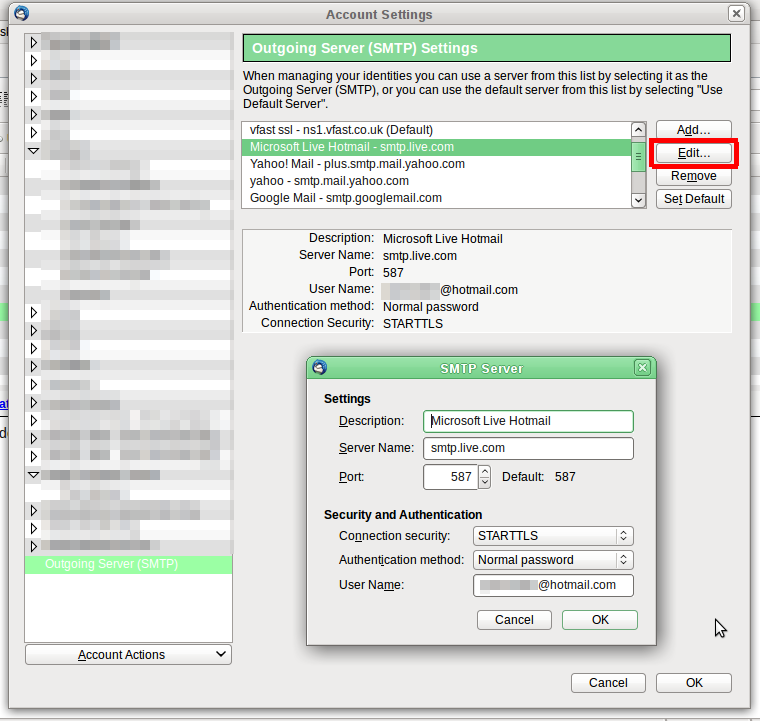
Go down to the end of the list of accounts. There you'll find "Outgoing Server (SMTP)" where you can add more smtp servers. You'll need to add one rather than edit an existing one.
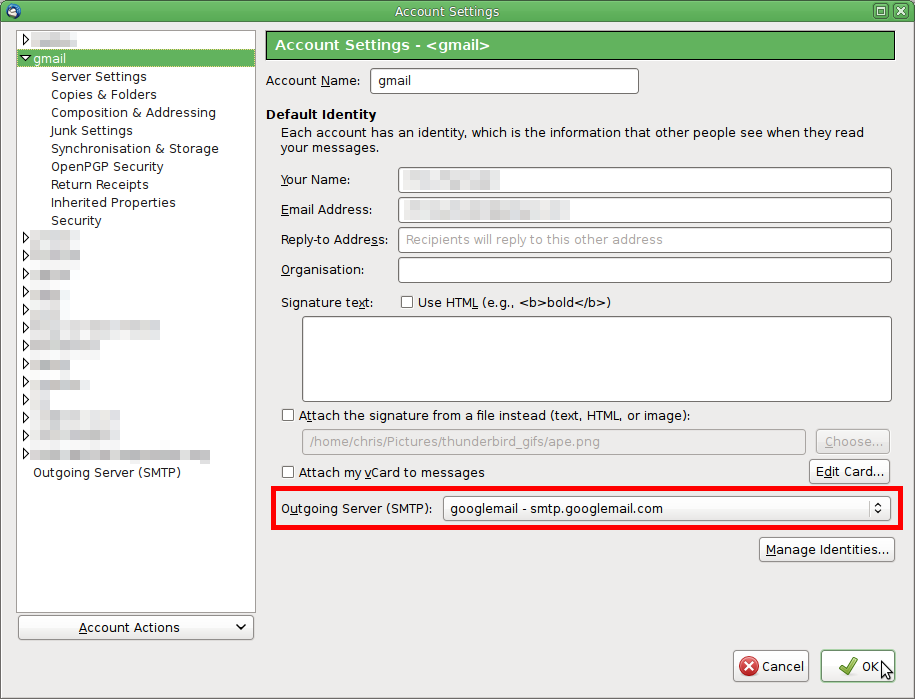
Then go to the incoming account, and under Account Settings, change the Outgoing Server setting to use your newly added smtp server.
Modified by Zenos