

This thread was archived.
Please ask a new question if you need help.

Archived
Some links in my Facebook are marked or underlined in red

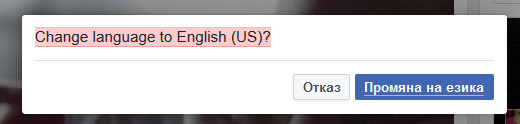
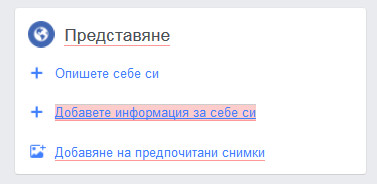
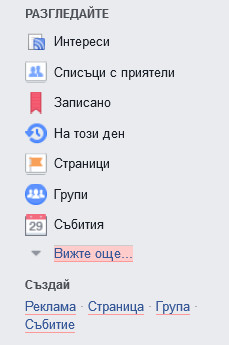
Some links in my Facebook are underlined in red. When I put the mouse cursor on - the links mark in red. It's only when I'm using FB in my native language - bulgarian. But when I switch my FB profile to English or another language - there is no such a problem?!
I'm using Mozilla Firefox 49.0.2 and Windows 7
Some links in my Facebook are underlined in red. When I put the mouse cursor on - the links mark in red. It's only when I'm using FB in my native language - bulgarian. But when I switch my FB profile to English or another language - there is no such a problem?!
I'm using Mozilla Firefox 49.0.2 and Windows 7
All Replies (4)
This is how it looks

Start Firefox in Safe Mode {web Link} by holding down the <Shift>
(Mac=Options) key, and then starting Firefox.
A small dialog should appear. Click Start In Safe Mode (not Refresh).
Is the problem still there?
The problem is still here even in Safe mode
I don't know what else to try. I've called for more help.