


Why does Firefox show a certificate revocation warning on a government website?

When I try to open the Indian Digital Police Citizen Services website (https://digitalpolicecitizenservices.gov.in/) in Firefox, I receive the security error “Peer’s Certificate has been revoked.”
I understand that this warning may indicate a problem with the website’s SSL certificate. I would like to know why Firefox displays this warning and whether there is any official update or recommended action for users.
Is this issue related to the website’s certificate chain, and should users wait for the website administrator to renew or replace the affected certificate?
I do not want to bypass the security warning. I would appreciate guidance on how to verify when the website is safe to access again.
All Replies (5)
Bonjour
Be careful. Something doesn’t look right. https://support.mozilla.org/en-US/questions/1615100

Hello,
The warning **“Peer’s Certificate has been revoked” (SEC_ERROR_REVOKED_CERTIFICATE)** means Firefox has detected a certificate in the website's HTTPS trust chain that is no longer trusted.
In this particular case, there is an important official update.
On October 20, 2026, Mozilla announced security measures following the compromise of several eMudhra intermediate certificate private keys. Firefox subsequently blocked the affected certificates to protect users from potentially fraudulent HTTPS connections.
A recent Firefox Support discussion also identified an unresolved certificate issue affecting the Digital Police Citizen Services website.
- Here are my recommendations:**
1. **Do not bypass the warning:** Firefox is blocking the connection for a legitimate security reason.
2. **Keep Firefox updated:** Make sure you're using the latest available version with Mozilla's security protections enabled.
3. **Wait for the website administrator:** The website operator needs to install a valid replacement certificate with a trusted certificate chain.
4. **Check certificate status:** Use a reputable SSL certificate testing service to verify that the website is presenting a valid, non-revoked certificate chain.
5. **Contact the website administrator:** Report the exact Firefox error and request confirmation that the certificate issue has been resolved.
- Important:** An ordinary certificate renewal may not be sufficient if the replacement uses a revoked or distrusted certificate authority. The website must deploy a certificate chain that browsers trust.
- How can you confirm the website is safe again?**
Once the website administrator has corrected the certificate configuration, Firefox should open the website normally without a certificate warning. You can also independently verify the certificate chain before entering personal information.
- My recommendation:** Continue respecting Firefox's security warning and wait for the website operator to resolve the certificate problem.
I hope this helps clarify why Firefox is blocking the website and how to verify when access has been safely restored.
Bonjour
What do the security warning codes mean https://support.mozilla.org/en-US/kb/what-does-your-connection-is-not-secure-mean Troubleshoot security error codes on secure websites https://support.mozilla.org/en-US/kb/error-codes-secure-websites
https://www.ssllabs.com/ssltest
Currently, new SSL Report: Unable to connect to the server. https://www.ssllabs.com/ssltest/analyze.html?d=digitalpolicecitizenservices.gov.in
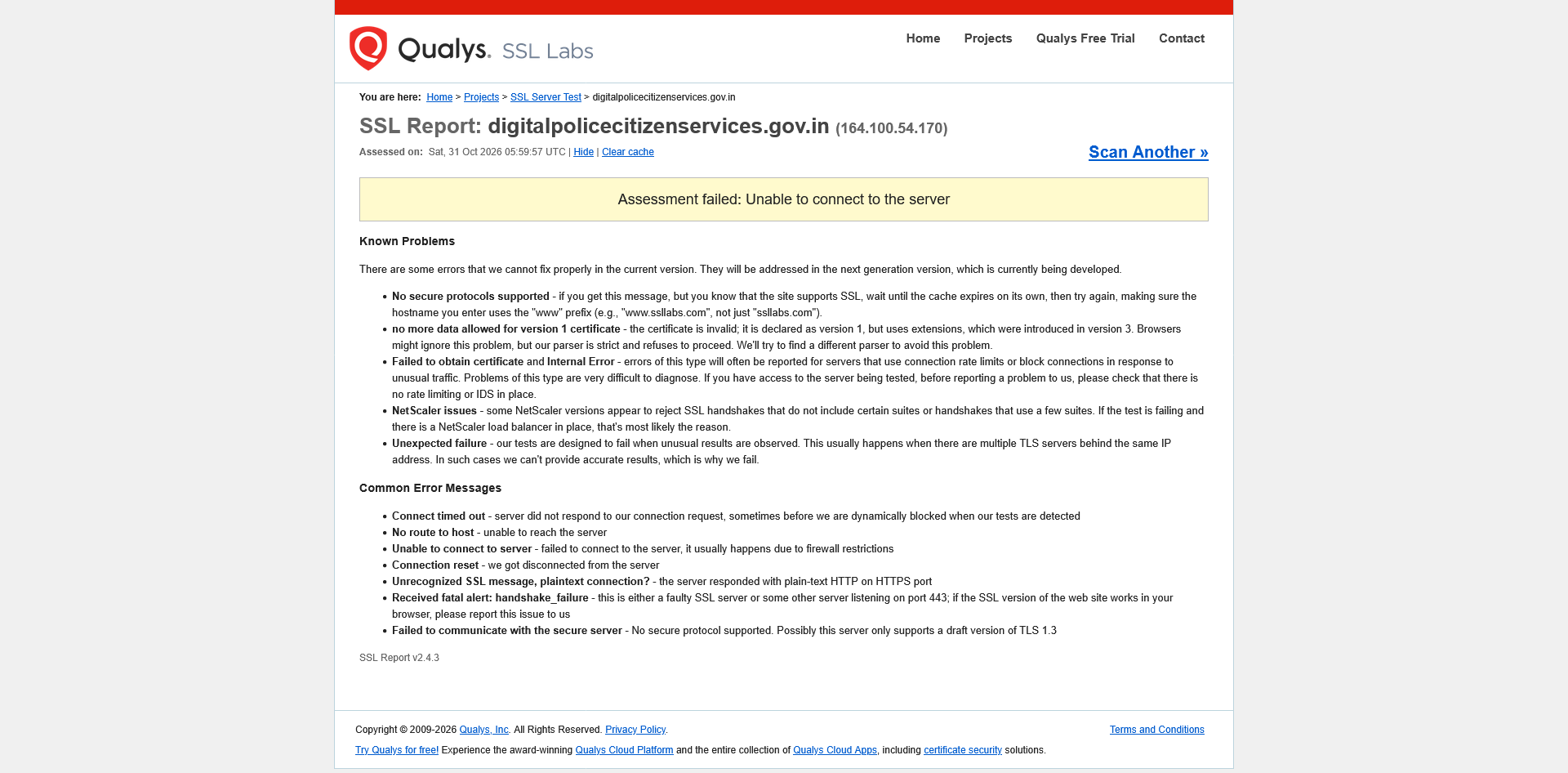
Modified by Agent virtuel
jennystudenrothofficial said
I understand that this warning may indicate a problem with the website’s SSL certificate. I would like to know why Firefox displays this warning and whether there is any official update or recommended action for users. Is this issue related to the website’s certificate chain, and should users wait for the website administrator to renew or replace the affected certificate?
The certificate issue may be due to emSign going out of business in India last week. https://en.wikipedia.org/wiki/EMudhra
The certificates have been updated on some *.gov.in sites though many are still not.
Firefox a bloqué cette page, Faites preuve de prudence, il semble y avoir un problème.
(e.g. screenshot) https://support.mozilla.org/en-US/questions/1608377?page=2#answer-1859401
Currently, SSL Report: Overall Rating F, Revocation status Revoked INSECURE, at the moment, analyzed. https://www.ssllabs.com/ssltest/analyze.html?d=digitalpolicecitizenservices.gov.in
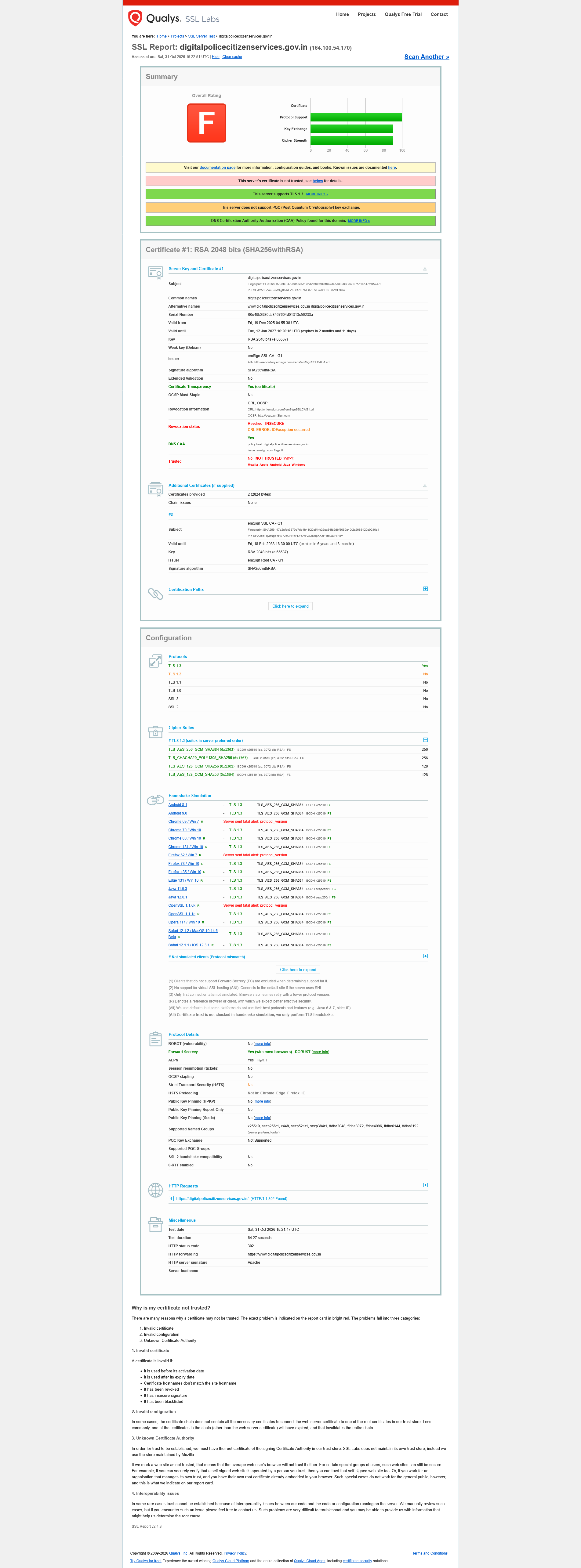
Modified by Agent virtuel