


How can I remove the rounded corners in Firefox?

How can I remove the rounded corners in Firefox?
All Replies (14)
Bonjour
A space for users to give product feedback https://support.mozilla.org/en-US/kb/what-mozilla-connect
A old discussion thread https://connect.mozilla.org/t5/discussions/hate-the-rounded-corners-inside-firefox-disabled-them-in-windows/td-p/110499 and a new discussion thread https://connect.mozilla.org/t5/discussions/take-project-nova-for-a-spin-in-nightly/td-p/131273
Modified by Agent virtuel
Thank you very much, this solution was helpful

If you mean the rounded corners around the browser window or tabs, I’d first check whether this appeared after a recent Firefox update. Some UI changes can’t be reverted through the normal settings, so it may depend on exactly which corners you mean. A screenshot would probably make it easier for someone here to point you to the right setting or workaround.

Setting browser.nova.enabled to false under about:config worked (on 157).
I hope that continues to make the necessary adjustments because the half rounded ends and circles is a poor UI usability choice IMO. Might work better on touch screens and maybe some prefer it aesthetically with the full rounding, but the delineation of the space enclosed is clearer with the greater internal clearance in the corners, and at least part of the edges straight to guide the eye (late 50's user with poor eyesight).
WARNING from the moderator team: Changing Firefox preferences from the about:config page can sometimes break Firefox or cause strange behavior. You should only do this if you know what you're doing. Please read Firefox advanced customization and configuration options to learn more.
Modified by Paul
I recommend that you do not use that preference as it is due to be removed in a future update.
Paul said
I recommend that you do not use that preference as it is due to be removed in a future update.
In that case you guys need to code an option to turn the nova garbage OFF, or just make it an "opt-in" with "hey.. we've made some ui changes.. do you wanna use them or have the browser look like it always has?"
Thanks for the suggestions. I realise that these solutions won’t work forever. As a user, you just have to put up with whatever the developers give you. I think it’s a shame there isn’t a toggle to let you change the appearance easily. Perhaps something like that will be added later; after all, you can easily switch back to compact mode.
Litvan said
In that case you guys need to code an option to turn the nova garbage OFF, or just make it an "opt-in" with "hey.. we've made some ui changes.. do you wanna use them or have the browser look like it always has?"
For me it's a good idea but that would be treated as unwanted nag/advertising and would make 90% of users angry. You guys would burn Mozilla to the ground because of such a small info bar.
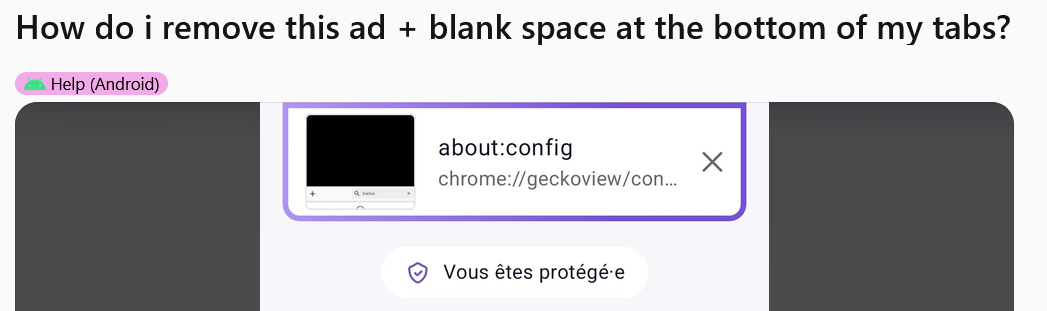
That's literally an epidemic of rounded corners. With VSCode too. Why someone thinks thats a good idea make everythik is rounded without any option for others people?
Paul said
I recommend that you do not use that preference as it is due to be removed in a future update.
So what i should use? I don't like that
Modified by Босс Вертолёт

If you want to remove the rounded corners in Firefox, you can do this using a custom userChrome.css file. First, open about:config in Firefox and set toolkit.legacyUserProfileCustomizations.stylesheets to true. Then open about:support, find Profile Folder, and click Open Folder. Inside the profile folder, create a folder called chrome, and inside it create a file named userChrome.css. Add CSS such as .tab-background, .tab-stack, .tab-content { border-radius: 0 !important; } to remove the rounded corners from the tabs. You can also add #navigator-toolbox, #TabsToolbar, #nav-bar { border-radius: 0 !important; } if you want to remove rounding from other parts of the Firefox interface. Finally, save the file and restart Firefox for the changes to take effect.
Modified by james anderson

Paul said
I recommend that you do not use that preference as it is due to be removed in a future update.
lmao so it is your idea to use this ugly UI design? Then remove a way for user to able to roll this back?

The new UI is an absolute disaster. Mozilla developers would have to try to make it this bad. The rounded corners in tabs hide information. Icons are not easily distinguishable.
Almost immediately after update I set browser.nova.enabled=false to disable it.
Please just roll back this stuff.
Thank you!