


YouTube isn't playing Full screen after pulling down the screen on Android phone.

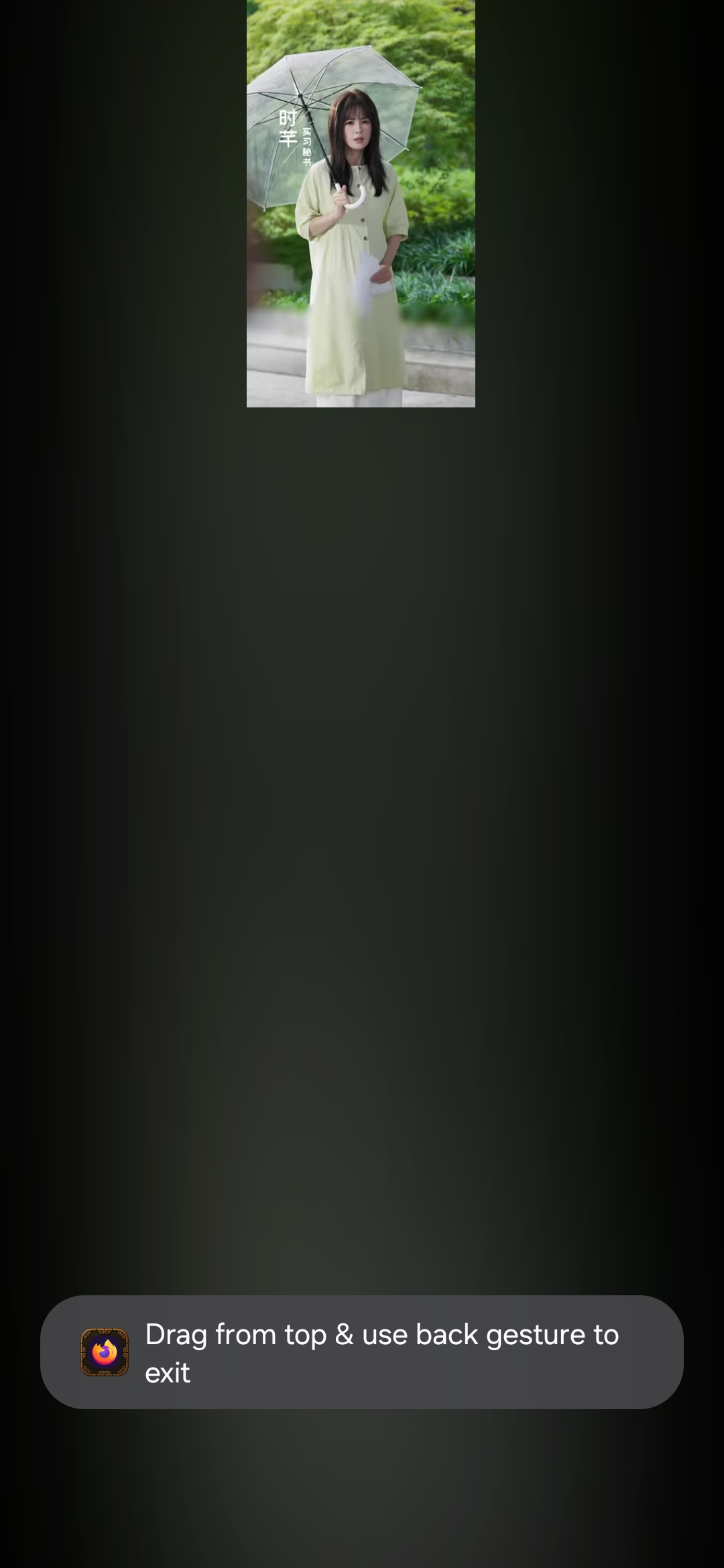
While playing YouTube on firefox I tried to pull down the full screen. Rather going full it stayed same small and rest screen becomes dark . After pulling many times I finally find it full screened. But it happens everytime same after changing video or going back.
All Replies (4)
Hi,
What do you mean by pulling down?
While playing youtube there is option on the android phone to pull down your samsung phone display by two fingers which makes easy to go full screen of any video/youtube,etc. It is easy on other browser ( duckduck go) goes full screen in a seconds but on Firefox have to try many times. Here I am not mentioned about vertical screen to go horizontal, there is no issue. Only issue is on vertical screen. It doesn't go full rather it stays same and the rest of the screen goes dark.
The problem is all about vertical screen. It doesn't go full screen even tapping/pulling down (in Samsung galaxy phones you can pull down by two fingers for full screen) . Only this happens on Firefox. On other browsers it's ok and plays flawlessly.
Youtube recently changed its code and broke our display. We're working on a solution.
As a workaround, you can install this add-on. Please report back if it's working or not for you.