


Difficulty Adding a language to ' TranslationLanguage'.
Hello,
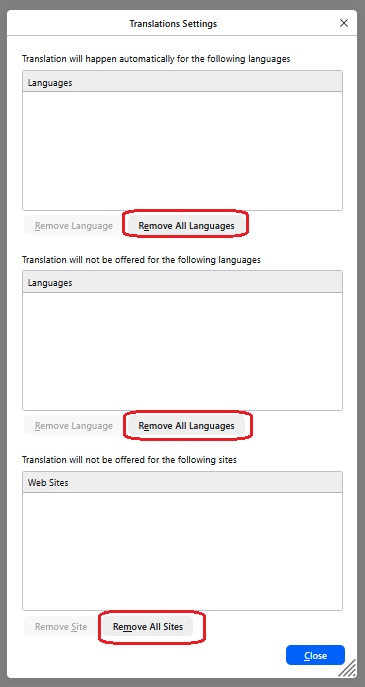
My chosen language is English, with French second and US English third. I want to set French as my translation language but when I select 'Translation Settings' I am presented with a menu that only allows Removal of languages. How do I Add a language ? In this case French.
Best wishes
All Replies (3)
Chosen Solution
Hi pyor66,
I can see why you're lost in that process. Right now, there's no direct way to add a new language in there.
To set Firefox to always translate to French in version 152, you may want to visit a French site, then click on the translation button, and select the gear icon, and select "Always translate French".
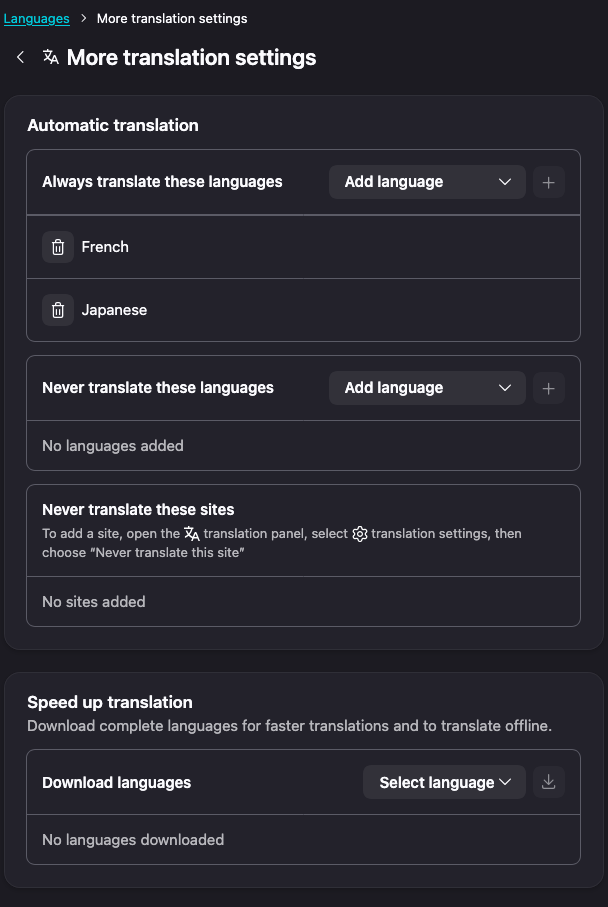
That said, in the future release, you'll be able to do that via setting quite easily as we're in the process of revamping our Setting page. I included a screenshot of how the setting look like in future version.
Hope that helps!
Hi Kiki, Thanks for your response. I realised I had just installed a VPN system and set it for permanent 'ON'. Switched OFF and TB works fine. Regards pyor66
I'm glad you managed to make it work. (: