


Firefox keeps crashing

I get the message: We're Sorry Firfox had a problem and crashed. We'll try to restore your tabs and windows. To help us diagnose and fix this problem, you can send us a crash report. I sent the crash report multiple times.
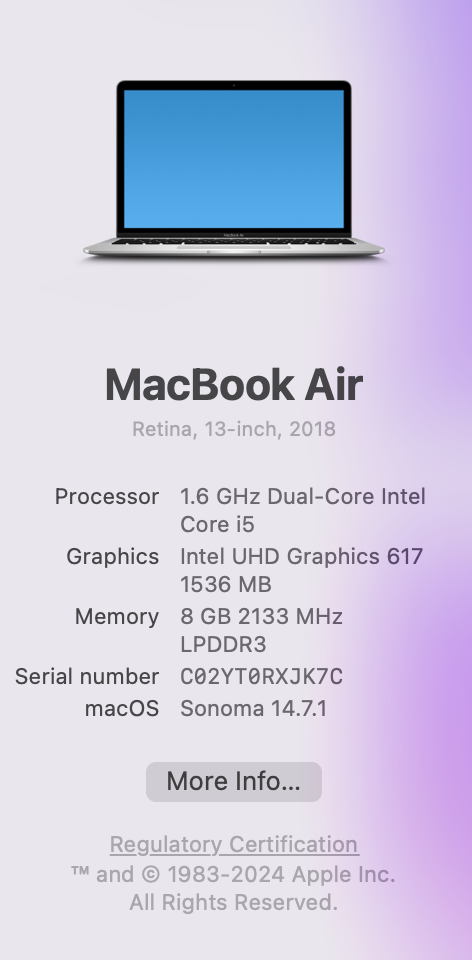
I added a screenshot of my MacBook Air info.
The details are: AvailablePhysicalMemory: 1700704256 AvailableSwapMemory: 0 BackgroundTaskMode: 0 BuildID: 20260216153405 CrashTime: 1773448580 DOMFissionEnabled: 0 DOMIPCEnabled: 0 HeadlessMode: 0 InstallTime: 1772203700 LastStartupWasCrash: 1 MacAvailableMemorySysctl: 75 MacMemoryPressure: Normal MacMemoryPressureCriticalTime: Unset MacMemoryPressureNormalTime: 1773448580 MacMemoryPressureSysctl: 1 MacMemoryPressureWarningTime: Unset MozCrashReason: MOZ_CRASH(NS_ERROR_OMNIJAR_OR_DIR_MISSING) ProductID: {ec8030f7-c20a-464f-9b0e-13a3a9e97384} ProductName: Firefox PurgeablePhysicalMemory: 248750080 ReleaseChannel: release SafeMode: 0 SecondsSinceLastCrash: 15923 StartupCacheValid: 0 StartupCrash: 1 StartupTime: 1773448579 SubmittedFrom: Client Throttleable: 1 TotalPhysicalMemory: 8589934592 UptimeTS: 1.104864563 Vendor: Mozilla Version: 148.0 This report also contains technical information about the state of the application when it crashed.
Moderator note: This question has been edited to fill the Firefox version field (based on the info submitted).
Modified by Denys
All Replies (4)
Hi,
How often do such crashes happen? Are you able to start Firefox at all (and keep it running for some meaningful time)?
From the info you pasted, it appears that the crash is intentional because your Firefox failed to find the omni.ja file (and crashed since that's a critical error). Regarding this issue, you can try to make sure that this file is actually present (ChatGPT gives me the following location for Mac: /Applications/Firefox.app/Contents/Resources/omni.ja). If it is, there may be an issue with permissions. If not, probably the best solution would be to reinstall Firefox.
Also, it would be useful to see your actual crash reports (to verify that the crash reason is the same in all the cases and probably get some more details about what's happening). See this instruction if you are able to start Firefox and this one if it crashes before opening.
Looking forward to your update!
I can't open Firefox at all, so I downloaded Firefox again, before I got your message. The Crash ID: bp-958359b9-d3d4-4cba-aa19-4dcbc0260313
That is the only one, not five crash ID's. I couldn't open Firefox to find an omni.ja file.
I can't import or access my bookmarks or passwords on the new Firefox I installed. Would you please be able to help with that?
Hi, try to go to about:profiles (and also menu > Profiles) to see if one of the profiles contains your data. Also, if you used Sync before, it should be enough to just sign in to your Mozilla account.
PS I've deleted your second post since it was identical to the previous one.
Where is about:profiles? If I can't open the original Firefox, what menu do I use? Where is sync?