


no login to the server
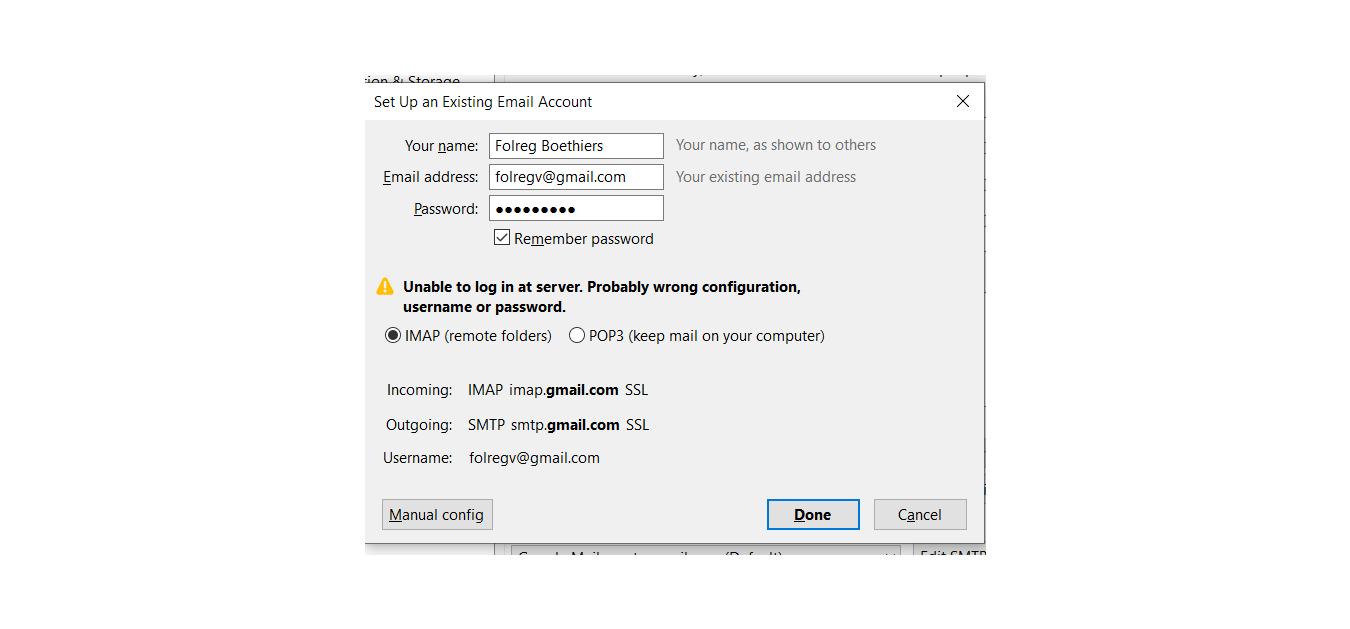
See printscreen. I use Thunderbird 68.5.0. After I changed the password of my google account, I was trying to set up the mail account in thunderbird with the new password. I got this message. I disinstalled the whole account in Thunderbird, I changed from imap to pop and back in google and thunderbird, changed password with google, try the manual set up.
There was an issue with OAuth ( I believe) with google . Couldn´t find anything to help me. Maybe you can bring some light in the darkess
Chosen solution
Open Tools/Options/Security/Passwords/Saved Passwords and delete all entries, restart TB, and add the account, using the regular account password that has been confirmed by logging into the gmail website. The default setup will apply OAuth2 authentication, so you just enter your regular, working password in the OAuth browser window.
https://support.mozilla.org/en-US/questions/1271734#answer-1290332
Skaityti atsakymą kartu su kontekstu 👍 1All Replies (2)
Chosen Solution
Open Tools/Options/Security/Passwords/Saved Passwords and delete all entries, restart TB, and add the account, using the regular account password that has been confirmed by logging into the gmail website. The default setup will apply OAuth2 authentication, so you just enter your regular, working password in the OAuth browser window.
https://support.mozilla.org/en-US/questions/1271734#answer-1290332
Simple solution. Thanks