


Firefox newer than 132.0.2 always crashes tabs on startup

Hello,
I have been unable to update Firefox past 132.0.2; every time I download an update and install/restart, all tabs automatically crash upon loading regardless of the website. I can load local pages like settings or about:config, but anything that actually uses the internet goes straight to crashing (including sites as simple as google.com). I have tried restarting in Troubleshooting mode to no avail. There are no crash reports when I pull up about:crashes, so unable to post IDs here.
It is not an internet access problem (I am [unfortunately] filling out this form from Edge), and with reversion to 132.0.2 everything moves along hunky-dory. I am also able to use the newest version of Firefox on all of my work devices, so it appears to be something in particular with my person PC. Problem occurred with both Windows 10 and Windows 11.
Any help would be much appreciated- I didn't mind an older version of Firefox that worked, but there have been some MFA logons that refuse to go load in v132 so it's becoming something I'm less able to ignore now. TIA
All Replies (9)
Can you grab a separate Firefox Nightly nightly.mozilla.org that will by design come with a separate clean profile of its own, so you can try with a fresh profile on the side, and test using that one, restarting sessions, restoring content tabs etc. — to see if there's any difference?
(Also check your security vendor for any updates, in case the crashes come from your antivirus or similar solution injecting into the browser, whether it's not outdated.)
Tried it and also got the same automatic crash, though I'm not sure how that would help if it's a completely separate software program?
As for security vendor, if I am interpeting this correctly, my device is registered with my work as a BYOD and is under Symantec per their system. Everything showed as UTD, but I ran a LiveUpdate just to be extra thorough, and now Nightly won't even load anything past an empty start tab- when I type in google.com and hit Enter, the text goes away as if I never typed anything at all and nothing ever loads (not even the Nightly Home Page).
We're sorry to hear that Firefox is crashing. In order to assist you better, please follow the steps below to provide us crash IDs to help us learn more about your crash.
The crash report is several pages of data. We need the report numbers to see the whole report.
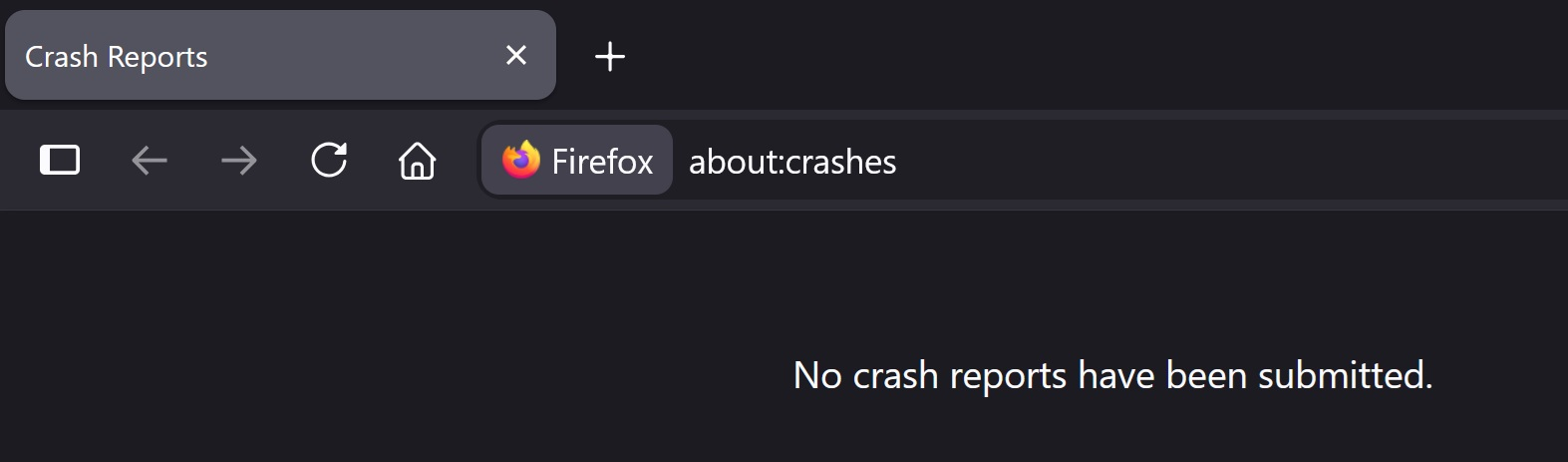
- Enter about:crashes in the Firefox address bar and press Enter. A list of Submitted (and Unsubmitted, if any) Crash Reports will appear, similar to the one shown below.
- Copy the 5 most recent Submitted Report IDs that start with bp- and then go back to your forum question and paste those IDs into the "Post a Reply" box.
Note: If a recent Report ID does not start with bp- click on it to submit the report.
(Please don't take a screenshot of your crashes, just copy and paste the IDs. The below image is just an example of what your Firefox screen should look like.)

Thank you for your help!
More information and further troubleshooting steps can be found in the Troubleshoot Firefox crashes (closing or quitting unexpectedly) article.
Hi Paul,
As stated in the original post and the attachments, there are no crash IDs to include
Yeah that unfortunately sounds like the enterprise security solution you have rolled out might not be ready for newer Firefox updates if it's crashing its processes and even a simply clean Nightly, not related to anything already present there, doesn't work.
You might wanna ask your corporate IT if they have any tips or can liaise with Symantec, this seems to be going on for quite a long time it seems:(
There's some notes in Fix problems connecting to websites after updating Firefox but that's basically what has been mentioned above — if you're not managing the system try asking those who do, in case they'd need to allowlist something in its rules or update some signatures.
@jbr I checked using the link you sent and got the same answer that it was Symatec. The interesting thing is that my work devices (ie owned by my employer, not my personal device as a BYOD) are just fine on the new Firefoxes, so it seems to be device-specific, but I can't figure out what would be different.
Agreed that my work's IT is probably the next step if I'm committed to chasing this down, I'm just not super optimistic about what will happen- their response when I told them about our new MFA getting my work email (Outlook) stuck in a sign out loop in Firefox was a verbal audibly-irritated shrug, and I quote, "If we tell Microsoft about this, they'll just tell us to tell you to use Edge since that's also a Microsoft product, so we're not gonna bother taking this further." (Because, yaknow, I'm going through the trouble to downloading Firefox and customizing it with a shitload of adblockers and making it the default for no reason whatsoever). Other techs have been much more helpful, so I'm hoping I just got a particularly unhelpful one, but I guess we'll find out.
I imagine you can't flip the switches in the Symantec product yourself? Or have them try disable the protection as a test temporarily (or some of its features?). Can they at least verify you're getting that software package updated from them, if they manage it remotely? (or whether it's up to date if it's supposed to handle its own updates — if you can get any version numbers and actually match that up to some recent release notes, and not being stuck on year old install that just thinks it's recent?)
Haven't actually tried disabling it myself, though if that turned out to be the problem, not sure how I'd solve that one since accessing the internet is the thing I need the protection for.
Did some nosing around on the UI and it looks like I have Version 14.3 RU2 build 14.3.4615.2000, which based on the release notes, would have been the version that was current when I first set this computer up with BYOD. All of the (non-disabled?) definitions within the service are current as of today, but I don't see a way to upgrade the actual software to a newer build- not sure if this would just be installing the newer one over the older one? (I had kind of assumed the software was updating itself to maintain compliance with IT's requirements, but I guess we all know what assumptions do).
Web & cloud access protection appears to be disabled by the administrator? I can't turn it on and the definitions are dated from when I got the computer set up with no option to update them. I don't know exactly what this part does, but now I'm wondering if this is the wrench in the gears.
The web content filters are actually good to have disabled (they decrypt secure connections locally so that's a sure failure point), the issue might be more with the actual security suite executables not getting updated as a whole, in case their older DLL injecting code is not compatible with newer releases (and they might need to be able to adjust that periodically and ship updates — I would have also expected your device management would be updating that remotely for you…)