Feedback, not question. I'm disabling Enhancer for YouTube. Here's why.

The add-on, Enhancer for YouTube, appears to be the cause of a very annoying bit of behavior. My YouTube tabs seem to be all numbered. I hate this. Why make a bookmark, I have to manually remove this number before I can auto sort my bookmarks directory alphabetically.
Worse, there is no part of the description that identifies this bad behavior as being involved with Enhancer for YouTube. I had to go to AI for help figuring out how to get rid of this exceedingly annoying behavior that showed up whenever I used tabs with YouTube videos. I can't imagine anything that this add-on could be adding to my experience that is more convenient than this particular behavior is annoying.
Changes to the appearance of tabs should not be performed invisibly and without settings that I can disable. Because of this, I can only get rid of his horrible behavior by disabling the entire add in. Mozilla put a stamp of approval on this particular add-in. So the dirt is on your face, too.

All Replies (4)
Hi
I recommend that you give that feedback to the developer directly in a review on the page that you installed that add-on from.
Actually, I was mistaken in thinking that I had solved the problem by disabling an extension. There was simply a delay involved in renumbering new pages. Right now, Firefox is opened in Troubleshooting Mode, which means that the entire group of extensions that I have used in the past are disabled. In addition, I have reloaded both the regular Firefox and Firefox Developer Edition, so this means that I can now eliminate any possibility that this annoying behavior of numbering tabs comes from an extension or from a persistent setting that requires reloading the browser to get rid of old behavior.
The numbering of the tabs continues to happen. There does not seem to be any place on Firefox settings in any of the categories where I can disable it. However, this is directly related to Firefox, and not any of the extensions. This is a very annoying setting that you should prevent users from managing. The most annoying settings that any software might have should be user controllable. There's a problem with Firefox.

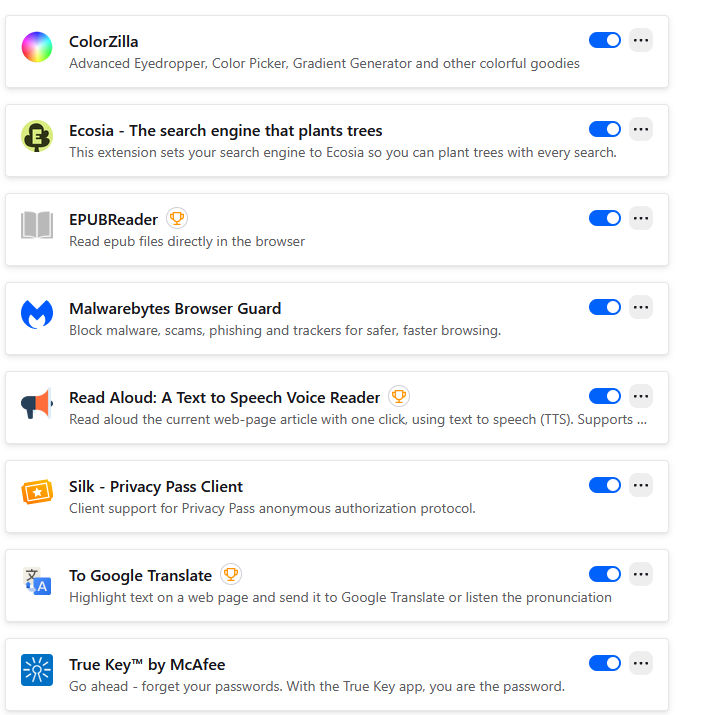
Attached is a screenshot of all of my extensions. However, when I disabled them all by entering Troubleshooting Mode, it made no difference whatsoever. It is clear that the problem is not extensions. It is clear that this behavior has to do with something about the interaction between YouTube and Firefox. The help provided by YouTube has also not been helpful in any way. This option should be adjustable in settings — but since I don't know where it comes from, it may be that it should be settings in YouTube and maybe should be settings in Firefox. It's not something that I have been able to solve. Even by turning off all extensions in Troubleshooting Mode.