


Firefox main process repeatedly consume large amount of memory

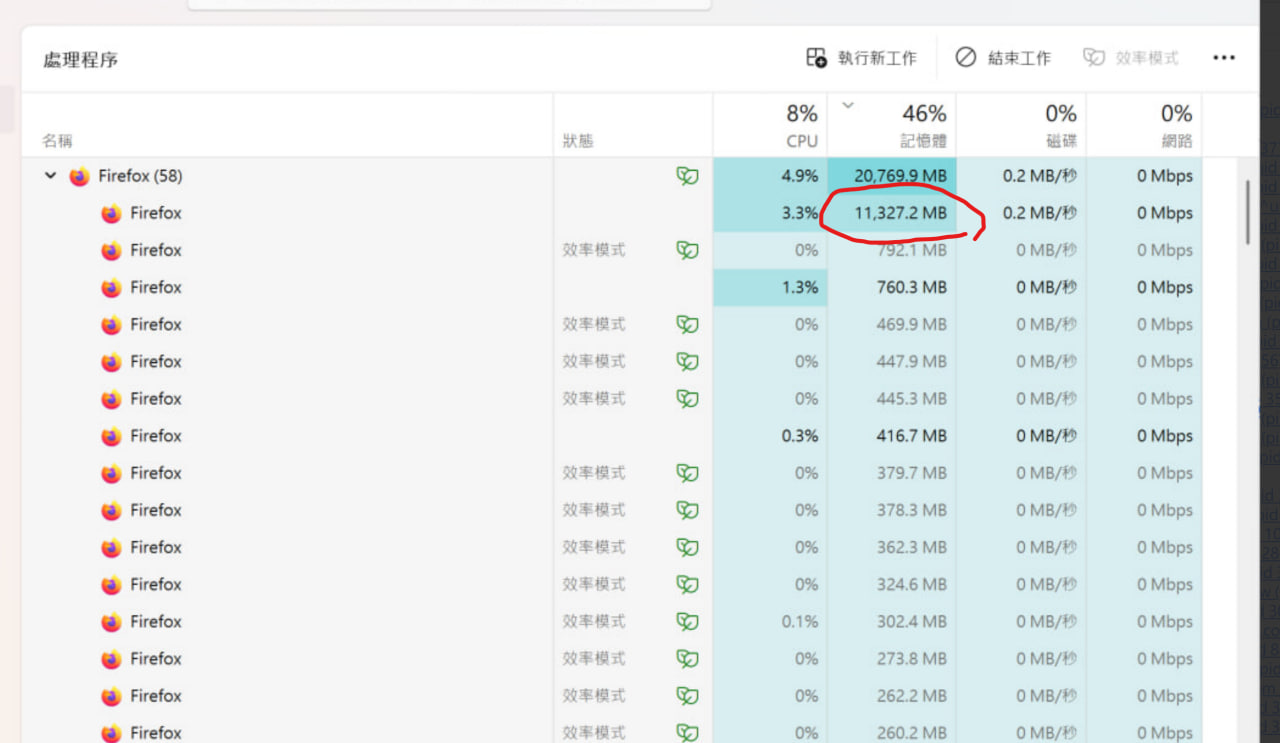
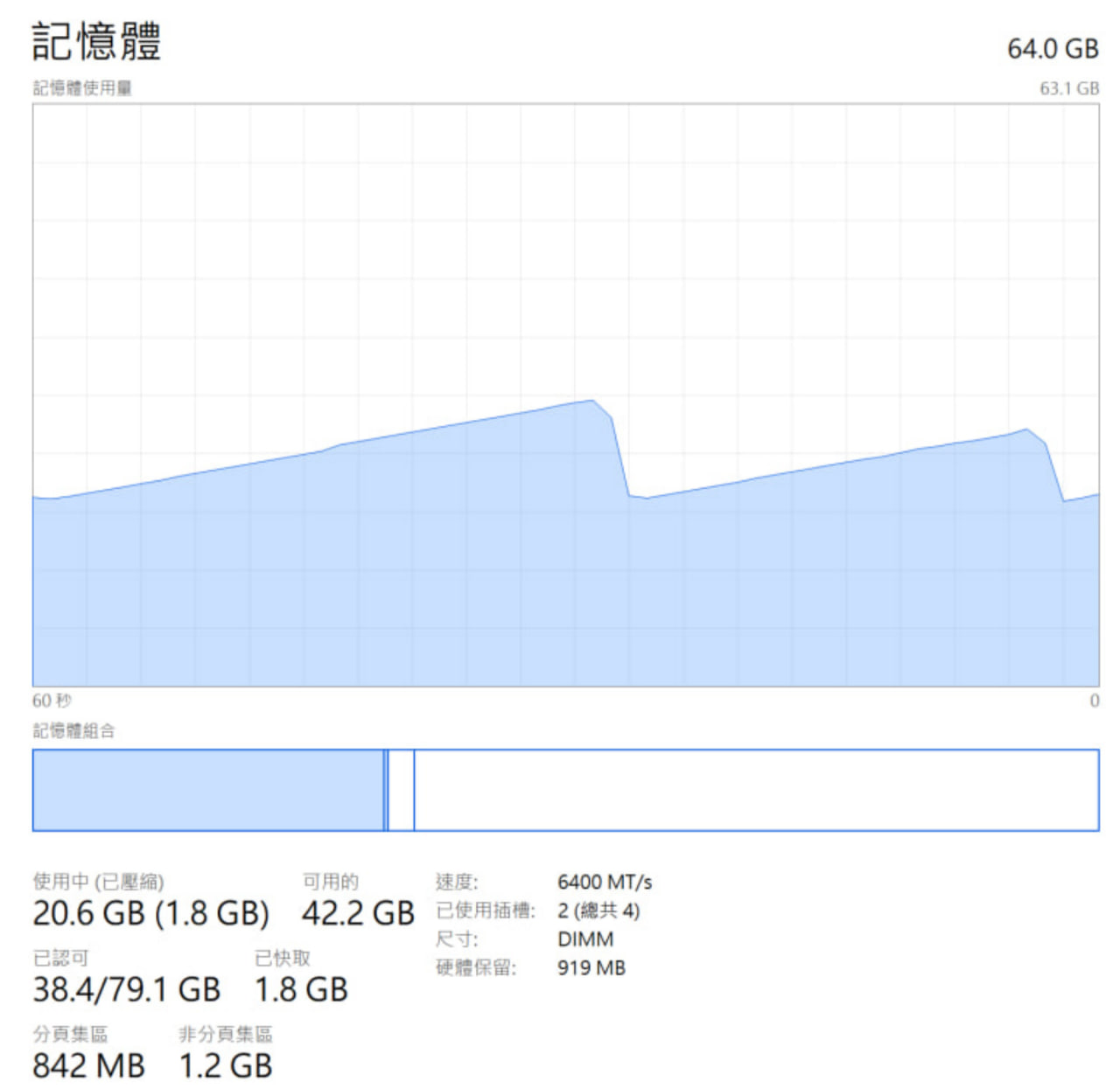
Since recently 1~2 version, my Firefox keeps consume large amount of memory and release it repeatedly
Even I restart Firefox and do nothing, it will start doing this again
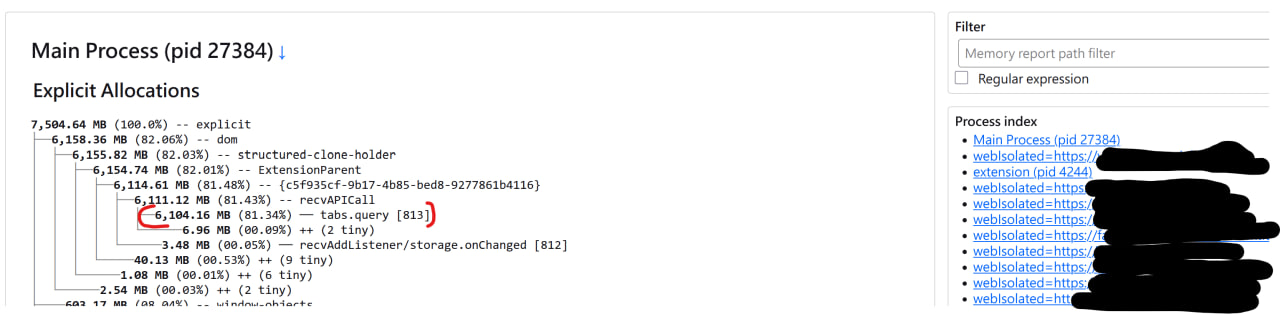
I use about:processes and about:memory to capture this seems the main process's "tab.query" causing this, please check
PS: sometime it will consume till system max (64GB) and cause my OS out of memory. PS2: that wave-like memory usage is cause by Firefox
Solution eye eponami
I rechecked your screenshot. It's under some extension. Try to go to about:support and find a name of this extension with ID {c5f935....}.
Extension identified as: Allow CORS: Access-Control-Allow-Origin 0.2.0 https://addons.mozilla.org/en-US/firefox/addon/access-control-allow-origin/
It may be also influenced by the Firefox View page. Try to right-click it, remove it from toolbar and restart.
Tanga eyano oyo ndenge esengeli 👍 1All Replies (9)
Interesting observation. It looks like it's somehow connected with Tab Groups feature, enabled in Firefox 138.
TyDraniu said
Interesting observation. It looks like it's somehow connected with Tab Groups feature, enabled in Firefox 138.
Hi, TyDraniu,
Do you need any data or I can do something to determine the root cause for this issue? If you need anything please let me know, thanks a lot.
TyDraniu said
You can try to use mozregression to find responsible commit.
Hi TyDraniu,
I use mozregression to narrow down the tabs.query memory consuming problem, but found that it occurs quite early version at build 2023-06-17 (and no issue on 2023-06-16 build). all builds after 2023-06-17 got tabs.query memory consuming issue.
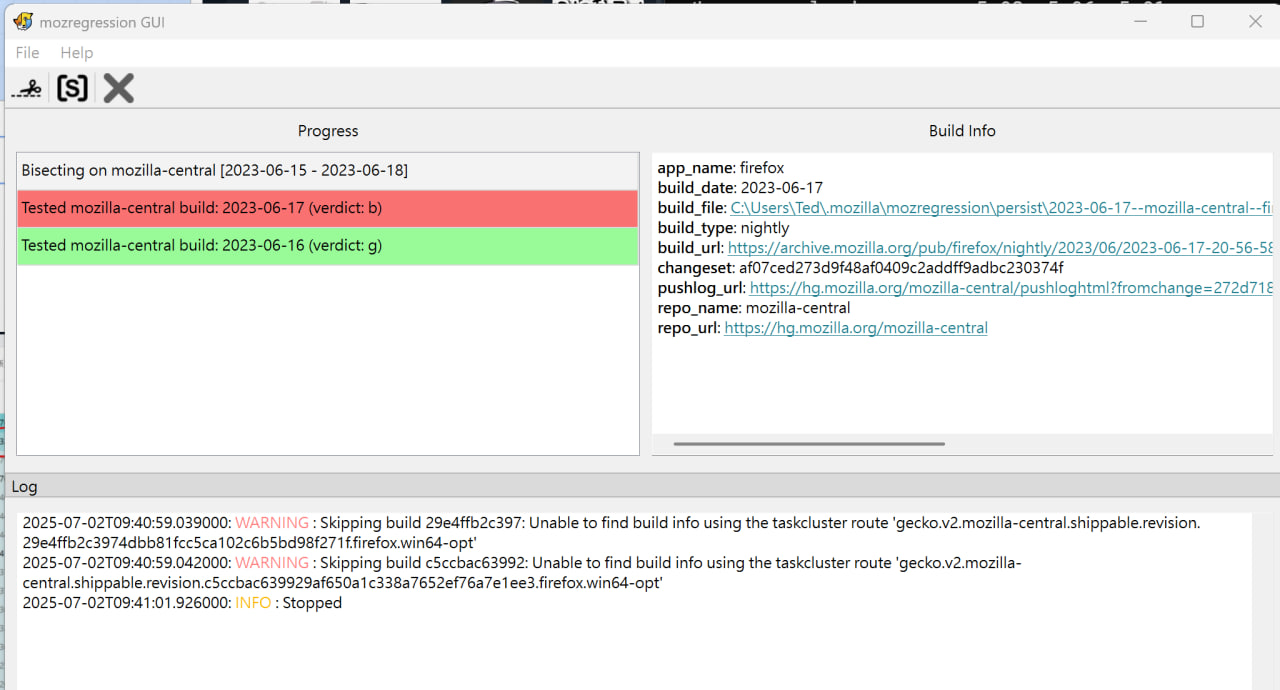
If I'm not mistaken, it points to a graphics bug 1837103. I'm not sure if this has anything to do with it.
Check your pushlog. Is it the same?
Ezalaki modifié na TyDraniu
TyDraniu said
If I'm not mistaken, it points to a graphics bug 1837103. I'm not sure if this has anything to do with it. Check your pushlog. Is it the same?
The pushlog URL shows in mozregression is Here
looks like does contain this is this what you mean?
Ezalaki modifié na nununene
Solution eye oponami
I rechecked your screenshot. It's under some extension. Try to go to about:support and find a name of this extension with ID {c5f935....}.
Extension identified as: Allow CORS: Access-Control-Allow-Origin 0.2.0 https://addons.mozilla.org/en-US/firefox/addon/access-control-allow-origin/
It may be also influenced by the Firefox View page. Try to right-click it, remove it from toolbar and restart.
Ezalaki modifié na NoahSUMO
TyDraniu said
I rechecked your screenshot. It's under some extension. Try to go to about:support and find a name of this extension with ID {c5f935....}. It may be also influenced by the Firefox View page. Try to right-click it, remove it from toolbar and restart.
Bingo!
I disabled the extension and the memory consuming issue is gone! The extension is this one: Allow CORS: Access-Control-Allow-Origin 0.2.0 https://addons.mozilla.org/en-US/firefox/addon/access-control-allow-origin/
I will also report this issue to the extension developer.
Thank you very much!
Ezalaki modifié na NoahSUMO