


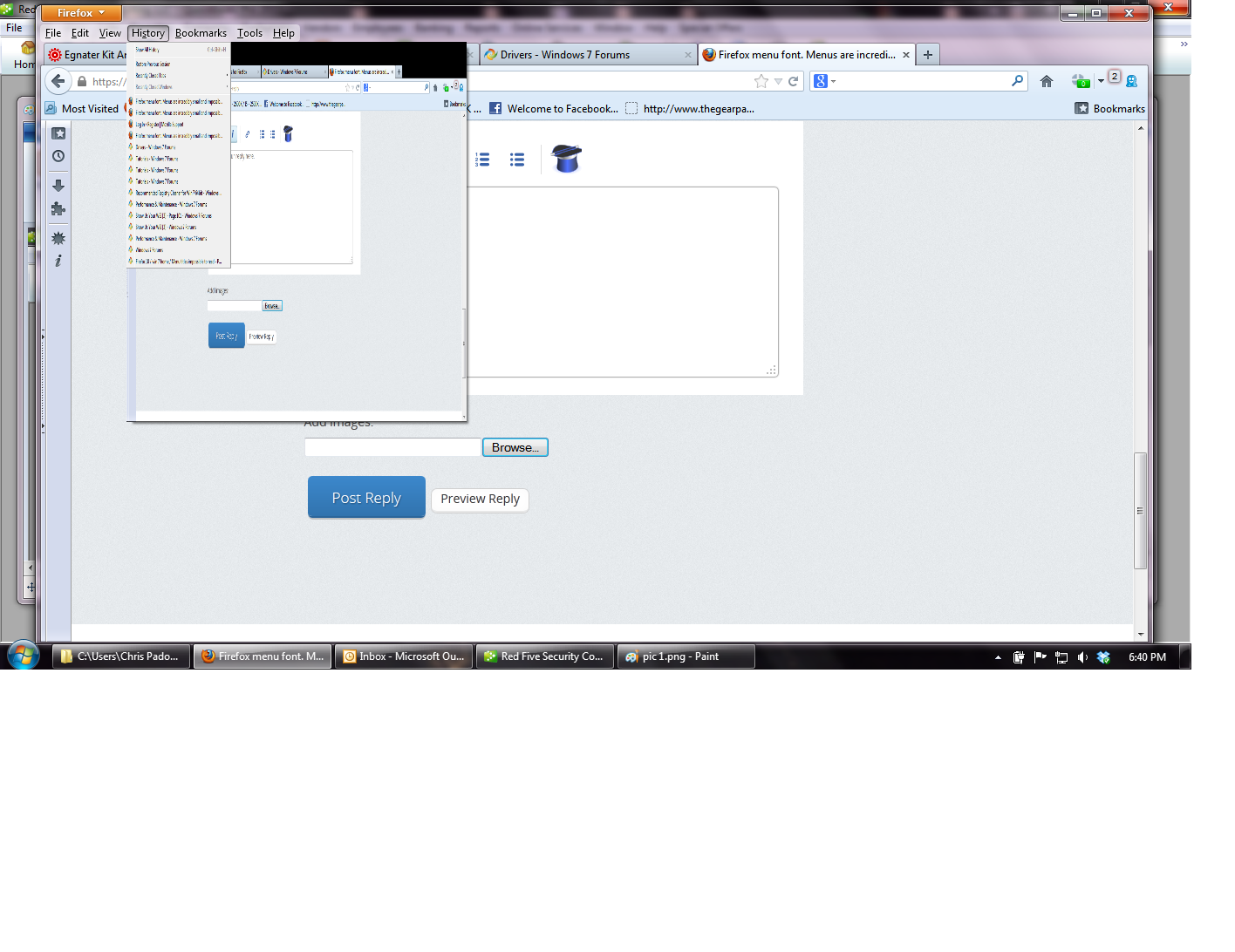
Firefox menu font. Menus are incredibly small and impossible to read.

FF 18. Menu bookmark font is impossible to read. It must be .4 size font (not FOUR but decimal point size). This is not a case of the font being too small there is some sort of bug where the menus change size. If you click alt the menus pop up and are normal but if you use the arrows to naviage the items the jump to super small size. Same thing w/the mouse but sometimes placing the cursor in a certain spot will get them ack to normal. Sometimes they'll just to some bizarre size but only unto you move the mouse.
선택된 해결법
It should be beneficial, IF it works.
It may be worth checking your graphics drivers
문맥에 따라 이 답변을 읽어주세요 👍 0모든 댓글 (13)
I found the fonts in Firefox were too small to read comfortably, so enlarged them all. In a userChrome.css file in a subdirectory called chrome in the Firefox profile, I added some code.
 @namespace url("http://www.mozilla.org/keymaster/gatekeeper/there.is.only.xul"); /* set default namespace to XUL */

 * {font-size: 15px !important;
}
That should make all the text in the interface the same size.
Use this extension to adjust the font size for the user interface:
- Theme Font & Size Changer: https://addons.mozilla.org/firefox/addon/theme-font-size-changer/
- Big Buttons: https://addons.mozilla.org/firefox/addon/big-buttons/
- Classic (Small) Toolbar Buttons: https://addons.mozilla.org/firefox/addon/cstbb/
This is not a font size issue. The pic I uploaded does not do my situation justice. The font is incredibly small, illegible. Windows does not even have a font size this small. The app worked as it's supposed to but did not solve my problem.
Start Firefox in Safe Mode to check if one of the extensions (Firefox/Tools > Add-ons > Extensions) or if hardware acceleration is causing the problem (switch to the DEFAULT theme: Firefox/Tools > Add-ons > Appearance).
- Do NOT click the Reset button on the Safe mode start window or otherwise make changes.
Try to disable hardware acceleration in Firefox.
- Tools > Options > Advanced > General > Browsing: "Use hardware acceleration when available"
- https://support.mozilla.org/kb/Troubleshooting+extensions+and+themes
Well that solved but the problem but I wonder why it's happening in the first place.
I basically wiped FF off my system ( too the best of my ability ....uninstall, delete etc...the only thing I didn't do was go through the registry) Used it barebones and I still had the issue.
So....it DOES function correctly now but I just wonder why it didn't work when it was barebones.
Anyway, thanks for your help
and it's happening again!@
duh. It wasn't happening because I was in safemode :-/ Now I'm not.
Did you try to disable hardware acceleration in Firefox?
Well that's working for now... Is hardware acceleration beneficial?
선택된 해결법
It should be beneficial, IF it works.
It may be worth checking your graphics drivers
Solved. Don't quite remember how I did it. I stripped FF. Downloaded again. Reinstalled. Added addons 1 at a time. It might have been a cookie addon that caused the problem. Unfortunately I don't remember which one, potentially, caused the problem.
Thanks for posting back. It works that is the important thing.
Font issue can be cleared up by closing all programs, go to C:\WINDOWS\Fonts in window explorer, click tools, then folder options on the menu bar, go to True Type Fonts tab, click show only TTF, apply, reboot, FireFox font issue solved