


Solved
My Settings changed with 156.0.1 update. Why?

The last update to 156.0.1 changed my inbox settings.
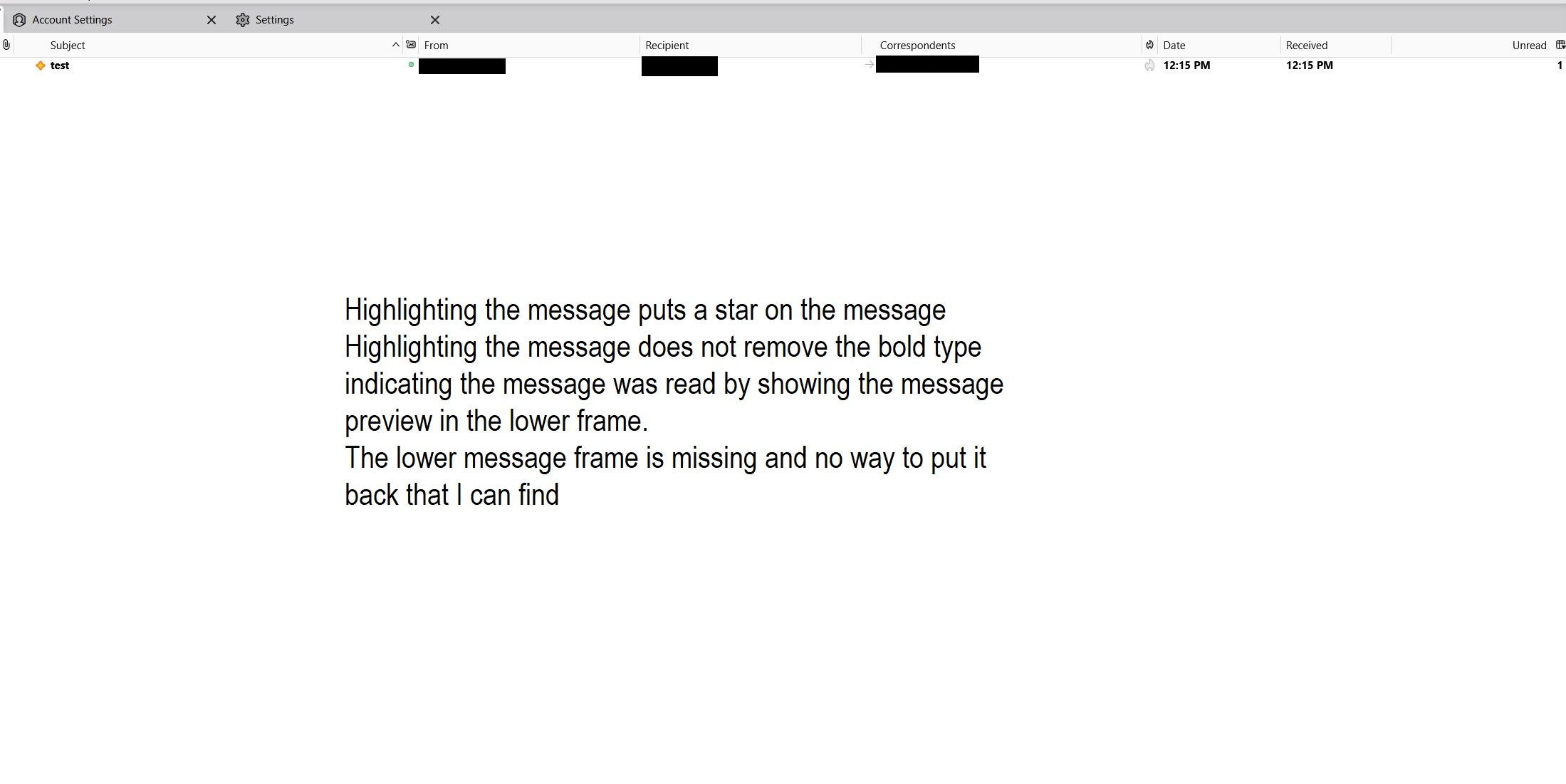
Previously when I would highlight an email in my inbox it would show it read and show a preview in the lower frame. Now the email stays in BOLD and there is no preview frame. Where do I change it my Inbox back like it was previously? How do I change the setting so that when I highlight an email in my inbox it shows read and shows a preview in a preview frame?
The last update to 156.0.1 changed my inbox settings.
Previously when I would highlight an email in my inbox it would show it read and show a preview in the lower frame. Now the email stays in BOLD and there is no preview frame.
Where do I change it my Inbox back like it was previously?
How do I change the setting so that when I highlight an email in my inbox it shows read and shows a preview in a preview frame?
모든 댓글 (1)
선택된 해결법
I found the message pane - F8 but I do not understand why it changed. Now the emails show read and appear in the message pane when I click on them as it used to.
Y'all can disregard my question.