Home page customization. Firefox logo in the center.

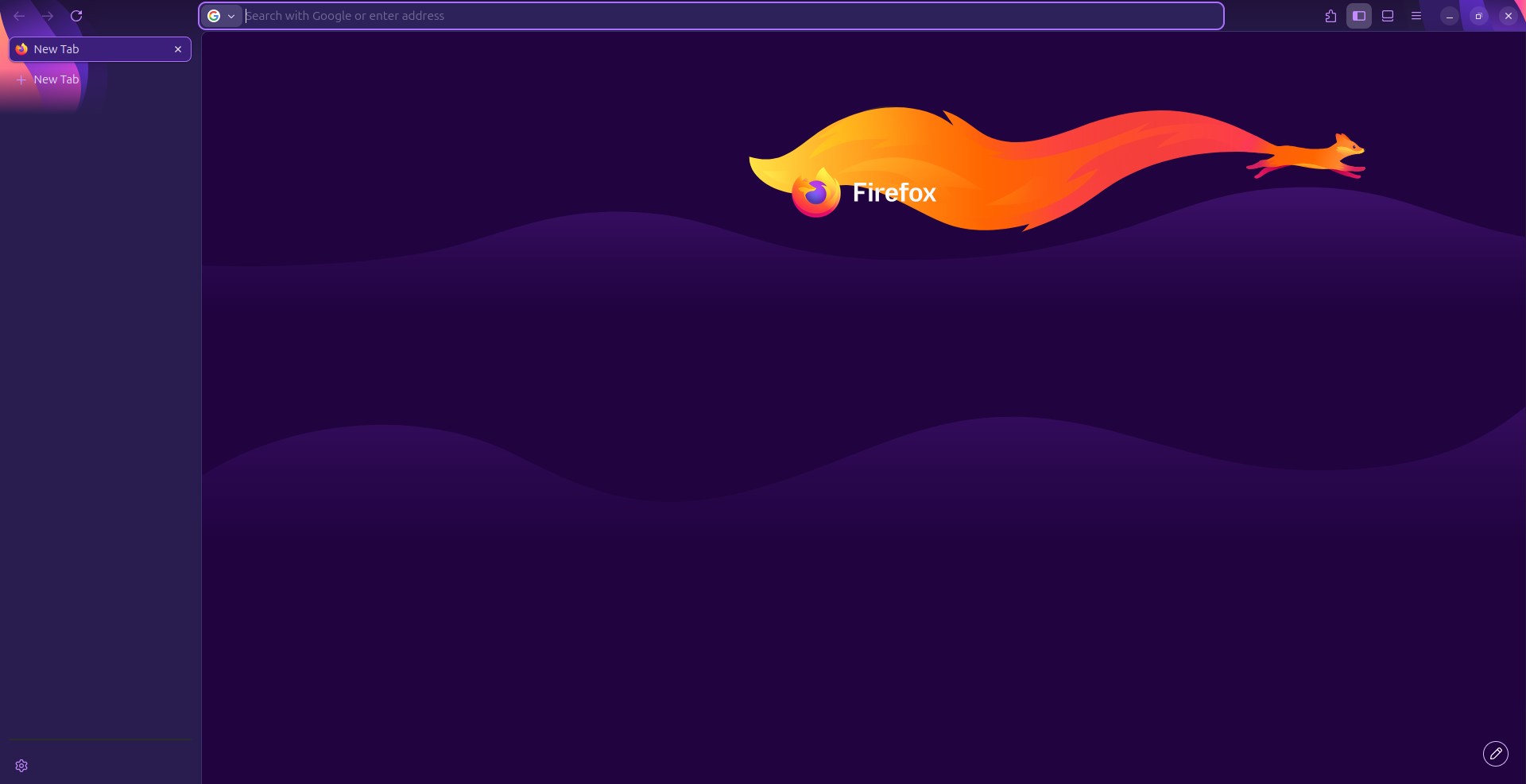
At some point I decided to use default tab wallpapers by Mozilla. With an update of home menu 151.0 , there is a new logo in the center "Firefox". You can see it on (screenshot 1). It covers any background picture, in my case a tail of the fox. I can't figure out how to hide this logo. I have one icon on my taskbar already; having it in the layout is just a redundancy. Obviously i know that i use Firefox there is no need to remind me that
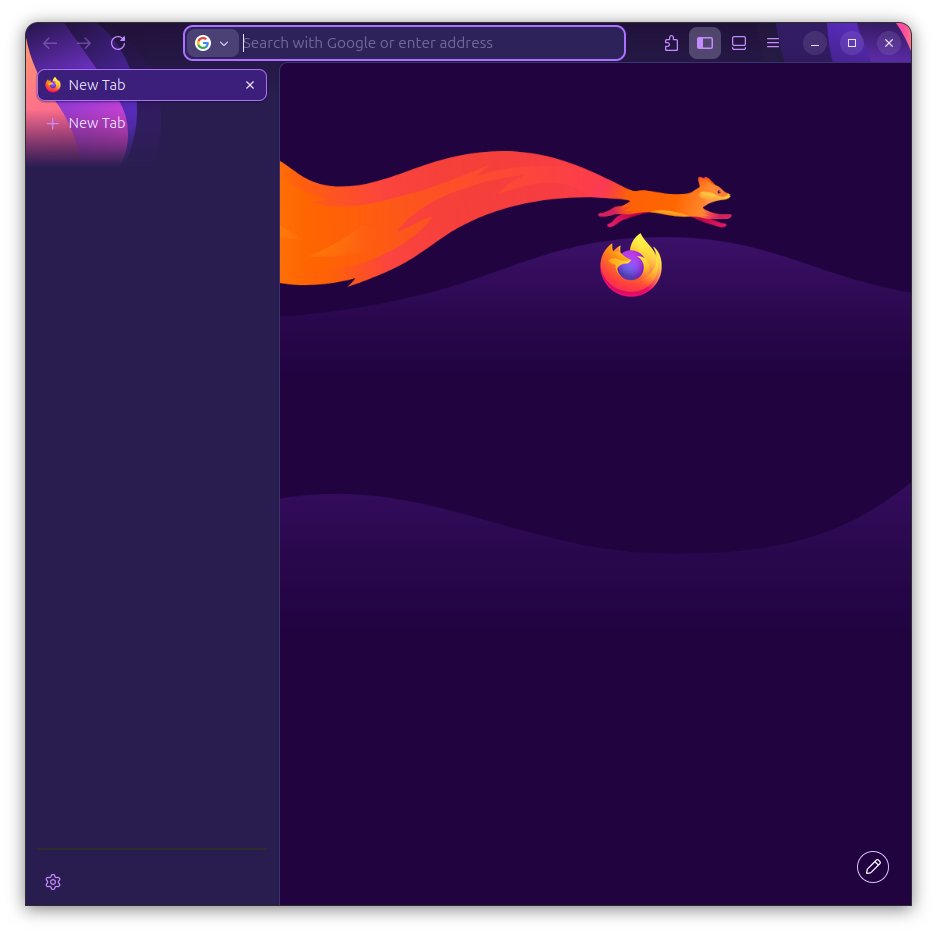
A little extra note: The layout reflow of the logo works bad when the window is resized. It's not centralized.(screenshot 2).
The only band-aid that i see is in Settings >> New tabs >> Blank Page. It turns of wallpapers and whole layout of homepage which is not my target (screenshot 3).
I use Ubuntu 24.04.4 LTS , snap Firefox 151.0.1

선택된 해결법
Hello
This discussion thread https://connect.mozilla.org/t5/discussions/firefox-151-introduces-a-fresh-new-look-for-home-amp-new-tab/td-p/125715
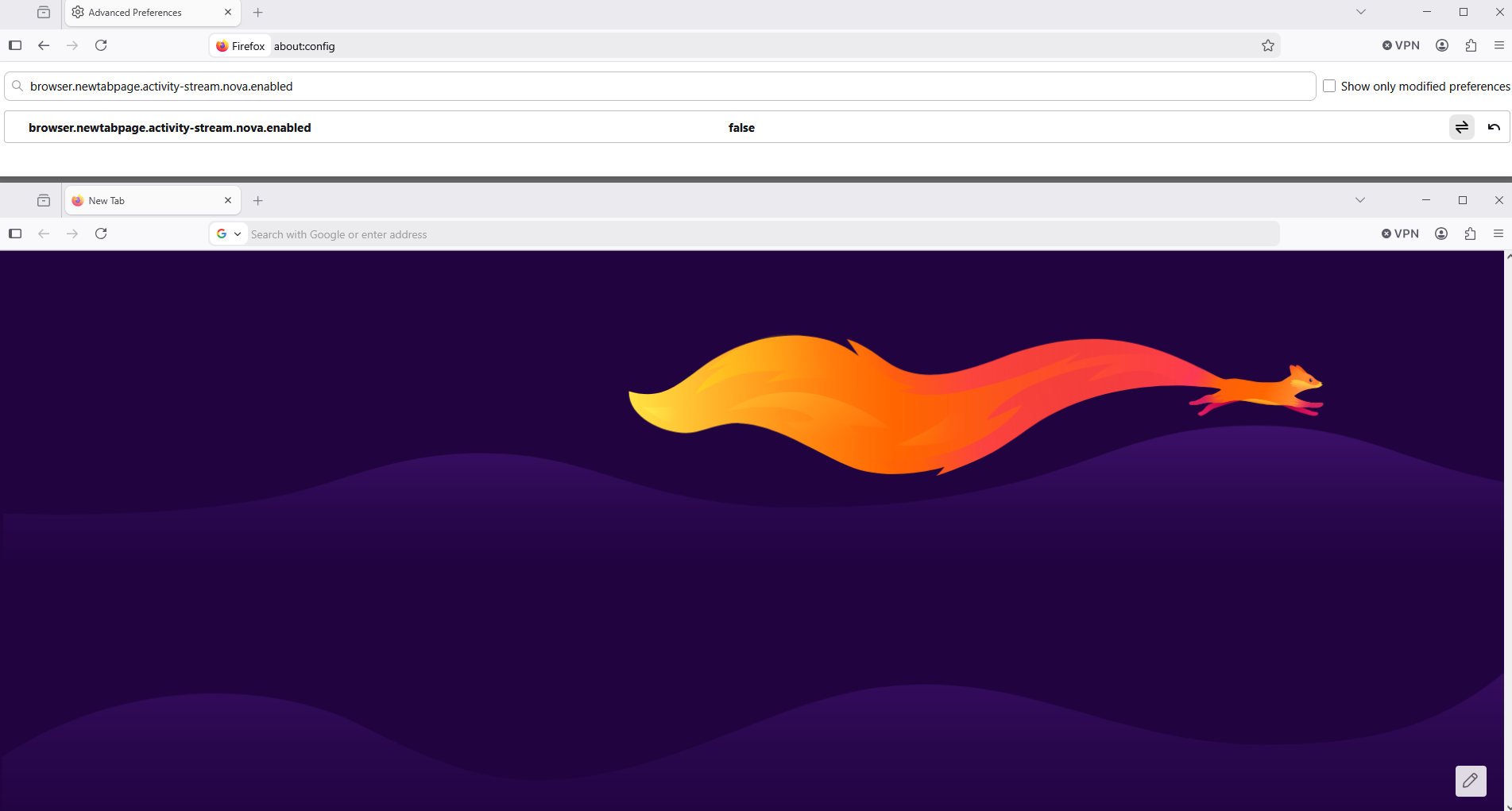
To see, you can test, browser.newtabpage.activity-stream.nova.enabled
1 - Go to configuration editor https://support.mozilla.org/en-US/kb/about-config-editor-firefox 2 - Enter a search term browser.newtabpage.activity-stream.nova.enabled You can double-click on the preference to set the value to false
문맥에 따라 이 답변을 읽어주세요 👍 1모든 댓글 (1)
선택된 해결법
Hello
This discussion thread https://connect.mozilla.org/t5/discussions/firefox-151-introduces-a-fresh-new-look-for-home-amp-new-tab/td-p/125715
To see, you can test, browser.newtabpage.activity-stream.nova.enabled
1 - Go to configuration editor https://support.mozilla.org/en-US/kb/about-config-editor-firefox 2 - Enter a search term browser.newtabpage.activity-stream.nova.enabled You can double-click on the preference to set the value to false