


CompuServe access issue

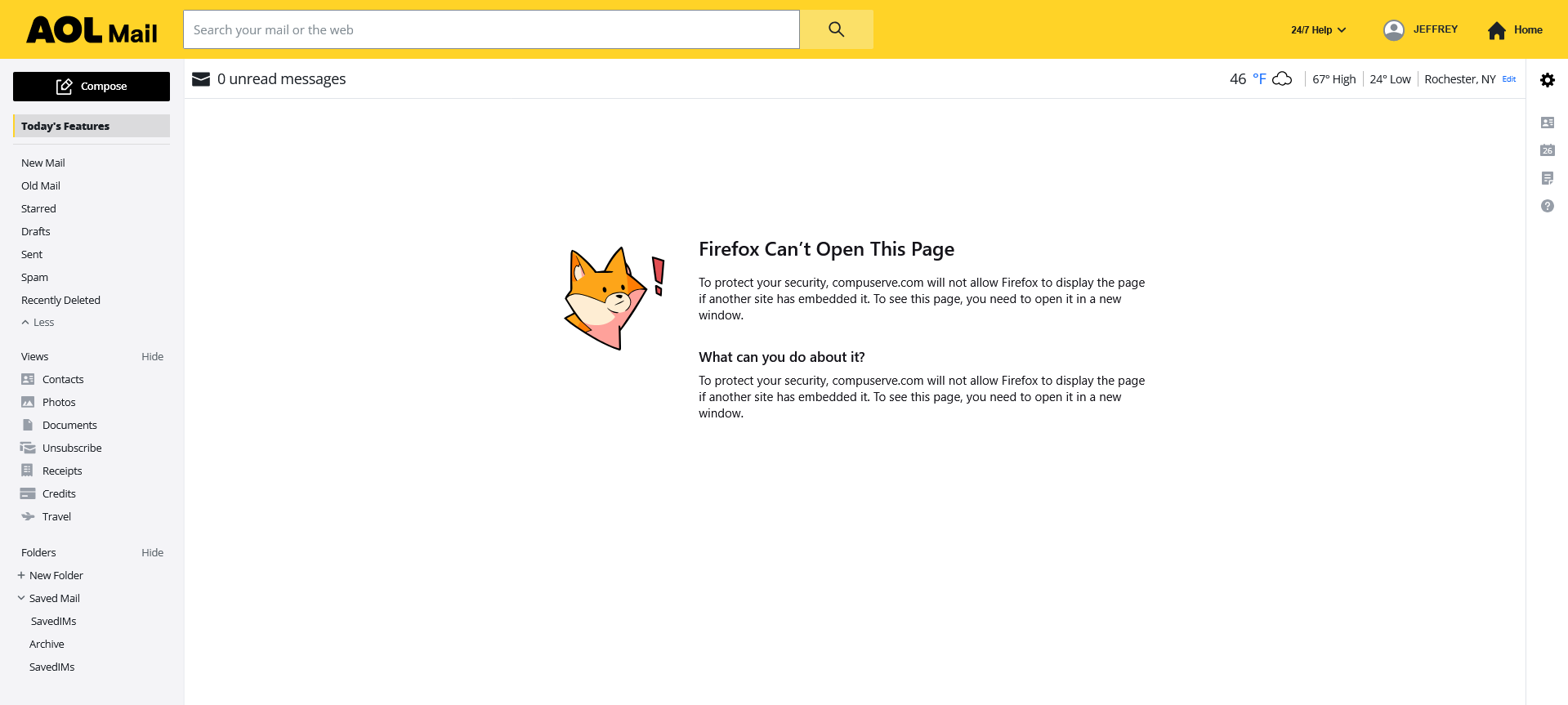
Up until today (3/26) , accessing CompuServe (AOL) mail was not an issue. Now , getting to the site is OK , but when it attempts to access the mail , I get:
Firefox Can’t Open This Page
To protect your security, compuserve.com will not allow Firefox to display the page if another site has embedded it. To see this page, you need to open it in a new window.
What changed overnight? After getting the message , if I click on Mail , it works just fine. There is also a similar message when closing the page , but not every time.
Any clues?
모든 댓글 (3)
After some testing , it appears that CompuServe/AOL is not allowing Firefox to open the news page that the site initially opens to. It was working fine until the latest Firefox update , So something changed in Firefox that the site does not like. Everything else on the site seems to work OK.

Earlier today [ 22ND MAY 2026] I had, for a period, in Firefox V115
BEGINS Hmm. We’re having trouble finding that site.
We can’t connect to the server at mail.aol.com.
If you entered the right address, you can:
   Try again later
   Check your network connection
   Check that Firefox has permission to access the web (you might be connected but behind a firewall)
ENDS Other browsers worked, pointing to alterations at the AOL end. But the browser will now find this site.
Well last week AOL/Yahoo messed up refreshing certificates for some of their old domains, that also resulted in error messages. And week before that apparently blocked Firefox thinking it was a robot. They seem to publishing not exactly well tested changes, so there's not much the browser can do about it, if the code e.g. only relies on "lucky" order of things or always expecting just the happy path to render.
The screen shot above is very simple — it's their own Content Security Policy they're sending, and expecting to have followed, that then they can't pass themselves 🤷 — there's very little help, than to be reporting these bugs to them, as this can't be caused by a browser update (this cross–frame protection shipped sometime 2014–2018 for example). If you want to see the content of the frame, you can pop it out like this: https://support.mozilla.org/questions/1579173