


Is the Prox-Media icon in my taskbar malware?

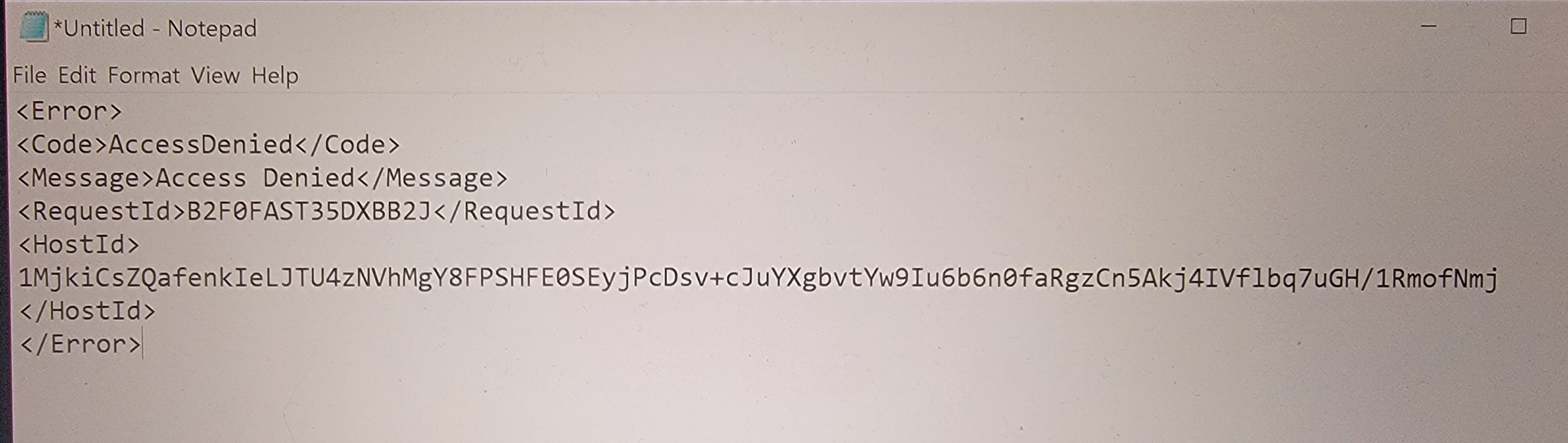
I'm sending this from my phone. My desktop FF (Win 10) suddenly displayed a black wireless globe type icon called Prox-Media pinned to my taskbar. I can't find the app on my system, though, but the full path leads it to a firefox.exe file. Before my brain kicked in, I'd clicked on the icon right after noticing it, and Firefox came up with the attached error message displayed.
"Prox-Media" comes up nowhere in my searches - not as legit, not as a virus - just no results. Can you help?
I have a paid AVG account and I ran a deep scan but it found nothing.
모든 댓글 (5)
Interesting... I would run this to see what's set run when you log into windows. https://learn.microsoft.com/en-us/sysinternals/downloads/autoruns
What happens if you just delete it?
THANK YOU for your reply! There are 6 exe's to run and I wasn't finding the recommendations on which was ideal, so I ran only the autoruns.exe. Researching the yellows revealed no real issues, and the pinks don't seem to be anything either, but I've attached jic.
I was tired last night and am kicking myself for clicking on anything unfamiliar; I have so much locked down on my system and browser (I'm no techie, but I used to be, and I still consider myself decently informed and scam savvy), and I do nothing on the internet that doesn't involve a common, legit site. Clearly the shortcut to firefox.exe was to get me to click and run whatever that was, although I'm not noticing anything different today.
Oh, and I did delete the shortcut last night, rebooted after the deep scan and it has not reappeared.
Again, pink items attached, and thank you.

Can you inspect the properties of that icon via the right-click context menu?
It's deleted now but right-click only allowed Unpin and Close. When I did find the path for the icon, as I mentioned above, it led to firefox.exe.