Firefox Focus - can't scroll down enough to see the text at the bottom of the text entry field

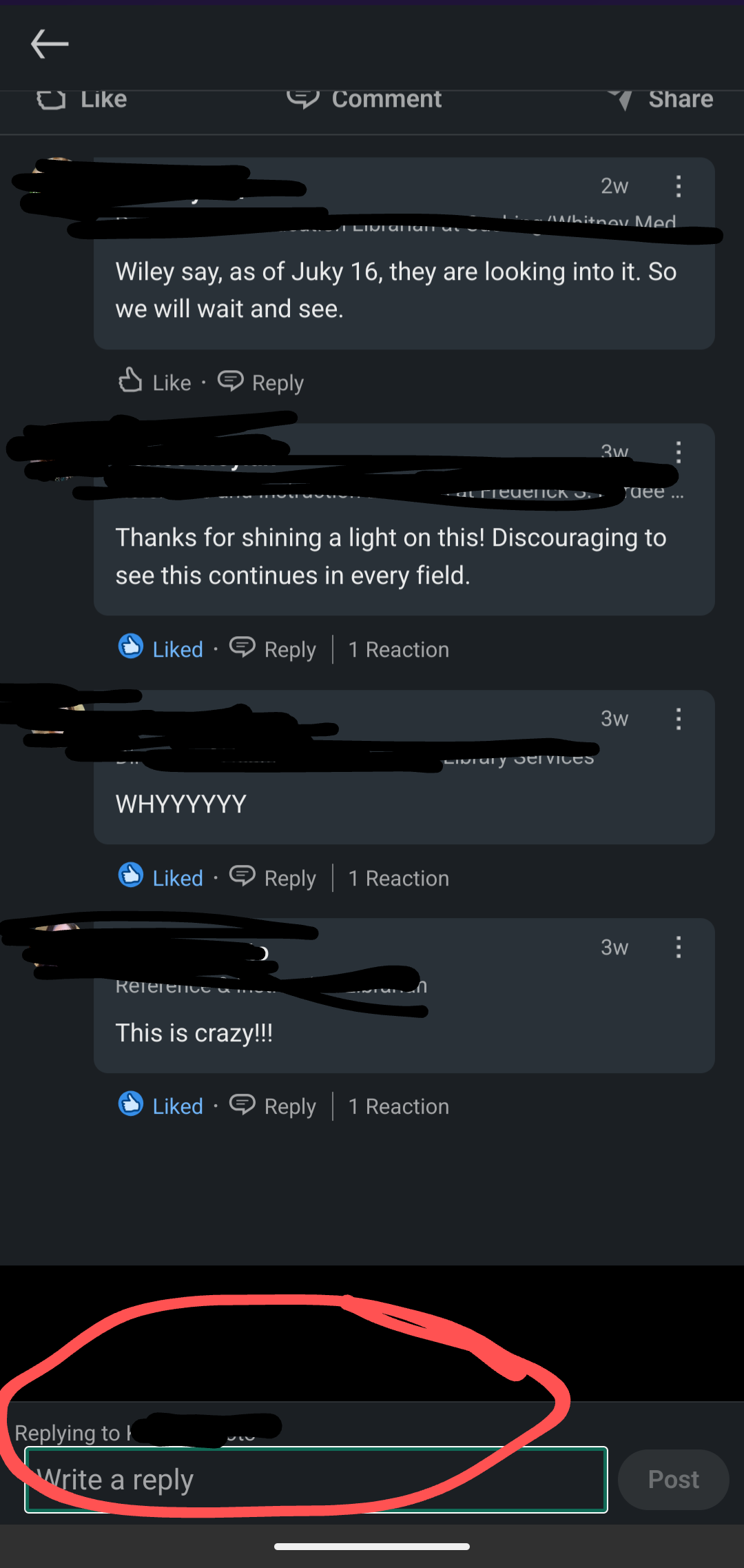
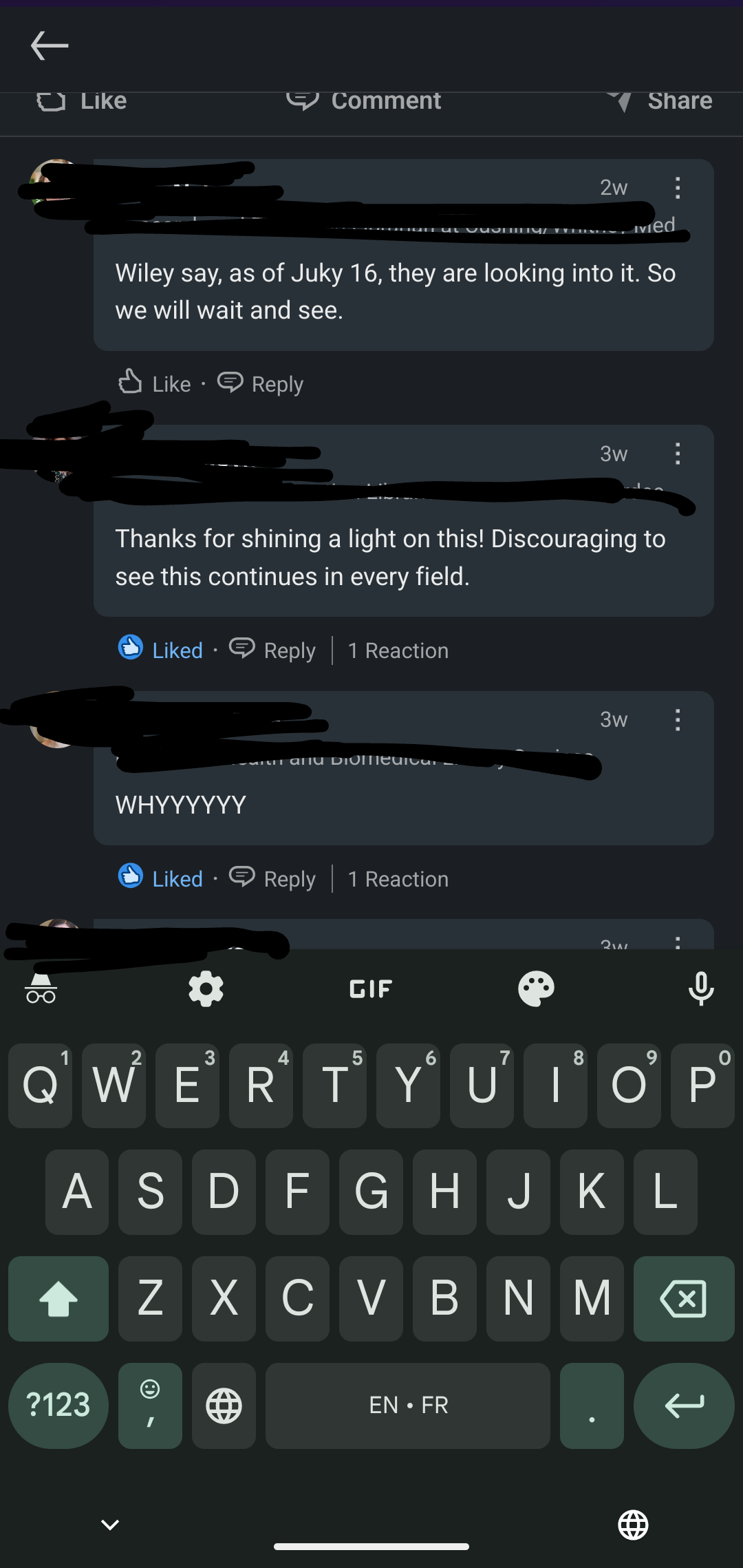
This problem started recently. In some websites, when there's a text entry box, I can't scroll down far enough to see the bottom part of the text *and* have the keyboard display on the screen at the same time. I can keep typing, but I can't see what I have typed unless I use the arrow to hide the keyboard. Then when I want to start typing again, it's hard to put the cursor exactly where I want to type in a gesture that will bring back the keyboard. This doesn't happen in Firefox; just Firefox Focus.
모든 댓글 (2)
Hi
Do you have an example of a website where that happens that I could try here?
Hi Paul, Yes, one example is LinkedIn. If I am using Firefox Focus, I can hit the "comment" function, and a comment window will indeed open up - but it's hidden under my keyboard. I can type, or I can see what I've written, but I can't do both at the same time. I will add two screenshots - one showing where the text box is, and one showing what I see when the keyboard is displayed on screen. And yes, I tried to scroll down before I took the keyboard screenshot :) Thanks for looking into it!