


Can not download fire fox focus
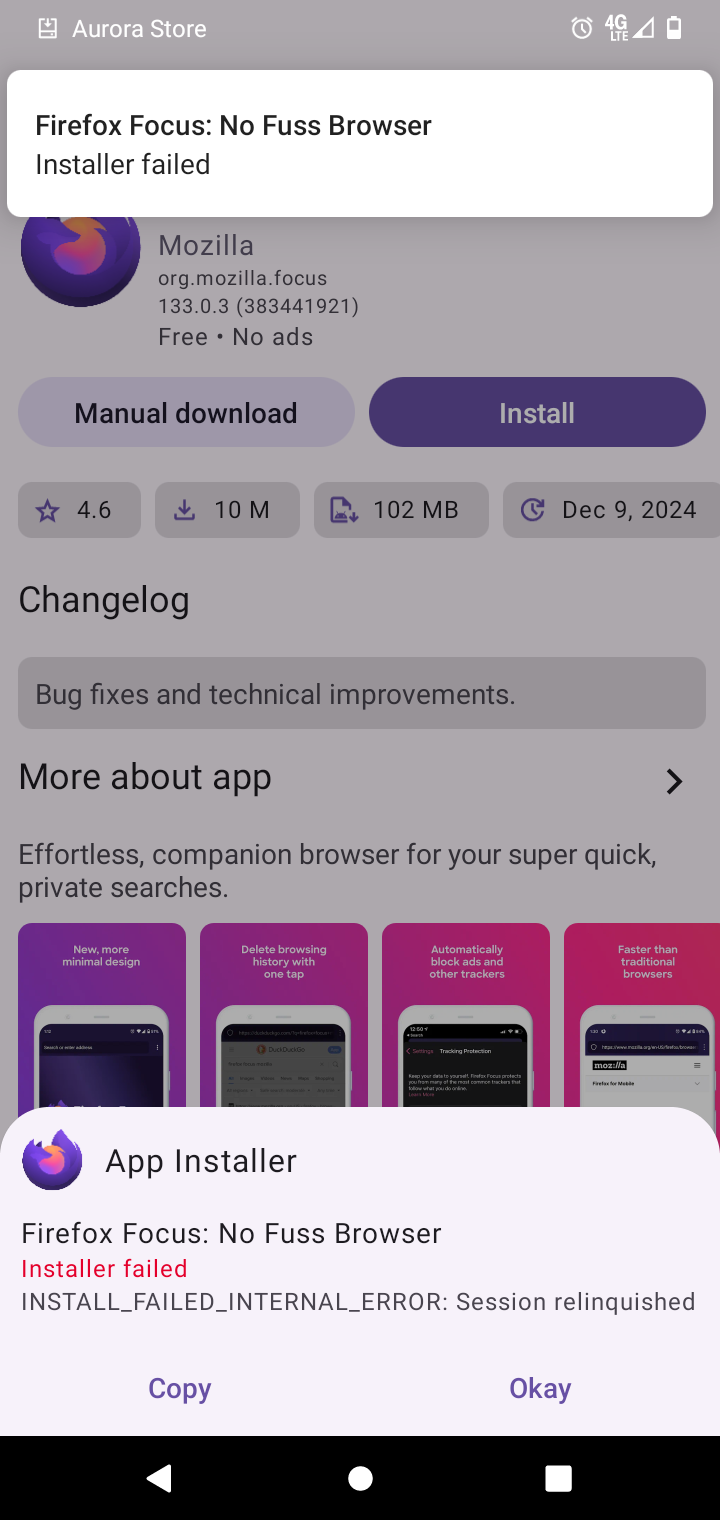
I am trying to download fire fox from the aurora store. Never had a problem before. getting error message. What would cause me to get the error message attached
I am trying to download fire fox from the aurora store. Never had a problem before. getting error message.
What would cause me to get the error message attached
모든 댓글 (1)
If you can't download Firefox Focus, try these steps:
Check Internet Connection: Ensure you have a stable connection. Update Your Device: Make sure your device’s software is up-to-date. App Store/Play Store: Go to the official app store (Google Play or Apple App Store) and search for Firefox Focus. Clear Cache: Clear your app store's cache and try again. Restart Your Device: Sometimes a simple restart can fix the issue. If the problem persists, try reinstalling the app store or checking for restrictions on your device.